Stream a simulated run, inspect the notifications it would send on Slack and email, and see exactly where it sits in the 7-stage PM OS flow. No password required.
The short version
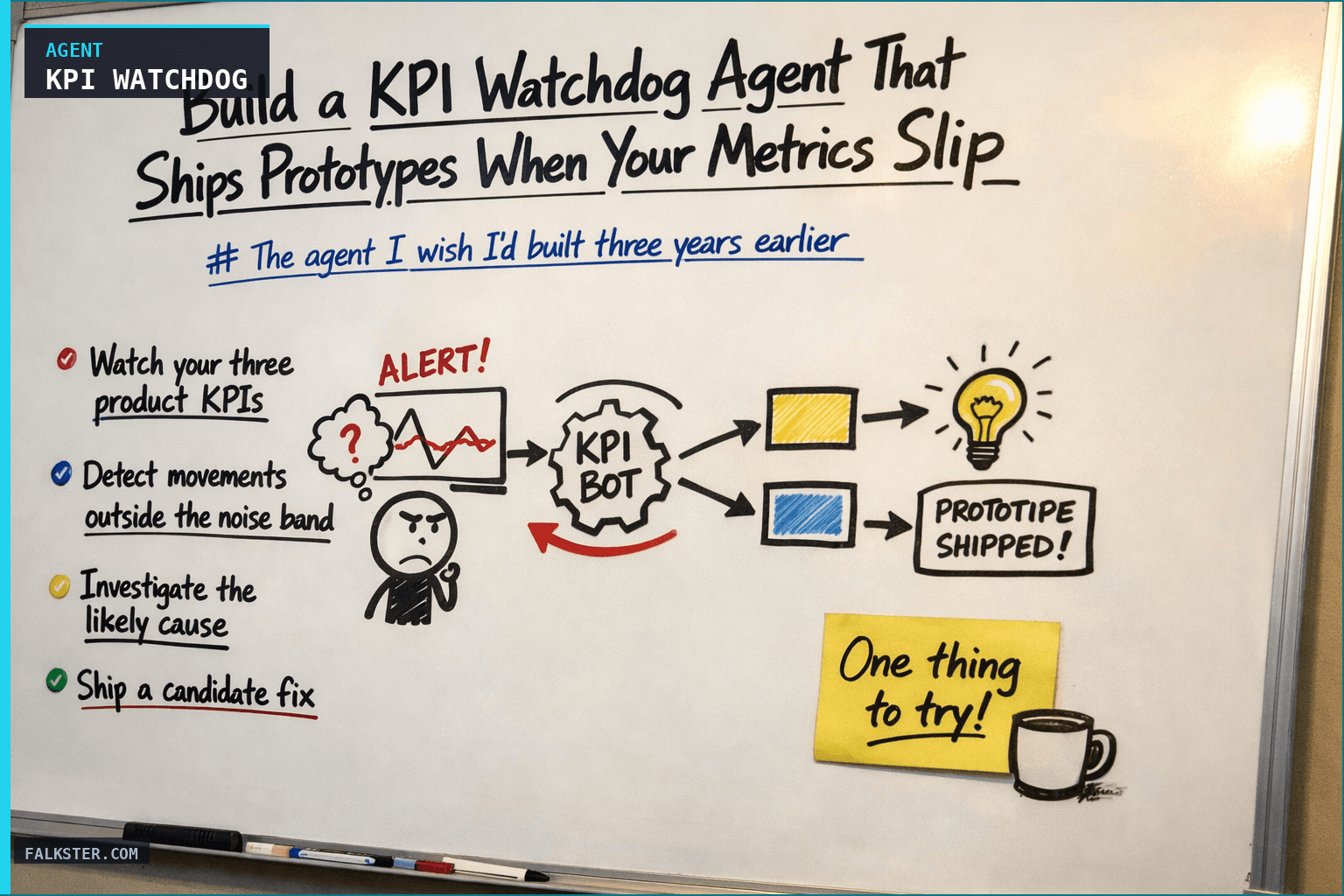
The KPI Watchdog agent checks your three product KPIs every hour, detects when one moves outside the noise band, investigates the likely cause by clustering it with recent product changes and customer signal, and then ships a clickable prototype of a candidate fix. By the time you read the Slack alert at 8:17 AM, the prototype is already running at a preview URL. Three tiers (Note, Alert, Incident) match alert noise to signal severity. The prototype-builder is the move that separates a 2023 dashboard from a 2026 product-builder agent. Build the v1 in three weekend evenings: one KPI, one collector, one alert. The full version is the highest-ROI agent I've built.
The agent I wish I'd built three years earlier
You ship a feature on Tuesday. Wednesday, the onboarding completion rate drops 8 percent. Nobody notices until the Monday metrics review. By Monday, the root cause is buried under five other things that happened in the intervening week. You argue about what caused the drop. You can't reproduce the state. You "add it to the list to investigate." You never do.
Now imagine a different version of Wednesday.
8:17am, Slack: "Onboarding completion dropped 8.2% yesterday versus the 7-day average. Change falls outside the noise band. Likely cause: the new custom-fields screen added in Tuesday's release (correlation with rollout timing, 91% confidence). Candidate fix: I've built a clickable prototype of a simpler version of the screen. Try it here: [link]. If you want me to A/B test the prototype against the current version on new trials today, reply YES."
That's the watchdog agent. This post is how to build it.
What the watchdog does
Four jobs, in order.
- Watch your three product KPIs every hour (or at whatever cadence makes sense for your volume).
- Detect movements outside the noise band and cluster them with any product or system changes that could explain them.
- Investigate the likely cause by pulling support tickets, sales calls, release notes, and product-analytics events from the affected window.
- Ship a candidate fix as a working prototype, so you have something to evaluate by the time you read the alert.
The first three are standard monitoring. The fourth is the move that separates a 2023 dashboard from a 2026 product-builder agent. The watchdog doesn't just tell you a KPI fell. It hands you something you can test.
Why daily is the wrong cadence, actually
The daily KPI ritual is the human side of this. Five minutes in the morning, eyes on the three numbers. That's the floor.
The ceiling is continuous. The watchdog runs every hour. It doesn't wait for you to be at your desk. When a KPI crosses the investigation threshold at 2:47am (because a vendor pushed a change, or a bot is hammering a flow, or a release went out late), the watchdog is already running the investigation by the time the east coast wakes up.
The operational question isn't "should we check daily or continuously?" It's "what's the minimum cadence at which we can catch this signal before a customer escalates?" For most B2B products, that's every 1-4 hours. For consumer products with higher volume, it's every 15 minutes.
The seven components
You don't need exotic tooling. You need seven things.
1. A KPI registry. A file in your repo (I use kpis.yaml) that defines each KPI: name, source query, healthy band, investigation threshold, escalation threshold. This is the source of truth. The agent reads it. Humans edit it. Git tracks changes.
Example entry:
- id: onboarding_completion
  name: "Onboarding completion rate"
  source: "sql:analytics"
  query: "SELECT percent_completed FROM onboarding_daily WHERE date = current_date - 1"
  healthy_band: [0.62, 0.72]
  investigation_threshold: 0.05  # 5% move
  escalation_threshold: 0.10     # 10% move
  window: "7d"
2. A metric collector. A small job that runs every hour, pulls the current value of each KPI, computes the delta versus the 7-day rolling average, and stores the result with a timestamp. 30 lines of Python. The Python is boring. The KPI registry is where the thinking happens.
3. A change log. The agent needs to know what else was changing in the system when the KPI moved. Deploys, prompt changes, flag flips, vendor announcements, pricing tests. Most companies have this data scattered across 5 systems. The watchdog pulls them all into one feed it can correlate against.
4. A signal ingester. When an alert fires, the agent pulls the last 48 hours of support tickets, sales call snippets (via Gong or Chorus), NPS responses, and churn cancellations. Filtered to only the relevant surface if it can tell. This is the qualitative half of the investigation. See Continuous Listening for the full pipeline.
5. A correlation step. An LLM call that takes the quantitative drop, the change log, and the qualitative signal, and produces a ranked list of likely causes with confidence levels. "91% confidence: the new custom-fields screen." "62% confidence: the new model routing for the welcome email." And so on. The agent is honest about uncertainty.
6. A prototype builder. This is the money move. For the top-ranked likely cause, the agent generates a clickable prototype of a candidate fix. Not a spec. A working prototype. Using Claude Code (or equivalent) with your design system and source code loaded into context, this takes 3-8 minutes. The agent returns a URL to the running prototype.
7. An operator interface. Where the agent posts its findings. Slack channel, email digest, internal dashboard, whatever your team watches. The alert includes: the KPI that moved, the change, the correlation, the top candidate fix, and the prototype URL. Plus one-click actions: "yes, A/B test it," "no, investigate further," "dismiss, this is expected."
The correlation prompt (the hard part)
Most of these components are mechanical. The one that actually requires craft is the correlation step. Here's the shape of the prompt I use (simplified):
You are a product analyst debugging a metric drop.

The KPI `{kpi_name}` moved by {delta} in the last {window}.
This is outside the healthy band of [{low}, {high}].

Changes that happened in the same window:
{change_log}

Qualitative signal from customers in the same window:
{clustered_support_and_sales_signal}

Produce a ranked list of likely causes. For each cause:
- Confidence level (0-100%).
- Supporting evidence (which changes and which signals point at it).
- Counter-evidence (what would falsify this explanation).
- Candidate fix (describe the smallest intervention that would test the hypothesis).

Be conservative with confidence. A correlation is not causation. Say so when the evidence is thin.
The two things this prompt does that amateur versions don't:
- It asks for counter-evidence. An agent that only surfaces confirming signal will convince you of the first plausible story.
- It asks for the smallest intervention. The candidate fix isn't "redesign onboarding." It's "try this one-line copy change on the step where the drop is concentrated."
The prototype builder uses the candidate fix description as its spec.
The prototype builder (the money move)
This is the piece that wouldn't have worked two years ago. In 2026 it does.
The agent gets the candidate fix description. It pulls the relevant section of your source code. It pulls your design system. It pulls the user flow from your product analytics so it knows what the surface currently looks like. It asks Claude Code to generate a working prototype of the proposed fix, deployed to a preview URL.
I've run this pattern on four different surfaces at Smartcat over the last year. Some observations:
- The prototype is often 80 percent right and 20 percent off in ways that a human would catch. That's fine. The point isn't a production fix. The point is something you can react to in minutes instead of days.
- About a third of prototypes aren't worth A/B testing. The agent's candidate fix was obviously wrong, or the prototype revealed a complication the agent hadn't seen. That's useful too. You rejected a bad fix in 20 minutes instead of a three-week engineering spike.
- About a third of prototypes become the real fix. Engineering takes the prototype, cleans it up, and ships. The cycle time from KPI drop to shipped fix goes from 3 weeks to 4 days.
- About a third of prototypes trigger a better idea. The agent's candidate fix wasn't right, but seeing it made the team see what was actually needed. The agent is generating starter material for the team's judgment, not replacing it.
All three outcomes are good. The only bad outcome is the old one, where the KPI drops and nothing tangible shows up until next Monday.
The escalation rules
The watchdog's output has to match the severity of the signal. Otherwise it either becomes noise (too many alerts for small blips) or misses the big one (not loud enough when the product is actually on fire).
Three tiers:
Tier 1: Note. KPI moved outside the healthy band but inside the investigation threshold. Agent posts a note in the dedicated #product-kpi-watchdog channel. Includes correlation and candidate fix prototype. No @here, no at-mention. Read at your leisure.
Tier 2: Alert. KPI moved outside the investigation threshold. Agent posts the same investigation plus an @-mention to the surface owner. Expected response within a few hours. If no response in 4 hours, agent escalates.
Tier 3: Incident. KPI moved outside the escalation threshold, or sustained miss for 48+ hours. Agent pages the on-call PM. Opens a Slack war room. Pings the surface owner, their manager, and the on-call engineer. Treated as a production incident (see Incident Response Is a PM Ritual).
The tiers are configurable per KPI in the registry. Revenue KPIs escalate faster than engagement KPIs, usually.
What the agent does NOT do
Three important non-features.
It does not ship the fix. The prototype is a proposal. A human decides whether to A/B test, ship, or discard. Always. This is non-negotiable and should stay non-negotiable even as agents get more capable. The product decision is a human decision.
It does not celebrate when a KPI goes up. I tried this for a quarter. It was exhausting. Positive movements don't need the same machinery because there's no urgency to investigate them (and most positive movements are regression-to-mean noise anyway). Save the ceremony for when the product is breaking.
It does not override your judgment on false positives. If you dismiss an alert, the agent records the dismissal and learns from the pattern over time. But the dismissal is final for that alert. The agent doesn't keep pinging you or escalate "because I still think this is real." The human is in charge.
The team version
One PM running this is valuable. A whole team running it is transformative.
When every PM on a team has their own KPI watchdog, you get three things:
- A shared signal channel where everyone sees everyone else's alerts. Cross-surface correlations become visible faster. When two PMs' KPIs drop at the same time from the same root cause, the team figures that out in hours, not weeks.
- A library of candidate fixes. Every prototype the agent has ever generated is browsable. When a similar pattern reoccurs on a different surface, the team has a reference.
- A compounding dataset. The agent gets better at correlation over time, because the history of past alerts and their outcomes becomes its training data. After a quarter, the agent is better at your product than most new hires.
This is where the team-level ROI shows up. The individual agent saves you days. The team-level agent starts changing how your whole organization responds to product signal.
Pick one thing this week
Don't try to build the full watchdog this week. Build the smallest useful version.
- Pick one KPI. Just one. The one that matters most right now.
- Define its healthy band and investigation threshold in a small YAML file.
- Write a 30-line Python script that pulls the KPI value every hour and posts a note to Slack when it moves outside the band. No correlation, no prototype, just "the number moved." Use Claude Code to generate the script.
- Run it for a week. Notice which alerts were useful and which were noise. Tune the thresholds.
- Next week, add the correlation step: when an alert fires, the agent also pulls the last 48 hours of support tickets and asks an LLM to guess the likely cause. Post that alongside the alert.
- The week after, add the prototype builder for one specific alert type that reoccurs. (For example: "onboarding completion dropped" triggers "propose a simpler version of the screen.")
Three weeks from now, you have a v1 watchdog running on one KPI. The framework is in place. Adding KPIs two and three is a copy-paste. Adding the prototype builder to more alert types is a week per type.
The full watchdog takes a month of evenings. The outcomes it produces are better decisions, in minutes instead of weeks, on the metrics you actually care about. That's the highest-ROI agent I've built in my career. Build yours.
Sources: Gong, Chorus, Claude Code.
Download the artifact
Ready to use. Copy into your project or share with your team.
Also on Medium
Full archive →AI Agents and the Future of Work: A Pixar-Inspired Journey
What product managers can learn about AI agents from how Pixar runs a film team.
Many AI Agents Are Actually Workflows or Automations in Disguise
How to tell agents from workflows from cron jobs, and why it matters for what you ship.
Frequently asked
What does the KPI Watchdog agent actually do?+
It checks your product KPIs every hour, detects movements outside the normal noise band, investigates likely causes by correlating with recent releases and customer signal, and ships a clickable prototype of a candidate fix. By the time you read the Slack alert, a working prototype is already live at a preview URL.
How does the agent figure out what caused a KPI drop?+
It runs a correlation step: an LLM call that takes the quantitative drop, the change log (deploys, flag flips, vendor changes), and 48 hours of qualitative signal (support tickets, Gong calls, NPS responses) and produces a ranked list of likely causes with confidence levels. It also asks for counter-evidence so it does not just surface the first plausible story.
What are the three alert tiers?+
Tier 1 (Note): the KPI moved outside the healthy band. Posted quietly in the monitoring channel, no mention. Tier 2 (Alert): the KPI moved past the investigation threshold. A mention goes to the surface owner with an expected response within a few hours. Tier 3 (Incident): the KPI passed the escalation threshold or has been missing for 48+ hours. Treated as a production incident with a war room and on-call page.
Does the agent ship the fix automatically?+
No. The prototype is a proposal. A human decides whether to A/B test it, ship it, or discard it. The agent is explicit that a correlation is not causation. That constraint stays non-negotiable even as agents get more capable.
How long does it take to build a v1 watchdog?+
About three weeks of evenings if you start with one KPI. Week one: a 30-line Python script that pulls the KPI hourly and posts to Slack when it moves. Week two: add the correlation step pulling 48 hours of support tickets. Week three: add a prototype builder for one specific alert type. The full seven-component version takes about a month.

Comments (0)
Sign in with LinkedIn to leave a comment.
Sign in with LinkedIn