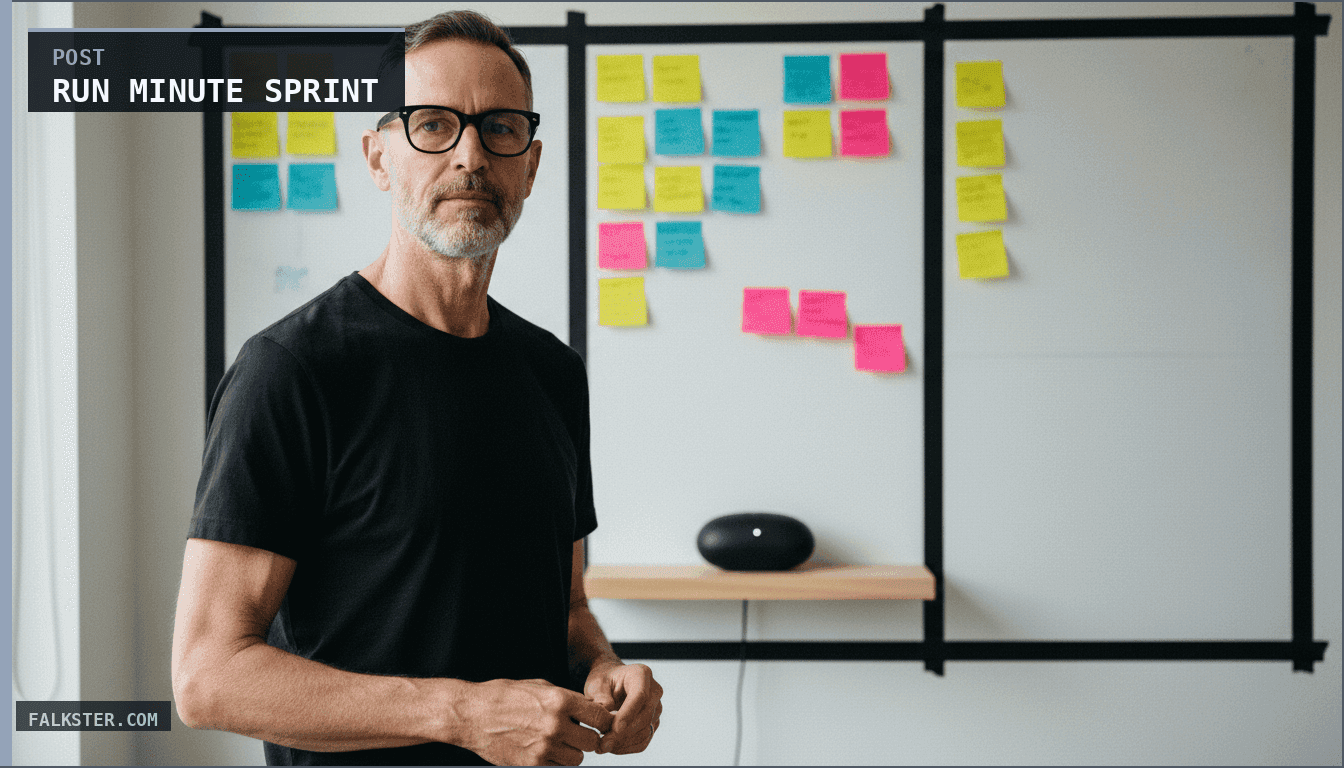
Run a 15-Minute Sprint Retro That Actually Improves Things
The short version
Most sprint retros spend 80% of time gathering data and 20% solving problems. Flip the ratio. Every Friday at 4 PM, an automated process generates a Sprint Health Report from GitHub commits, Jira tickets, Slack messages, PagerDuty incidents, and PR data, all synthesized by Claude. Monday's retro is 15 minutes: 2 minutes reviewing the report together, 5 minutes on the #1 pattern, 5 on secondary patterns, 3 to celebrate and commit to one action item with named owner and deadline. The pattern: [Owner] will [specific action] by [when]. Retros become decision-making meetings, not data-gathering meetings. Three setup options included: manual+Claude, Make/Zapier automation, or Python script with cron.
Most sprint retros are a waste of time. If you want an agent that synthesizes retro learnings into an evolving team playbook over time, see Retrospective Synthesis and Learning Agent.
You sit down for 60 minutes. First 20 minutes: people remember what happened last sprint. Another 20 minutes: go around the room and collect surface-level complaints. Last 20 minutes: vague action items nobody remembers by next sprint.
Here's the problem: retros spend 80% of the time gathering data and 20% solving problems. That ratio should flip.
This guide flips it. An AI agent gathers the data before the meeting, which is the hard part. Your retro becomes 15 minutes of focused problem-solving with the data already in hand.
Retros start changing behavior. Action items start getting done.
AI does the prep work
Most retro time is wasted collecting information that machines can gather in seconds:
- What did we ship? (Check tickets, GitHub commits)
- What broke? (Check incident reports, Slack)
- What took longer than expected? (Compare estimates to actuals)
- What was frustrating? (Analyze Slack threads and PR comments)
- What slowed us down? (Dependency delays, blocked tickets)
- What made us happy? (Completed features, wins)
An AI can ingest all of that in minutes. It can identify patterns humans would miss. It can present you with a report before you walk into the room.
Then the retro is simple: review the report (5 minutes), discuss the ONE most important pattern (5 minutes), commit to ONE concrete action (5 minutes).
That's a retro that works.
Step 1: Pre-Retro Setup - The Sprint Health Report (Run this on Friday afternoon, before the retro)
On Friday at 4 PM, you run an automated process that generates a "Sprint Health Report." This happens before anyone attends the retro.
The report ingests:
- All commits from the sprint (git log, GitHub API)
- All merged PRs (code review quality, cycle time)
- All ticket movements (Jira: completed vs. incomplete, cycle time)
- All Slack messages from engineering channels (frustrations, blockers, wins)
- All on-call incidents (pagerduty API: incidents, mean time to resolution)
- Sprint estimate vs. actual (Jira: story points estimated vs. completed)
It analyzes this data and produces a report with:
- Sprint velocity (points completed / points estimated)
- Deployment quality (incidents this sprint vs. last)
- Development bottlenecks (most-blocked tickets, longest cycles)
- Team sentiment (happy vs. frustrated signals from Slack)
- Blockers and dependencies (what slowed us down)
- Standouts (who shipped the most, who unblocked others)
- Actual patterns (not opinions - data-driven observations)
Step 2: The AI Prompt That Generates the Report
Here's the exact prompt you'll use (run this Friday afternoon):
You are a sprint retrospective analyst. Your job is to analyze sprint data and generate a report that identifies real patterns.

SPRINT CONTEXT:
- Team: [TEAM NAME]
- Sprint dates: [START] to [END]
- Sprint goal: [WHAT WE AIMED FOR]
- Team size: [NUMBER]

DATA FROM THIS SPRINT:
Below is data from commits, PRs, Jira, Slack, and incidents. Analyze it to identify patterns.

[SECTION 1: GIT COMMITS]
[Paste: git log --oneline from Friday of last week to today, for your team]

[SECTION 2: JIRA DATA]
Tickets completed: [NUMBER]
Story points completed: [NUMBER] / [PLANNED NUMBER]
Average cycle time per ticket: [NUMBER] days
Tickets that took 2x longer than estimate: [LIST 3-5 with names]
Tickets moved to next sprint: [NUMBER]

[SECTION 3: SLACK ANALYSIS - FRUSTRATION SIGNALS]
[Paste excerpts from Slack with frustrated tone: "this is blocked by", "waiting for", "this is taking forever", etc.]

[SECTION 4: SLACK ANALYSIS - WINS/POSITIVE SIGNALS]
[Paste excerpts celebrating wins: "shipped", "unblocked", "great collab", etc.]

[SECTION 5: INCIDENT DATA]
Incidents this sprint: [NUMBER]
Mean time to resolution (MTTR): [HOURS]
Incidents from new code vs. old code: [BREAKDOWN]

[SECTION 6: PR DATA]
Avg PR review time: [HOURS]
PR comments about code review delays: [ANY?]
Commits per person: [ROUGH DISTRIBUTION]

YOUR ANALYSIS:
For each data source, answer:
1. What changed since last sprint?
2. What's actually going well?
3. What's actually broken?
4. Why? (What's the root cause?)

Then generate a structured report:

SPRINT HEALTH REPORT for [TEAM]
Date: [TODAY]

--- VELOCITY ---
Planned: [X] points
Completed: [Y] points
Completion rate: [%]
Trend: [Better/Worse than last sprint? By how much?]

--- DEPLOYMENT QUALITY ---
Incidents: [NUMBER]
MTTR: [HOURS]
Incidents from new code: [NUMBER]
Assessment: [Is this good or bad? Context?]

--- BLOCKERS & DEPENDENCIES ---
[List the 3 biggest blockers this sprint]
1. [Blocker]: Affected [X] tickets, delayed [Y] hours total
   Root cause: [WHY?]
   Who was blocked: [PEOPLE/TEAMS]

2. [Blocker]
   ...

3. [Blocker]
   ...

--- CYCLE TIME ANALYSIS ---
Avg cycle time: [X] days
Slowest tickets: [NAMES OF 3 TICKETS THAT TOOK 2X+ THEIR ESTIMATE]
Common reason for delays:
- [Reason 1]: [X tickets affected]
- [Reason 2]: [X tickets affected]
- [Reason 3]: [X tickets affected]

--- TEAM SENTIMENT ---
Positive signals: [NUMBER]
Frustrated signals: [NUMBER]
Key frustrations:
- [Quote]: "..." [WHO SAID THIS]
- [Quote]: "..." [WHO]
Celebrations:
- [WHAT THE TEAM WAS HAPPY ABOUT]

--- TOP PATTERNS ---
The ONE most important pattern to discuss in retro:
[WHAT IT IS, WHY IT MATTERS, SUPPORTED BY DATA]

Secondary patterns:
- [Pattern]: [Impact]
- [Pattern]: [Impact]

--- STANDOUT CONTRIBUTORS ---
People who unblocked others / shipped the most:
- [Name]: [What they did]
- [Name]: [What they did]

--- RECOMMENDED DISCUSSION POINTS ---
If you had 15 minutes in retro, focus on these (in order of impact):
1. [Pattern + why it matters]
2. [Pattern + why it matters]
3. [Pattern + why it matters]

---

Be specific. Use actual data. Use quotes from Slack. Reference ticket names. The goal is that when the team sees this report, they immediately recognize it as true and useful.

Return the report as markdown.
Run this prompt every Friday at 4 PM (use Make, Zapier, Lambda, or just run it manually). It takes 30 seconds to 2 minutes to get the report back.
Step 3: The Retro Meeting Itself (15 minutes on Monday morning)
Everyone arrives. The report is already shared in Slack or printed.
Minute 0-2: Review the report together
- Share the report on screen
- Quick read-through together
- "Does this match your lived experience?" (This usually gets "yes" or small corrections)
Minute 2-7: Discuss the #1 pattern
- The report identified ONE key pattern
- You discuss why it happened
- You discuss what to do about it
- You commit to ONE concrete action
Example conversation:
Report says: "3 of 5 tickets were blocked waiting for design feedback. Avg wait: 2 days. Blockers delayed sprint by 8 points."
Team discussion:
- Why? Design is swamped with other requests
- What's the root cause? No clear design review SLA
- What do we do? Next sprint: design reviews happen within 24 hours, or we unblock with placeholder designs
- Who's responsible? [Designer] commits to checking Slack for review requests every morning
Minute 7-10: Discuss secondary patterns (if time)
- Did something else stand out?
- Is it worth fixing?
- If yes: one more action item
- If no: move on
Minute 10-15: Celebrate + close
- Call out standout contributors (the report found them)
- Commit to ONE action from this retro
- Done
How to Generate the Report (Three Options)
Option A: Manual + Claude (Fastest to Start)
Every Friday at 4 PM:
- Copy your git log, Jira data, and Slack excerpts into a document
- Paste into Claude with the prompt above
- Get back the report
- Paste into Slack before you leave Friday
- Meet Monday morning
Time: 10 minutes Cost: $0 (if you have Claude) Maintenance: You do it manually each sprint
Option B: Automation via Make/Zapier (Best Long-term)
Set up a workflow that runs Friday at 4 PM:
-
Step 1: Collect data
- Connect to GitHub API → pull commits from the sprint
- Connect to Jira API → pull ticket data
- Connect to Slack → pull messages from engineering channels
- Combine into a formatted text block
-
Step 2: Call Claude
- Use the LLM connector in Make/Zapier
- Pass the prompt + data
- Get back the report
-
Step 3: Post to Slack
- Send report to #engineering channel
- Mention the team
-
Set it to repeat: Every Friday at 4 PM
Cost: $10-20/month Setup time: 30 minutes (if you're familiar with Make/Zapier) Maintenance: Check it once per sprint, fix data connections if they break
Option C: Simple Script + Cron (Most Control)
Create a Python script:
import requests
import os
import json
from datetime import datetime, timedelta

## Configuration
GITHUB_TOKEN = os.getenv("GITHUB_TOKEN")
JIRA_API_KEY = os.getenv("JIRA_API_KEY")
SLACK_WEBHOOK = os.getenv("SLACK_WEBHOOK")
CLAUDE_API_KEY = os.getenv("CLAUDE_API_KEY")

TEAM_NAME = "Backend"
TEAM_GITHUB_USERNAMES = ["alice", "bob", "charlie"]

def get_sprint_dates():
    """Get current sprint dates (Monday to Friday)"""
    today = datetime.now()
    monday = today - timedelta(days=today.weekday())
    friday = monday + timedelta(days=4)
    return monday, friday

def fetch_github_commits():
    """Get commits from this sprint"""
    monday, friday = get_sprint_dates()
    commits = []

    for username in TEAM_GITHUB_USERNAMES:
        url = "https://api.github.com/repos/YOUR_ORG/YOUR_REPO/commits"
        params = {
            "author": username,
            "since": monday.isoformat(),
            "until": friday.isoformat()
        }
        headers = {"Authorization": f"token {GITHUB_TOKEN}"}

        response = requests.get(url, params=params, headers=headers)
        data = response.json()

        for commit in data:
            commits.append({
                "author": username,
                "message": commit['commit']['message'].split('\n')[0],
                "date": commit['commit']['author']['date']
            })

    return commits

def fetch_jira_data():
    """Get ticket data from this sprint"""
    # Assumes you're using Jira Cloud with a sprint board
    url = f"https://your-domain.atlassian.net/rest/api/3/search"
    params = {
        "jql": "sprint = SPRINT_NAME AND resolved >= -7d",
        "fields": ["key", "summary", "status", "created", "updated", "customfield_10016"]  # 10016 is story points
    }
    headers = {
        "Authorization": f"Bearer {JIRA_API_KEY}",
        "Accept": "application/json"
    }

    response = requests.get(url, params=params, headers=headers)
    return response.json()['issues']

def fetch_slack_signals():
    """Get Slack messages from engineering channels"""
    # Requires Slack SDK
    from slack_sdk import WebClient

    client = WebClient(token=os.getenv("SLACK_TOKEN"))
    monday, friday = get_sprint_dates()
    monday_ts = int(monday.timestamp())

    # Get messages from #engineering or your team channel
    messages = client.conversations_history(
        channel="C123456",  # your channel ID
        oldest=monday_ts
    )

    frustration_keywords = ["blocked", "waiting", "slow", "frustrated", "stuck", "problem"]
    positive_keywords = ["shipped", "unblocked", "great", "celebrate", "win", "done"]

    frustrated = []
    positive = []

    for msg in messages['messages']:
        text = msg['text'].lower()
        if any(kw in text for kw in frustration_keywords):
            frustrated.append(msg['text'][:200])
        if any(kw in text for kw in positive_keywords):
            positive.append(msg['text'][:200])

    return {"frustrated": frustrated, "positive": positive}

def compile_sprint_data():
    """Gather all sprint data"""
    commits = fetch_github_commits()
    jira = fetch_jira_data()
    slack = fetch_slack_signals()

    # Format for Claude
    data_text = f"""
    GIT COMMITS:
    {chr(10).join([f"- {c['author']}: {c['message']}" for c in commits[:20]])}

    JIRA DATA:
    Tickets: {len(jira)}
    {chr(10).join([f"- {t['key']}: {t['fields']['summary']}" for t in jira[:10]])}

    SLACK SIGNALS - Frustrated:
    {chr(10).join([f"- {s}" for s in slack['frustrated'][:5]])}

    SLACK SIGNALS - Positive:
    {chr(10).join([f"- {s}" for s in slack['positive'][:5]])}
    """

    return data_text

def generate_report(sprint_data):
    """Call Claude to generate report"""
    prompt = f"""[USE THE PROMPT FROM STEP 2]

    SPRINT DATA:
    {sprint_data}

    Generate the sprint health report now."""

    response = requests.post(
        "https://api.anthropic.com/v1/messages",
        headers={
            "x-api-key": CLAUDE_API_KEY,
            "Content-Type": "application/json"
        },
        json={
            "model": "claude-3-5-sonnet-20241022",
            "max_tokens": 2048,
            "messages": [{"role": "user", "content": prompt}]
        }
    )

    return response.json()['content'][0]['text']

def send_to_slack(report):
    """Post report to Slack"""
    requests.post(SLACK_WEBHOOK, json={"text": f"📊 Sprint Health Report:\n{report}"})

if __name__ == "__main__":
    data = compile_sprint_data()
    report = generate_report(data)
    send_to_slack(report)
    print("Report generated and sent to Slack")
Deploy this as a cron job (runs Friday at 4 PM):
0 16 * * 5 python /path/to/sprint_report.py
Cost: $0 Setup time: 30-45 minutes Maintenance: Medium (API tokens, Slack channel IDs, etc.)
Example Sprint Health Report (What It Looks Like)
Here's a real example output:
📊 SPRINT HEALTH REPORT - Backend Team
Sprint: Mar 24-Apr 4 | Report generated: Mar 28, 4 PM

--- VELOCITY ---
Planned: 34 points
Completed: 28 points
Completion rate: 82%
Trend: ↓ Down from 92% last sprint (6 points lower)

--- DEPLOYMENT QUALITY ---
Incidents: 1
MTTR: 2.5 hours
Incidents from new code: 1 (async job timeout)
Assessment: Solid. Single incident was edge case, fixed quickly.

--- BLOCKERS & DEPENDENCIES ---
1. Design review delays (2 days avg)
   Affected: 3 tickets (FEAT-142, FEAT-144, FEAT-149)
   Total delay: 8 points worth of work
   Root cause: Design was overloaded with other requests
   Impact: Design bottleneck is our constraint

2. Database migration dependency
   Affected: API refactor ticket
   Delay: 2 days (waiting for migration PR review)
   Root cause: Single code owner, was on PTO

3. Third-party API rate limits
   Affected: Integration tests
   Delay: 6 hours (flaky test runs)
   Root cause: Rate limit not caught in staging

--- CYCLE TIME ANALYSIS ---
Avg cycle time: 3.2 days
Slowest tickets:
- FEAT-142: 6 days (design review delay)
- DEVOPS-54: 5 days (waiting for infrastructure setup)
- FEAT-144: 4.5 days (blocked on design)

Common reasons for delays:
- Design review: 3 tickets, 8 points
- External dependencies: 2 tickets, 5 points
- Flaky tests: 1 ticket, 3 points

--- TEAM SENTIMENT ---
Positive signals: 12
Frustrated signals: 7
Key frustrations:
- "blocked on design feedback for 2 days" - Alice
- "rate limiting is killing our tests" - Bob
- "migration is a blocker for api work" - Charlie
Celebrations:
- Shipped async job optimization (shipped in 1 day)
- Fixed critical auth bug (great debugging by Alice)
- Unblocked three teammates on dependency issues

--- STANDOUT CONTRIBUTORS ---
- Alice: Unblocked 3 people on database issues, shipped 2 features
- Bob: Optimized test suite, reduced flakiness by 40%
- Charlie: Great code reviews this week, fast feedback

--- RECOMMENDED DISCUSSION POINTS ---
1. Design review is a blocker (8 points delayed). Solution: Establish 24-hour design review SLA next sprint. Consider placeholder designs to unblock dev work.
2. Single points of failure (DB migration, external API setup). Solution: Pair another person on these critical paths.
3. Celebrate Alice for unblocking the team. Good peer support.

---

PROPOSED ACTION ITEMS FOR NEXT SPRINT:
1. Design: Respond to review requests within 24 hours (or provide placeholder)
2. Team: Pair on critical dependencies so knowledge isn't single-threaded
3. Infrastructure: Rate limit tests in staging to catch issues early

See you Monday at 2 PM for retro!
Then Monday morning, you meet, review this report, and it takes 15 minutes.
The Facilitator Checklist (Run This Before the Retro)
Friday, 4 PM:
- Generate Sprint Health Report (automated or manual)
- Post to Slack #engineering channel
- Ask team to skim it before Monday
Monday, 1:50 PM (10 minutes before retro):
- Print report or have it on screen
- Note the top 3 discussion points
- Prepare one follow-up question for each
- Have a blank "Action Items" document open
During retro:
- Read report together (2 min)
- Discuss #1 pattern → commit to action (5 min)
- Discuss #2 pattern if time (3 min)
- Celebrate wins (1 min)
- Done (15 min total)
After retro:
- Post action items to team Slack
- Assign owners
- Schedule a 5-minute check-in next Friday to see if actions were done
Good vs. Bad Action Items
Most action items are vague and don't stick. Here's the difference:
Bad action items:
- "Improve communication" (vague, unmeasurable)
- "Be more proactive" (vague, subjective)
- "Better testing" (vague, who owns it?)
- "Try to unblock faster" (nice sentiment, zero accountability)
Good action items:
- "Design responds to review requests within 24 hours" (specific, measurable, owned by design)
- "Pair Alice with someone on database migrations next sprint" (specific, time-bound, owned)
- "Run rate limit tests in staging before merging to main" (specific, actionable, owned by QA)
- "Post blockers in #blockers channel daily by 9 AM" (specific, time-bound, trackable)
The pattern: [Owner] will [specific action] by [when]
Why 15 Minutes Is Enough
Because AI did the other 45 minutes of work:
- 5 min: Gathering data
- 10 min: Identifying patterns
- 15 min: Formatting for human understanding
- 15 min: Slack notifications
- Total: 45 min of work before the meeting even starts
The meeting itself is the last 15 minutes: decision-making and commitment.
What Happens Next
- End of retro: You have 1-2 action items
- Next Monday: You check in. Did people actually do the action?
- Next Friday: New report comes in. Did the action have impact?
- Week 3: You see the pattern change in the data
That's how you know it worked. For the full operating cadence that puts retros in context with metrics and planning, see The Product Operating Model.
Common Mistakes to Avoid
Mistake 1: Too many action items
- If you leave retro with 5 actions, zero get done
- Commit to ONE. One action per sprint. It'll stick.
Mistake 2: No ownership
- "We should improve code review" doesn't work
- "Alice owns code review. She commits to reviewing within 24 hours" works
Mistake 3: Action items that are too vague
- "Better deployment process" (what's different? who does it?)
- "Automate our deploy checklist and run it before every production release" (specific, owned, done)
Mistake 4: Not tracking the action
- You commit to it, then forget it happened
- Check in next Friday: "Did we do the action from last retro?"
- If yes: celebrate and see if impact shows in data
- If no: why? Remove it, replace with something smaller
Scaling This to Multiple Teams
If you have 3 engineering teams:
- Each team gets their own report (they have separate Jira boards + Slack channels)
- Reports land Friday at 4 PM for each
- Each team meets Monday, 15 minutes
- Once per month: cross-team sync where you share the top pattern from each team
The Reality
Retros fail because they're data-free conversations. People remember different things. Conflicts emerge ("I thought we shipped more than this...").
AI-powered retros flip this: data comes first. Conversations become about "why did this happen" and "how do we fix it," not "what even happened?"
Set this up today. Run your first report this Friday. Meet Monday. You'll see the difference right away. For the automated PRD workflow that feeds the sprint, see Automated PRD Generator.
The retros change things. The action items get done. The team improves.
Sources: Anthropic Claude API, Make, Zapier, GitHub API, Atlassian Jira API.
Download the artifact
Ready to use. Copy into your project or share with your team.
Frequently asked
How does an AI-assisted sprint retro work?+
An automated process generates a Sprint Health Report every Friday at 4 PM by ingesting git commits, merged PRs, Jira ticket movements, Slack messages from engineering channels, PagerDuty incidents, and sprint estimate vs. actual data. Claude synthesizes these into a structured report with velocity, deployment quality, blockers, cycle time, team sentiment, and top patterns. Monday's retro starts with 2 minutes reviewing the report instead of 20 minutes gathering data.
What is in the Sprint Health Report?+
Seven sections: velocity (planned vs. completed points with trend), deployment quality (incidents and mean time to resolution), blockers and dependencies (top 3 with root causes and delay estimates), cycle time analysis (slowest tickets and common reasons), team sentiment (positive vs. frustrated signals with Slack quotes), standout contributors, and recommended discussion points in priority order.
Why does this make the retro 15 minutes instead of 60?+
Because AI does the 45 minutes of work that usually happens in the meeting itself: gathering data, identifying patterns, and formatting findings for human understanding. The meeting becomes pure decision-making. Review the report (2 minutes), discuss the top pattern (5 minutes), discuss secondary patterns (3 minutes), celebrate and commit to one action item with a named owner and deadline (5 minutes).
What are the three setup options for automating the Sprint Health Report?+
Option A is manual plus Claude: gather data yourself, paste it with the prompt, get the report in 10 minutes. Option B is Make or Zapier automation: connect GitHub, Jira, and Slack via API, call Claude, post to Slack, runs every Friday at 4 PM for around $10-20 per month. Option C is a Python script with cron: full control, free, 30-45 minutes of setup, you manage the API tokens.
What makes a good retro action item?+
The pattern is [Owner] will [specific action] by [when]. 'Improve communication' fails because it has no owner, no action, no deadline. 'Alice responds to design review requests within 24 hours' works because it is specific, measurable, and owned. Commit to one action per sprint. If you leave with five actions, none get done.

Comments (0)
Sign in with LinkedIn to leave a comment.
Sign in with LinkedIn