Stream a simulated run, inspect the notifications it would send on Slack and email, and see exactly where it sits in the 7-stage PM OS flow. No password required.
The short version
The Executive Report agent writes your weekly Monday morning leadership brief automatically. It runs at 7 AM, aggregates data from Salesforce, Jira, Amplitude or Mixpanel, and Zendesk, and produces a structured 3-minute read: executive summary, top 3 wins, top 3 risks ranked by business impact, roadmap health, metrics snapshot, customer escalations, resource concerns, and the specific decisions needed from leadership. The shift it creates is that your CEO walks into the sync already prepared, so the meeting is about decisions, not status. Start by listing the three risks you'd flag this Monday if you had a clean briefing template.
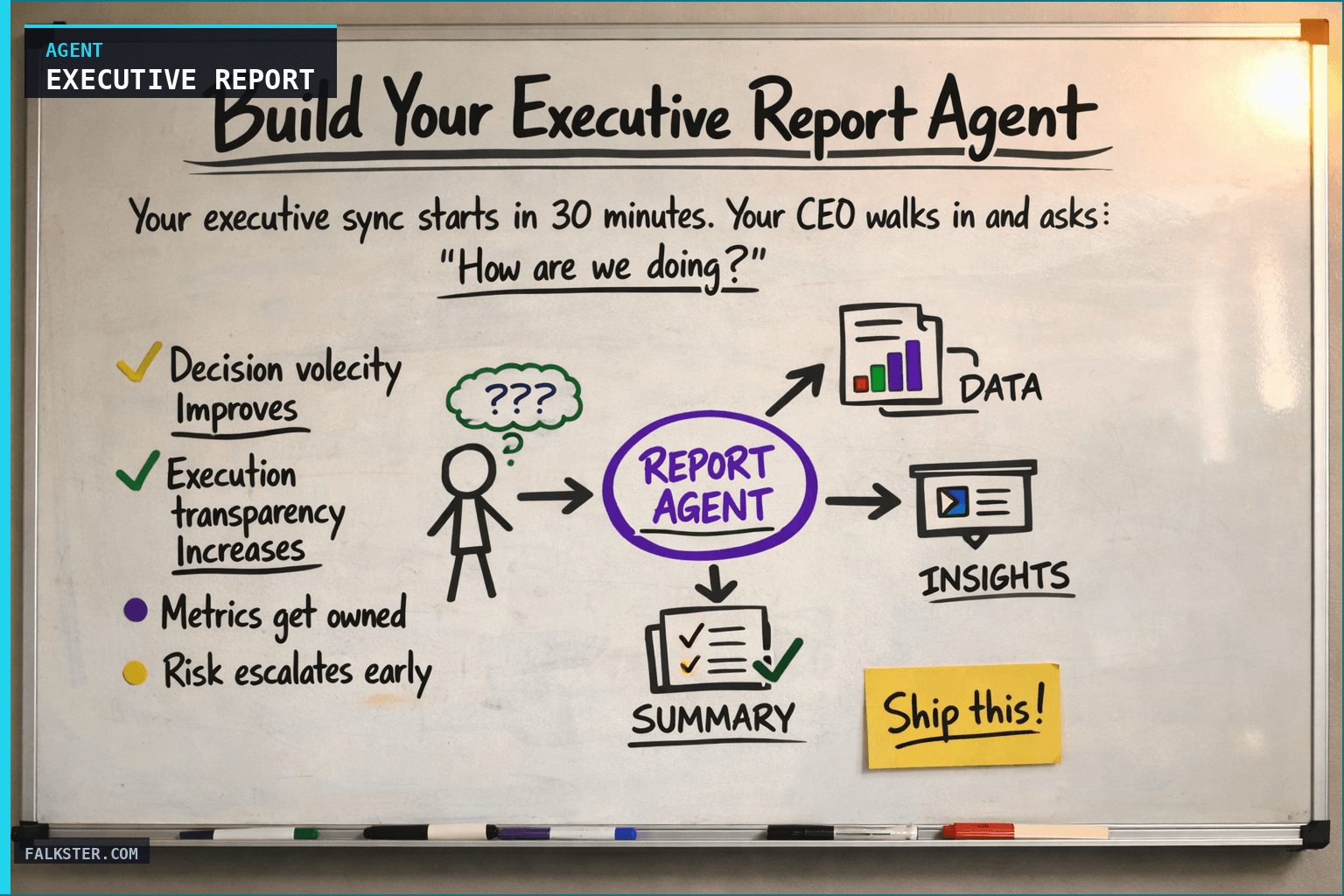
Your executive sync starts in 30 minutes. Your CEO walks in and asks: "How are we doing? What's shipping? What's at risk?"
You panic. Do you have the latest roadmap data? Did that feature slip past the release date? Is customer health getting better or worse? You scramble to compile a narrative that makes you sound like you know what's happening.
That's the moment a lot of product leaders realize they need a different system. Not quarterly business reviews. Not one-pagers. A weekly executive brief that lands in leadership's inbox every Monday morning at 7am, fully written and ready to present, covering execution, strategy, risk, and metrics.
That's what the Weekly Executive Report Agent does.
Why Weekly Executive Reports Matter
Most product teams generate reports reactively. Something happens on Thursday, someone sends an email Friday, and maybe leadership hears about it by Monday. Information is fragmented across Slack channels, one-pagers, and individual conversations. Nobody has full context.
The executive sync assumes you're prepared. But you rarely are. You're running between meetings, digging into data, and trying to construct a narrative that covers everything leadership needs to know.
A weekly automated report solves this by making reporting systematic. Instead of waiting for a crisis to surface an issue, you're providing context on execution, risks, wins, and strategy automatically. Every Monday, before anyone needs it, it's ready.
A few things shift once the report lands every Monday. Decision velocity goes up. Your CEO reads it at 7am, sees what needs deciding, and walks in with questions, so you spend the meeting on solutions instead of setup. Execution gets transparent: leadership sees what's on track, at risk, and blocked, and nobody says "I didn't realize this was slipping."
The metrics get owned too. Report weekly on ARR, activation, retention, and churn and those numbers stop being someone else's problem. Risk escalates early, because you're flagging the top three every week, so problems don't ambush leadership late on a Friday. And your CFO, COO, and board read the same report and stop asking you for one-off briefings.
How the Agent Works: The Five-Minute Brief
The executive report aggregates data from three sources: your daily product agents (the Focus agent, Health Check agent, Ops Digest), your actual business metrics (ARR, activation, retention), and your roadmap.
The agent runs Monday morning and produces a structured report with these sections:
Executive Summary (1 paragraph). What happened last week in product. What shipped, what's at risk, what needs a decision. Written so a CEO can absorb it in 90 seconds.
Key Wins (3-5 bullets). The things that went well. Not every win - just the ones leadership cares about. These usually have ARR impact or strategic significance.
Top 3 Risks (ranked). What could go wrong, ordered by business impact. Your CEO should know the top 3 risks in product without having to ask.
Roadmap Health. What percentage of features are on track, at risk, blocked. Specific details on any features slipping.
Metrics Snapshot. Revenue, activation, retention, churn, NPS, usage growth. Trended (up/down/flat) so leadership can see momentum.
Customer Health & Escalations. New at-risk accounts. Active escalations. This is where you prove that you're not just thinking about new features - you're managing existing relationships.
Resource Allocation Concerns. Is any team blocked? Are we carrying too much tech debt into the next sprint? This is valuable because leadership sometimes has the authority to unblock things (hire a contractor, move a deadline, negotiate with another team).
Decisions Needed from Leadership. This is the key section. You're being explicit about what decisions you need. Should we descope this feature? Can we accelerate launch of that feature? Can we move engineering capacity from Project X to Project Y? You name the owner and the deadline.
Data sources and setup
Prerequisites: Complete the Claude setup guide first. This agent needs the following MCP connections active:
- Salesforce - reads ARR, customer health, and active escalations
- Jira - reads roadmap status, feature ETAs, and progress
- Amplitude or Mixpanel - reads activation, retention, churn, and NPS trends
- Zendesk - reads support volume and customer satisfaction signals
Schedule: Runs Monday at 7:00 AM weekly via cron. Output emails to leadership.
Quick test: Open Claude and ask: "Generate this week's executive brief: ARR movement, roadmap progress, customer health summary, and top risks."
For the full agent fleet and scheduling details, see Your AI Agent Fleet.
The Prompt (Customize This)
Here's the basic prompt structure you can use to set up your own agent:
You are an executive product analyst. Your job is to produce a 5-minute weekly executive brief.

DATA INPUTS:
- Daily focus and health check reports from this week
- Weekly ops digest
- Current roadmap status with feature ETAs
- Key business metrics from [your analytics tool]
- Customer health data from [your CRM]

INSTRUCTIONS:
1. Write a 5-sentence executive summary covering: what shipped, what's at risk, what needs leadership decision
2. List 3-5 key wins (include ARR impact where applicable)
3. Identify top 3 risks ranked by business impact
4. Summarize roadmap health: % on track / at risk / blocked
5. Pull key metrics: ARR trend, activation, retention, churn, NPS, usage growth
6. Highlight new at-risk customers and active escalations
7. List any team blockers or resource constraints
8. Identify 1-3 specific decisions needed from leadership (with impact statement)
9. Add week-ahead preview

TONE: Professional, data-driven, concise. Assume the reader has 3 minutes.
What This Changes
Once the report is running, your prep time for executive syncs drops to zero. No slides, no frantic data-gathering. The report is written. You show up and discuss the decisions. Instead of spending 20 minutes explaining the current state, you spend the whole meeting on strategy.
The one-off briefing requests stop. Your CFO wants to know about churn risk, they read the report. Your COO wants roadmap context, it's in the report. If your board asks about product health, you have a consistent, data-backed answer every week. And estimation accuracy tends to improve, because nobody wants to miss a deadline the CEO will read about Monday morning.
There's a reputational effect too. When your CEO reads a tight, well-structured report every Monday that shows you have full context on execution, strategy, and risk, they read you as sharp. When they have to ask you for context, they read you as reactive. Make the work visible.
The Real Impact: Changing How Leadership Thinks About Product
Something shifts when leaders get a structured weekly report instead of asking for ad-hoc updates. Your CEO stops asking "What's happening in product?" because they already know. They read it Monday at 7am and have time to think through the implications before the sync starts.
The conversation changes. You're both working from the same data, so the sync becomes about decisions, not status. That's how you earn trust: by being consistently prepared, week after week.
Another shift: when executives see rigorously compiled metrics every single week, those metrics stop being optional. They become shared accountability. Your CFO sees ARR trend. Your board sees retention risk. Your COO sees resource constraints. These aren't one-time surprises - they're regular, expected context. Accountability distributes across the organization instead of concentrating on you.
Finally, board meetings become less stressful. When a board member asks about product health or customer status, you don't scramble for one-off reports. You hand them last week's executive report. It's already there. It's comprehensive. It's credible because it's been sent weekly, not assembled on demand.
Setting Up the Toolkit
The Weekly Executive Report Agent works best alongside a few others:
- Weekly Ops Digest Agent (Monday 8am): Aggregates daily reports to spot systemic issues and recurring patterns
- Product Health Dashboard Agent (Tuesday 9am): Deep-dive into feature adoption, cohort retention, and performance metrics
- Release Checker Agent (Thursday 10am): Verifies QA, docs, GTM materials before you ship
Together, these four agents give you weekly visibility into execution, operations, product health, and release readiness. The executive report pulls the most important signals from all of them and surfaces them to leadership.
Start with the executive report. It'll change how leadership sees your product organization.
Download the artifact
Ready to use. Copy into your project or share with your team.
Also on Medium
Full archive →AI Agents and the Future of Work: A Pixar-Inspired Journey
What product managers can learn about AI agents from how Pixar runs a film team.
Many AI Agents Are Actually Workflows or Automations in Disguise
How to tell agents from workflows from cron jobs, and why it matters for what you ship.
Frequently asked
What is the Weekly Executive Report Agent?+
An AI agent that runs every Monday at 7 AM and automatically generates a structured leadership brief covering roadmap status, key wins, top 3 risks ranked by business impact, a metrics snapshot, customer health, resource concerns, and specific decisions needed from leadership. It pulls from Salesforce, Jira, Amplitude or Mixpanel, and Zendesk. The report lands in leadership's inbox before anyone asks for it.
How does an automated executive report change the sync meeting?+
The CEO reads the report at 7 AM and arrives with prepared questions. Instead of spending the first 20 minutes of the sync explaining current state, the entire meeting is about decisions and strategy. Decision velocity improves because the context gap between the PM and leadership is closed before the meeting starts.
What data sources does the Executive Report Agent need?+
Four MCP connections: Salesforce for ARR, customer health, and escalations; Jira for roadmap status and feature ETAs; Amplitude or Mixpanel for activation, retention, and churn trends; and Zendesk for support volume and satisfaction signals. You also need the daily product agents (Focus, Health Check, Ops Digest) already running so the executive report can aggregate their outputs.
How long does it take to set up the Executive Report Agent?+
About 45-60 minutes to connect the four data sources and configure the prompt. The agent template in this post includes all eight report sections, the scheduling logic, and a quick-test prompt you can run immediately in Claude to validate the output before automating.
What sections does the weekly executive brief include?+
Eight sections: a one-paragraph executive summary, 3-5 key wins with ARR impact, top 3 risks ranked by business impact, roadmap health as a percentage on-track and at-risk, a metrics snapshot with trends, customer health and active escalations, resource allocation concerns, and a decisions-needed-from-leadership section naming owner and deadline for each item.

Comments (0)
Sign in with LinkedIn to leave a comment.
Sign in with LinkedIn