Stream a simulated run, inspect the notifications it would send on Slack and email, and see exactly where it sits in the 7-stage PM OS flow. No password required.
The short version
The Documentation Gap agent catches documentation failures before they ship. It runs daily at 7 AM, scanning three signals: customer confusion (Zendesk tickets, Gong sales call moments), outdated help-center articles, and the release calendar in Jira. The killer output is the release documentation readiness check: a daily report of every Tier 1 feature shipping in the next 14 days alongside the status of its help article. Three features ship next week, one has docs done, two don't. That's not a warning. That's a deadline. Start by connecting Jira and your help center, then ask the agent which features shipped in the last 30 days with no help article. Most teams find a list.
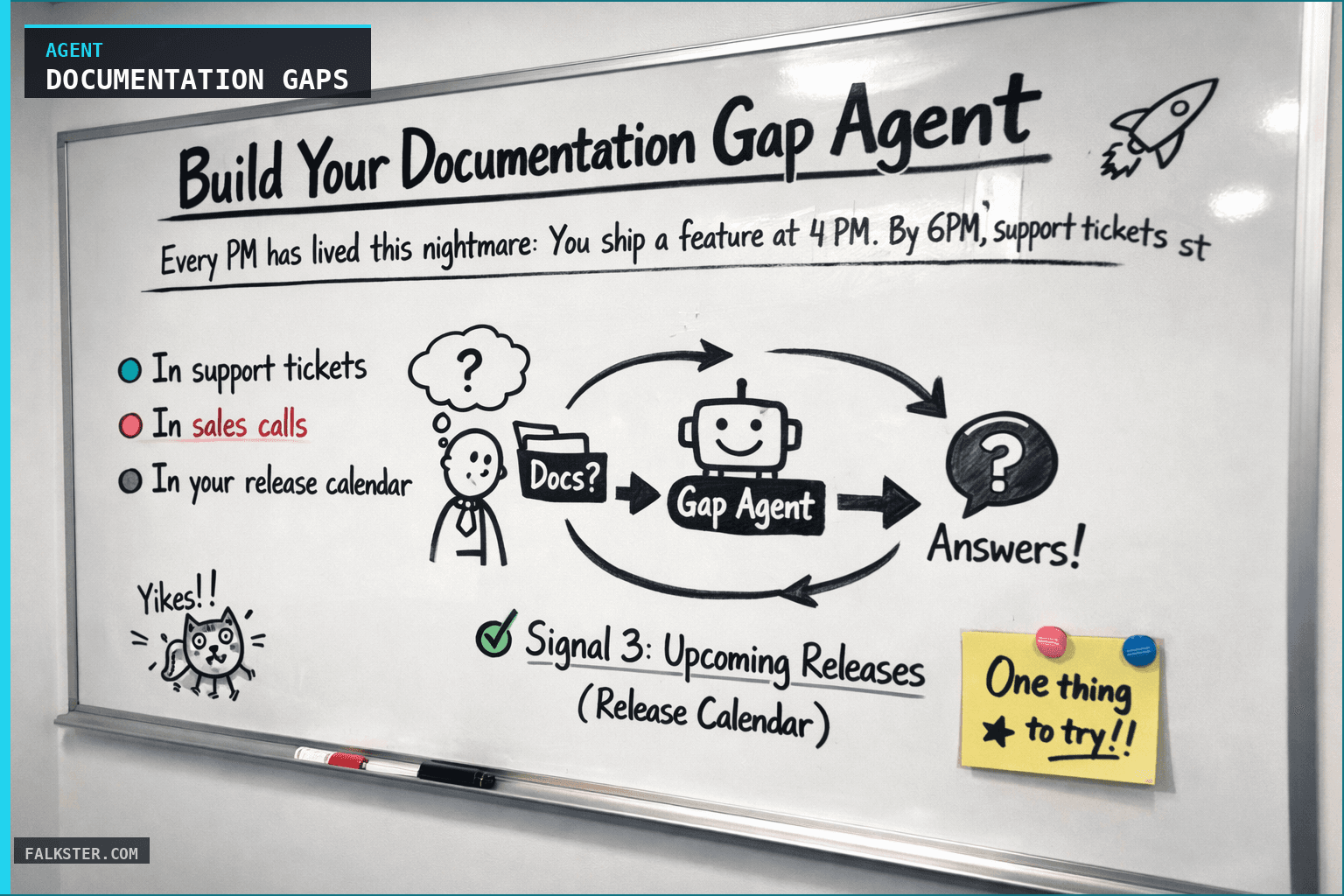
Every PM has lived this nightmare: You ship a feature at 4 PM. By 6 PM, support tickets start rolling in. By Monday morning, your inbox has 37 variations of the same question: "How do I even use this thing?"
You check the help center. The docs were supposed to be done. They're not. Your content team is backlogged. So you spend Tuesday writing docs at 11 PM, feeling that peculiar mix of frustration and guilt that comes from watching your feature fail not because it doesn't work, but because nobody can figure out how it's supposed to work.
This doesn't have to happen.
The Problem: Documentation Failure Is Preventable
Documentation gaps don't appear on launch day. They're visible days or weeks earlier, if you're looking in the right places.
Every gap leaves breadcrumbs.
In support tickets: "Couldn't find instructions for X." "Your docs show the old version." "Example would have saved us hours."
In sales calls: your rep pauses, looking uncomfortable. "Let me get back to you on how to configure that." Three minutes later, you know the documentation is incomplete.
In your release calendar: you see Tier 1 features shipping in 6 days. You check. Is the help article started? Who's assigned? What's the ETA? And then, silence. No owner. No article. The feature ships anyway.
The classic response is reactive: you catch the problem when customers do. The smarter response is to wire up an agent that scans these signals daily and surfaces the gaps before they become fire drills.
How It Works: The Three-Signal Approach
This agent connects three independent data streams to predict documentation failures:
Signal 1: Customer Confusion (Support Tickets & CS Calls)
When customers ask the same question multiple times, or when a support ticket resolves with "just send them the docs," that's a training gap. When a sales rep says "our documentation doesn't really cover this," you've found a missing article.
The agent flags patterns: If 3+ people ask "how do I filter by role" in a week, that's a tier-2 feature crying out for a guide. If a customer closes a ticket with "finally found an example online," your docs aren't good enough.
Signal 2: Outdated Documentation (Help Center Analytics)
Your help center isn't silent. It tells you which articles are confusing (negative feedback), which are broken (code examples outdated), and which nobody reads (zero traffic in 30 days).
An article on "setting up webhooks" that launched great but accumulated 40% negative feedback over time? Something changed. Either the product evolved and the docs didn't follow, or the instructions were unclear from day one and it took customers a while to feel confident enough to complain.
Signal 3: Upcoming Releases (Release Calendar)
This is where the agent earns its keep. Every feature in your roadmap has a ship date and a documentation status. The agent cross-references them:
Feature ships April 7. Help article is assigned to ContentTeam, 90% done. ETA is April 6. Green light.
Feature ships April 9. Tier 1. Documentation status: "Not Started." Owner: None. Nine days out, nobody assigned. That's your siren.
The Killer Feature: The Release Documentation Readiness Check
Here's the moment the agent pays for itself: You get a daily report that says, "3 Tier 1 features ship in the next 14 days. 1 of them has complete documentation. 2 of them do not."
Not might have issues. Not probably need attention. Do not. Missing. Documentation.
You now have a specific, quantified problem with a deadline. You can assign it, resource it, and kill it before the launch. You avoid the 4 PM launch / 6 PM support firestorm entirely.
The economic argument is simple:
- One 8-hour sprint to write comprehensive docs for a Tier 1 feature: ~1 person-week of engineering time, ~3 person-days of content/enablement time.
- One Tier 1 feature shipping without docs: 30+ support tickets in week one, 5-10 escalations to engineering, botched sales calls, training time in the field, and (worst case) a delayed feature adoption curve because people literally can't figure out how to use it.
Pick which one you want to invest in.
Why This Agent Works Better Than a Checklist
You could create a documentation readiness checklist. Teams do this all the time: "Before you ship, make sure the help article exists."
The problem is human: Checklists are things people check at the last minute, after decisions are made. "Is docs done?" "Not yet, but we'll ship anyway." "OK, let's go."
An agent is different. It surfaces the gap early, in front of the team that can actually fix it, on a daily cadence. The heat is applied continuously, not on launch day. By the time a feature is 48 hours from shipping, the article is already done because the documentation gap was visible and addressed on Day 10 of the sprint, not Day 1 of launch week.
Data sources and setup
Prerequisites: Complete the Claude setup guide first. This agent needs the following MCP connections active:
- Jira - reads roadmap, feature shipping dates, tier levels
- Google Drive - accesses release calendar and documentation status tracking
- Notion - reads customer feedback and documentation project boards
- Zendesk - scans support tickets for doc-related complaints and feature requests
Schedule: Runs daily at 7:00 AM via cron. Output posts to Slack #product-ops.
Quick test: Open Claude and ask: "Which features shipped in the last 30 days have no corresponding help documentation?"
For the full agent fleet and scheduling details, see Your AI Agent Fleet.
What Changes
Running this agent daily reframes documentation from a launch checklist to an operational metric.
Before: "Do we have docs?" asked on launch day.
After: "Does that Tier 1 feature shipping in 5 days have assigned docs?" asked on day 10 of the sprint, when you can still do something about it.
Your support team stops being the canary in the coal mine (they find out about doc gaps when customers hit them). Instead, your docs team and product managers know about gaps in advance and can plan around them.
Sales calls stop dead when your rep has to improvise. Instead, the agent flags "three prospects asked this week how to configure X" and you ship the guide before the fourth prospect asks.
Features ship complete, not half-baked. Documentation follows the product instead of chasing it.
The Setup Isn't Magic
This isn't zero-effort. You need to connect your data sources (an afternoon of work). You need to define what Tier 1, 2, and 3 mean at your company. You need to assign a content owner or PM to champion the daily reports and make sure recommendations actually get actioned.
But once that foundation is in place, the agent runs itself. Every morning, you get a clear picture of where documentation is broken, what's about to ship without docs, and exactly what to fix first.
No surprises on launch day. No panic at 4 PM. No 11 PM documentation sessions.
Just a documented product that customers can actually use.
Get the full agent instructions for copy-paste-ready setup, data extraction rules, and the release documentation readiness checklist.
Download the artifact
Ready to use. Copy into your project or share with your team.
Also on Medium
Full archive →AI Agents and the Future of Work: A Pixar-Inspired Journey
What product managers can learn about AI agents from how Pixar runs a film team.
Many AI Agents Are Actually Workflows or Automations in Disguise
How to tell agents from workflows from cron jobs, and why it matters for what you ship.
Frequently asked
What does the Documentation Gap agent do?+
It scans three signals daily at 7 AM: customer confusion (Zendesk tickets and Gong sales call moments), outdated help-center articles, and the release calendar in Jira. It produces a report of every Tier 1 feature shipping in the next 14 days alongside the status of its help article, so documentation gaps surface before launch, not after.
How does the release documentation readiness check work?+
The agent cross-references your roadmap ship dates against documentation status. If a Tier 1 feature ships in 5 days and the help article has no owner and is not started, it flags this as a hard deadline, not a warning. You get a daily quantified problem ('2 of 3 Tier 1 features shipping next week have no docs') with enough lead time to fix it.
Why is an agent better than a documentation checklist?+
Checklists are checked at the last minute, after decisions are already made. An agent surfaces the gap daily and early, in front of the people who can still fix it. By the time a feature is 48 hours from shipping, the article is already done because the gap was visible on Day 10 of the sprint, not Day 1 of launch week.
What data sources does this agent need to connect?+
Jira (roadmap and feature ship dates), Google Drive (release calendar and documentation status), Notion (customer feedback and documentation project boards), and Zendesk (support tickets for doc-related complaints). Setup takes an afternoon once the MCP connections are active.
What is the quick test to check if this agent is worth building?+
Open Claude and ask: which features shipped in the last 30 days have no corresponding help documentation? Most teams find a list. That list is the proof of concept for the agent and a good first action item on its own.

Comments (0)
Sign in with LinkedIn to leave a comment.
Sign in with LinkedIn