The short version
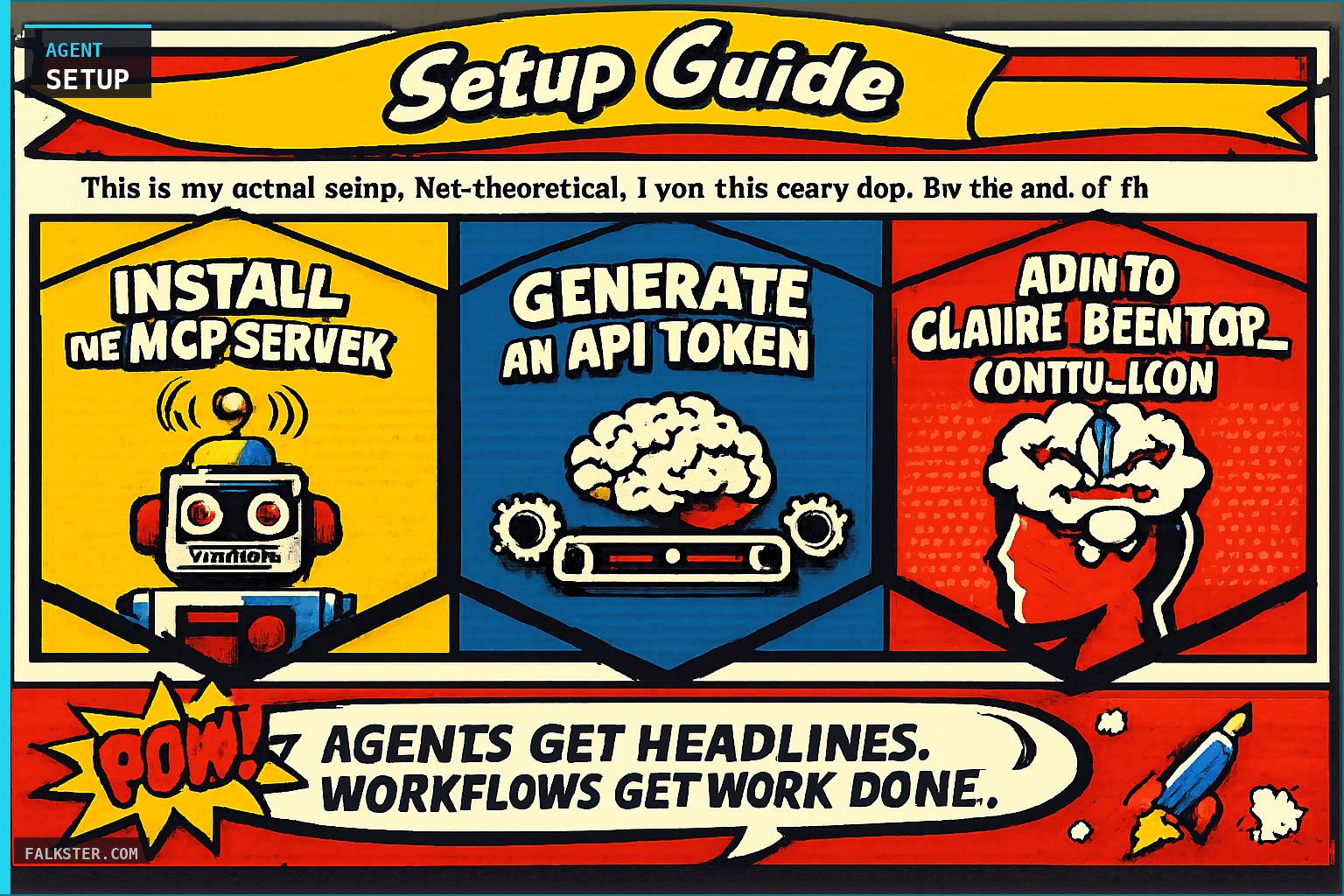
This is my actual production agent setup at Smartcat. Model Context Protocol (MCP) is Anthropic's standard for connecting Claude to external tools. Wire up 8 data sources via MCP servers (Jira, Slack, Zendesk, Salesforce via Databricks, Gong via Weaviate, Google Calendar, Notion, GitHub, Google Drive), schedule agents on cron (7 AM, 9 AM, 4 PM, weekly Monday at 8 AM), and pipe results to Slack via incoming webhooks. The whole setup takes 2 hours. Prerequisites: Claude Pro or Team, Node.js 18+, API keys for your tools, basic terminal comfort. After this, your first agent runs tomorrow morning without you touching anything.
This is my actual setup. Not theoretical. I run this every day. By the end of this guide, you'll have Claude connected to your real data sources and your first agent scheduled to run tomorrow morning.
What This Is
Model Context Protocol (MCP) is Anthropic's standard for connecting AI to external tools. Each data source gets an MCP server. Claude reads from all of them. You schedule agents to run on cron. They post results to Slack.
No custom integrations. No middleware. Just configuration.
Architecture
Here's what happens when an agent runs:
Claude Code starts your agent script. The script loads your claude_desktop_config.json. Claude connects to all configured MCP servers: Jira, Slack, Salesforce via Databricks, Zendesk via Weaviate, etc. Claude queries the live data. You get a Slack message with the results.
All of this runs on a cron schedule. 7 AM. 9 AM. 4 PM. Without you touching anything.
Prerequisites
You need:
- Claude Pro or Claude Team membership
- Node.js 18+ installed locally
- API keys for your tools (Jira, Slack, Salesforce, Zendesk, etc.)
- Terminal comfort. Not deep DevOps knowledge - just cd, ls, and running scripts.
- A Slack workspace where you can create incoming webhooks
- 2 hours to wire it all up
Claude Desktop Config: The Foundation
Your MCP servers live in one JSON file. On macOS, it's ~/.config/Claude/claude_desktop_config.json. On Windows, it's %APPDATA%\Claude\claude_desktop_config.json.
Here's the structure:
{
  "mcpServers": {
    "jira": {
      "command": "node",
      "args": ["/path/to/jira-mcp/index.js"],
      "env": {
        "JIRA_URL": "https://your-domain.atlassian.net",
        "JIRA_EMAIL": "your-email@company.com",
        "JIRA_API_TOKEN": "${JIRA_API_TOKEN}"
      }
    },
    "slack": {
      "command": "node",
      "args": ["/path/to/slack-mcp/index.js"],
      "env": {
        "SLACK_BOT_TOKEN": "${SLACK_BOT_TOKEN}"
      }
    },
    "salesforce": {
      "command": "node",
      "args": ["/path/to/salesforce-mcp/index.js"],
      "env": {
        "SF_INSTANCE_URL": "https://your-instance.salesforce.com",
        "SF_CLIENT_ID": "${SF_CLIENT_ID}",
        "SF_CLIENT_SECRET": "${SF_CLIENT_SECRET}"
      }
    }
  }
}
Reference environment variables with $. Never hardcode tokens. Set them in your shell:
export JIRA_API_TOKEN="your-token-here"
export SLACK_BOT_TOKEN="xoxb-..."
export SF_CLIENT_ID="your-client-id"
Or add them to ~/.bashrc or ~/.zshrc so they persist.
Data Source Setup
Jira
Your issue tracker. Agents read tickets, sprint status, blockers, and dependencies.
Install the MCP server:
npm install @modelcontextprotocol/server-jira
Generate an API token: Go to atlassian.com/user/settings/security/api-tokens. Create a new token. Copy it.
Add to claude_desktop_config.json:
"jira": {
  "command": "node",
  "args": ["${PATH_TO_MCP}/node_modules/@modelcontextprotocol/server-jira/dist/index.js"],
  "env": {
    "JIRA_URL": "https://your-domain.atlassian.net",
    "JIRA_EMAIL": "your-email@company.com",
    "JIRA_API_TOKEN": "${JIRA_API_TOKEN}"
  }
}
Test it: Open Claude Desktop. Type: "Show me all PROD bugs in Jira created in the last 7 days."
Slack
Team discussions, decisions, escalations. Agents scan for mentions, thread activity, and decision signals.
Generate a bot token: Go to api.slack.com/apps. Create a new app. Under OAuth & Permissions, add these scopes: channels:read, messages:read, groups:read, im:read, reactions:read, users:read.
Copy the Bot User OAuth Token (starts with xoxb-).
Add to config:
"slack": {
  "command": "node",
  "args": ["${PATH_TO_MCP}/node_modules/@modelcontextprotocol/server-slack/dist/index.js"],
  "env": {
    "SLACK_BOT_TOKEN": "${SLACK_BOT_TOKEN}"
  }
}
Test it: "Show me messages from #engineering in the last 24 hours that mention 'blocker'."
Zendesk
Support tickets and customer issues. Agents identify trends, recurring problems, and customer sentiment.
Generate an API token: Go to your Zendesk admin. Click People. Find your user. Copy the API token.
Add to config:
"zendesk": {
  "command": "node",
  "args": ["${PATH_TO_MCP}/node_modules/@modelcontextprotocol/server-zendesk/dist/index.js"],
  "env": {
    "ZENDESK_SUBDOMAIN": "your-subdomain",
    "ZENDESK_EMAIL": "your-email@company.com",
    "ZENDESK_API_TOKEN": "${ZENDESK_API_TOKEN}"
  }
}
Test it: "What are the top 5 unresolved tickets created today?"
Salesforce (via Databricks)
Your CRM lives in Databricks. Deals, pipeline, accounts, customer health. Agents pull this data to feed GTM and renewal monitoring.
Setup: You have a Databricks workspace with Salesforce data already ingested. Get your Databricks instance URL and personal access token.
Add to config:
"databricks": {
  "command": "node",
  "args": ["${PATH_TO_MCP}/node_modules/@modelcontextprotocol/server-databricks/dist/index.js"],
  "env": {
    "DATABRICKS_HOST": "https://your-instance.cloud.databricks.com",
    "DATABRICKS_TOKEN": "${DATABRICKS_TOKEN}",
    "DATABRICKS_WAREHOUSE_ID": "your-warehouse-id"
  }
}
Test it: "Show me all deals in Salesforce with probability > 70% that haven't been updated in 14 days."
Gong (via Weaviate)
Call transcripts. Customer conversations, feature requests, competitive mentions. Too unstructured for traditional SQL queries. That's why you use a vector database.
Setup Weaviate: Gong transcripts get synced to your Weaviate instance. Weaviate handles semantic search. When an agent asks "what did customers say about pricing?", Weaviate finds relevant transcript chunks even if they don't contain the word "pricing."
Add to config:
"weaviate": {
  "command": "node",
  "args": ["${PATH_TO_MCP}/node_modules/@modelcontextprotocol/server-weaviate/dist/index.js"],
  "env": {
    "WEAVIATE_URL": "https://your-weaviate-instance.com",
    "WEAVIATE_API_KEY": "${WEAVIATE_API_KEY}",
    "WEAVIATE_CLASS": "GongTranscript"
  }
}
Test it: "Search Gong transcripts for mentions of our pricing model in the last month."
Google Calendar
Meetings, availability, out-of-office blocks. Agents use this to contextualize timing and availability for focus time, escalation urgency, and meeting load.
Setup OAuth: Go to console.cloud.google.com. Create a new project. Enable Google Calendar API. Create an OAuth 2.0 Desktop app. Download the credentials JSON.
Add to config:
"google-calendar": {
  "command": "node",
  "args": ["${PATH_TO_MCP}/node_modules/@modelcontextprotocol/server-google-calendar/dist/index.js"],
  "env": {
    "GOOGLE_CALENDAR_CREDENTIALS": "${GOOGLE_CALENDAR_CREDENTIALS_JSON}"
  }
}
Test it: "Show me all my meetings tomorrow and my free blocks."
Notion
Process docs, meeting notes, specs, decisions. Agents reference your documented playbooks and specifications.
Generate API token: Go to notion.so/my-integrations. Create a new internal integration. Copy the token.
Add to config:
"notion": {
  "command": "node",
  "args": ["${PATH_TO_MCP}/node_modules/@modelcontextprotocol/server-notion/dist/index.js"],
  "env": {
    "NOTION_API_KEY": "${NOTION_API_KEY}"
  }
}
Test it: "Search my Notion docs for our product spec."
GitHub
Commits, PRs, code changes. Agents see what engineering shipped, PR velocity, and release branches.
Generate a personal access token: Go to github.com/settings/tokens. Create a new token with repo and read:user permissions. Copy it.
Add to config:
"github": {
  "command": "node",
  "args": ["${PATH_TO_MCP}/node_modules/@modelcontextprotocol/server-github/dist/index.js"],
  "env": {
    "GITHUB_PERSONAL_ACCESS_TOKEN": "${GITHUB_PERSONAL_ACCESS_TOKEN}",
    "GITHUB_REPOSITORY": "your-org/your-repo"
  }
}
Test it: "Show me all PRs merged in the last week."
Google Drive
Strategic docs, financial models, roadmaps. Agents access your high-level planning artifacts.
Setup OAuth: Similar to Google Calendar. Enable Google Drive API in your project. Reuse the same OAuth credentials if possible.
Add to config:
"google-drive": {
  "command": "node",
  "args": ["${PATH_TO_MCP}/node_modules/@modelcontextprotocol/server-google-drive/dist/index.js"],
  "env": {
    "GOOGLE_DRIVE_CREDENTIALS": "${GOOGLE_DRIVE_CREDENTIALS_JSON}"
  }
}
Test it: "Search my Google Drive for the Q2 roadmap doc."
Weaviate (Unstructured Data Hub)
You're using Weaviate for Gong transcripts and Zendesk tickets. This is your semantic search layer. Any time an agent needs to find something fuzzy - "what did customers complain about this quarter?" - Weaviate is faster than scanning SQL.
Setup: Your Zendesk tickets and Gong transcripts get synced to Weaviate nightly. Weaviate indexes them with embeddings. When Claude queries, it searches semantically, not with exact string matches.
Data synced to Weaviate:
- Gong transcripts (customer conversations)
- Zendesk tickets (support issues, trends)
- Slack threads (team decisions, escalations)
This is already handled by your data pipeline. The MCP server just lets Claude query it.
Scheduling: Cron and Bash
Your agents run on a schedule. Here's your actual schedule at Smartcat:
Daily 7 AM: Focus Agent, PM Issues, Doc Gaps, GTM Monitoring Daily 9 AM: Red Flags, Product Ops, Roadmap Tracker, Team Triage Daily 4 PM: Product Health, Team Triage (afternoon) Monday 8 AM: Executive Report, Weekly Digest, Engineering Capacity Tuesday 9 AM: Product Dashboard Wednesday 8 AM: Release Readiness, Competitive Intel Thursday 10 AM: Release Checker Tue/Fri 9 AM: Customer Commitments Bi-weekly Wednesday 9 AM: Market Intelligence
Edit your crontab:
crontab -e
Add your cron jobs. Example:
0 7 * * 1-5 /usr/local/bin/run-agent.sh focus-agent
0 9 * * 1-5 /usr/local/bin/run-agent.sh red-flags
0 16 * * 1-5 /usr/local/bin/run-agent.sh product-health
(0 7 = 7 AM. * * = every day. 1-5 = Monday to Friday.)
Create the run-agent.sh wrapper:
#!/bin/bash
AGENT_NAME=$1
SLACK_WEBHOOK="https://hooks.slack.com/services/YOUR/WEBHOOK/URL"

# Run the agent and capture output
OUTPUT=$(/usr/local/bin/claude-code run-agent.sh "$AGENT_NAME" 2>&1)

# Post to Slack
curl -X POST "$SLACK_WEBHOOK" \
  -H 'Content-Type: application/json' \
  -d "{\"text\": \"*${AGENT_NAME}*\n\`\`\`\n${OUTPUT}\n\`\`\`\"}"
Make it executable:
chmod +x /usr/local/bin/run-agent.sh
Slack Delivery
Create an incoming webhook in your Slack workspace:
- Go to api.slack.com/apps
- Click your bot app
- Click Incoming Webhooks
- Add New Webhook to Workspace
- Select your target channel (e.g., #product-ops)
- Copy the webhook URL
Add it to your run-agent.sh script (shown above).
Now when an agent runs, its output posts directly to Slack. Your team sees the report without you forwarding it. Add threading for better organization.
Testing Your Setup
Open Claude Desktop. Verify each connection works:
Jira: "Show me all PROD tickets created today." Slack: "What was discussed in #engineering yesterday?" Zendesk: "List unresolved tickets from VIP customers." Salesforce: "Show deals over $100K in pipeline." Gong: "What did customers mention about competitors?" Notion: "Find my product roadmap doc." GitHub: "Show me PRs merged this week." Google Calendar: "What's on my calendar tomorrow?" Google Drive: "Find my Q2 financial model."
If each returns data, your connections are live.
Troubleshooting
MCP server won't start: Check that Node.js is installed (node -v). Check the path to the MCP server is correct. Check environment variables are set.
API rate limits: Add exponential backoff to your agent scripts. Jira and Zendesk have rate limits. Your agents shouldn't hammer them.
Token expiry: Salesforce tokens expire after 60 minutes. Refresh tokens hourly in your cron job.
Slack webhook fails: Verify the webhook URL is correct. Verify the channel still exists. Slack revokes webhooks if they're unused for 30 days.
Weaviate query slow: Your vector DB is large. Add date filters to narrow the search scope. "Gong transcripts from the last 30 days only."
Claude says it can't find data: The MCP server connected, but the query was too vague. Be specific. "Show me unresolved PROD bugs" beats "What's broken?"
What's Next
Your data sources are connected. Your first agent runs tomorrow. From here:
- Tune agent prompts based on the first week of results
- Add agents one per week (your teammates don't need all 18 at once)
- Set up weekly log reviews to audit what agents accessed
- Rotate API tokens every 90 days
- Link to individual agent guides for deeper customization
This is the foundation. The agents themselves are in separate posts on this site. Start with the Daily Focus Agent. Then the PM Issues Agent. Then Release Readiness. From there, add specialized agents as you need them.
Two skill libraries are worth installing alongside this rather than building from scratch. I reviewed pragmatic-pm-ai-skills, which tightens PM output so it stays evidence-tied instead of generic, and PM Skills 2.0, which is half useful and half embalming a role that is already changing. Take red-team-prd and ship-check from the second one and leave the rest.
Once the agents are running, the reading habit goes too. The five PM websites in your bookmarks should become agents that watch those sources for you rather than pages you visit.
Questions? The Your AI Agent Fleet overview has more context on the full system. The individual agent posts have detailed prompts and tuning guides.
Sources: Anthropic Claude, Model Context Protocol, Atlassian Jira, Slack, Zendesk, Databricks, Weaviate, Gong, Notion, GitHub.
Download the artifact
Ready to use. Copy into your project or share with your team.
Also on Medium
Full archive →AI Agents and the Future of Work: A Pixar-Inspired Journey
What product managers can learn about AI agents from how Pixar runs a film team.
Many AI Agents Are Actually Workflows or Automations in Disguise
How to tell agents from workflows from cron jobs, and why it matters for what you ship.
Frequently asked
What is MCP and why do I need it for Claude agents?+
Model Context Protocol (MCP) is Anthropic's standard for connecting Claude to external tools. Without MCP, Claude can only work with what you paste into the chat. With MCP servers configured, Claude can read live data from Jira, Slack, Salesforce, GitHub, and other tools in the same prompt. This is what makes scheduled agents possible: the agent reads your real data, not a snapshot you prepared.
What tools does this setup connect Claude to?+
Eight data sources: Jira (issue tracker for ticket status, blockers, dependencies), Slack (team discussions and escalation signals), Zendesk (support tickets and customer sentiment), Salesforce via Databricks (deals, pipeline, customer health), Gong via Weaviate (call transcripts for semantic search), Google Calendar (meeting context and availability), Notion (process docs and specs), GitHub (commits, PRs, release branches), and Google Drive (strategic planning artifacts).
How long does the full setup take?+
About two hours from scratch: roughly 15 minutes to install MCP servers, 45 minutes to generate API keys for each tool and add them to the config file, and 30 minutes to write and test the cron job and Slack webhook. The guide has exact commands for each step. After setup, your first agent runs the next morning without you touching anything.
What do I need before starting?+
Claude Pro or Team membership, Node.js 18 or higher installed, API keys for the tools you want to connect, a Slack workspace where you can create incoming webhooks, and basic terminal comfort (cd, ls, running shell scripts). You do not need deep DevOps knowledge.
What is the recommended agent schedule after setup?+
Daily 7 AM: Focus Agent, PM Issues, Doc Gaps, GTM Monitoring. Daily 9 AM: Red Flags, Product Ops, Roadmap Tracker. Daily 4 PM: Product Health. Monday 8 AM: Executive Report, Weekly Ops Digest. Wednesday 8 AM: Release Readiness. That is the schedule I run at Smartcat. Start with one or two agents and add more weekly.

Comments (0)
Sign in with LinkedIn to leave a comment.
Sign in with LinkedIn