Stream a simulated run, inspect the notifications it would send on Slack and email, and see exactly where it sits in the 7-stage PM OS flow. No password required.
The short version
The Product Health agent runs daily at 4 PM and gives you one synthesized story across seven dashboards: engagement (30% of health score), conversion (25%), retention (20%), performance (15%), and customer satisfaction (10%). It pulls from Amplitude or Mixpanel, Sentry, Zendesk, PagerDuty, and Slack, and produces a narrative summary with green/yellow/red flags. The point is to stop checking seven tools and start the evening knowing whether your product got healthier or sicker today. The agent catches three things you'd miss otherwise: silent performance creep, support volume that correlates with error rates, and underperforming cohorts hidden inside healthy global metrics.
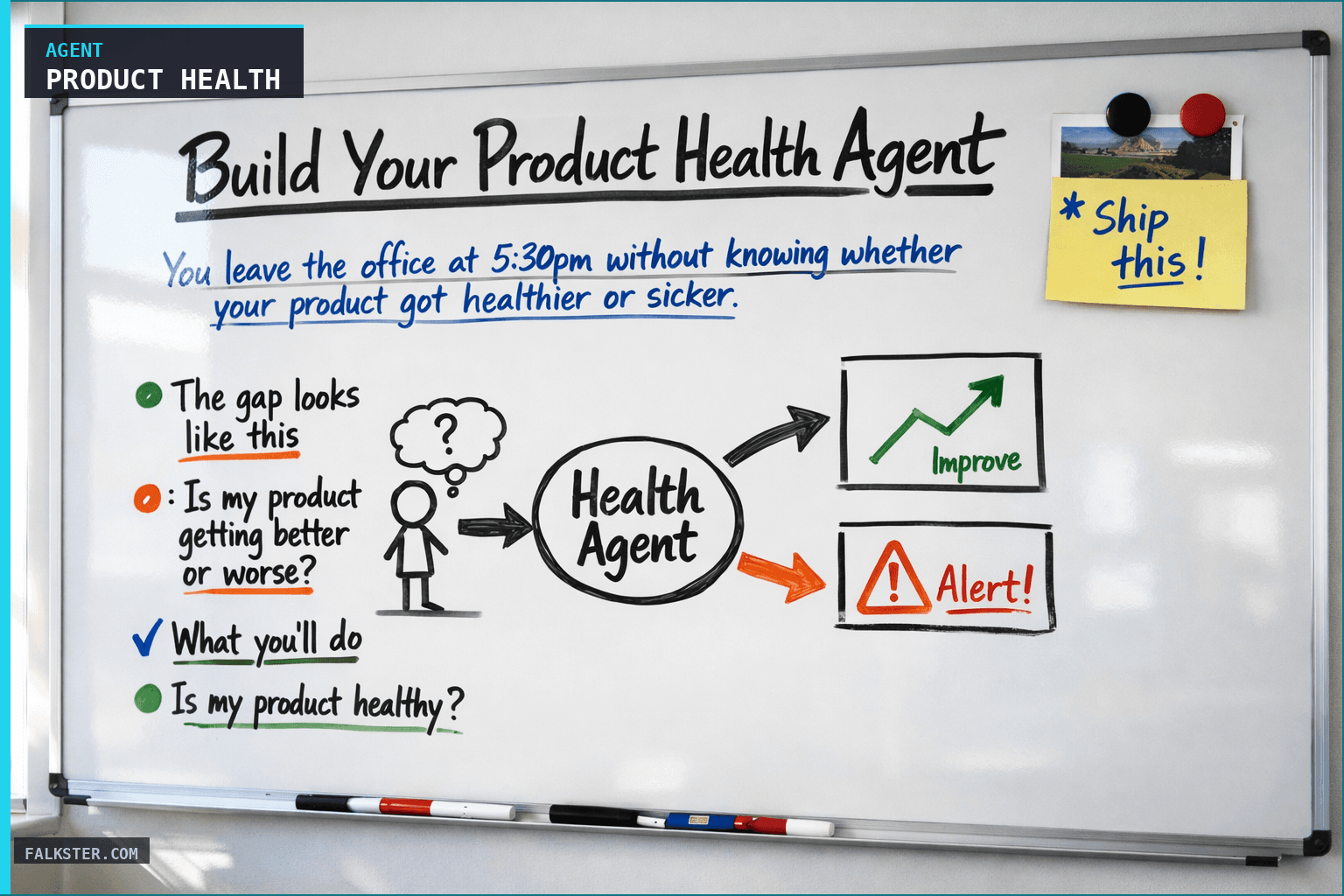
You leave the office at 5:30pm without knowing whether your product got healthier or sicker today. You know DAU went up or down - maybe. You have a vague sense that something's wrong with the checkout flow. You didn't check NPS. You didn't check error rates. You hope the support team isn't drowning, but you don't actually know.
This is the problem the Product Health Agent solves.
The real problem is synthesis, not data
You have data everywhere. Mixpanel tells you engagement. Datadog tells you error rates. Slack tells you support volume. Amplitude tells you retention. Intercom tells you NPS. Your CRM tells you churn. You're not checking all of them every day. And even if you did, they'd each tell you a separate story.
What you actually want is one report that tells you whether the product got better or worse today.
Here's the gap. The question is simple: is my product getting better or worse? What you have instead is seven dashboards and no unified view. A 2pm meeting where someone says "I saw in Slack that error rates are up," but nobody confirmed it. A customer calls at 4:45pm upset about performance, and you don't know if it's systemic or a one-off. Support says they're busy, and you can't tell whether that's a volume surge or a real problem they're surfacing.
So you send an email asking "Hey, can someone check our error rates?" Or you pull data from three tools and stitch it together by hand. By the time you have a picture, it's 6pm and the day is over.
The agent does that synthesis for you. Every day at 4pm, one report, one answer: is my product healthy?
What This Agent Does
At 4pm every weekday, the agent delivers a product health snapshot. Not a dump of metrics. A narrative that tells you what changed, why it matters, and where to look if something's off.
Key Metrics Dashboard
The agent pulls your core health metrics and shows them alongside yesterday's numbers:
Engagement
- DAU (Daily Active Users): 45,200 (↑ 2% from yesterday)
- Session length: 12m 34s (↓ 1% from yesterday)
- Feature adoption: X% of users using feature Y (→ flat)
Activation & Conversion
- Signup-to-activation rate: 42% (↓ 3% from yesterday - worth investigating)
- Free trial conversion: 18% (↑ 1% from yesterday)
- Onboarding completion: 67% (↓ 2% from yesterday)
Retention
- 7-day retention: 52% (↓ 1% from yesterday)
- 30-day retention: 28% (↑ 0.5% from yesterday)
- Churn cohort [Q1 sign-ups]: 8% monthly churn
Revenue
- MRR: $847k (↑ $2.4k from yesterday)
- ARPU: $18.40 (→ flat)
- Upgrade rate: 12% of free users (↓ 0.5% from yesterday)
Each metric shows: Today's number, direction of change, and trend severity (green for good, yellow for concerning, red for alarm).
Metric Movements (What Changed & Why)
The agent doesn't just show numbers. It explains what moved and why:
↑ Major movement: "DAU up 2% - above usual 0.5% daily growth. Likely due to [email campaign shipped yesterday / new feature launch / external press]."
↓ Concerning movement: "Activation rate down 3%. 2-day average is 45%, so this is notable. Possible causes: [checkout flow change / new user cohort quality / signup volume from lower-intent channel]. Recommend checking."
→ Flat with pattern: "Retention flat but lagging cohort [March 20] is underperforming. 30-day retention is 3% below historical average. Watch this cohort closely."
The agent cross-references data sources to infer cause:
- Did we ship a feature yesterday? (From commit logs / roadmap) → Might explain metric change
- Did we run a campaign? (From marketing Slack channel) → Might explain DAU spike
- Did we change onboarding? (From product Slack) → Might explain activation drop
- Did we see a surge in support tickets? (From Zendesk) → Might indicate a systemic issue
Customer Satisfaction Pulse
NPS Trend
- Current NPS: 42 (↓ 2 points from last week)
- New detractors this week: 3 (customers who were promoters, now detractors)
- New promoters this week: 5
- Average response rate: 18% of users surveyed
Specific feedback themes
- Promoters mention: "Easy to use," "Great support," "Shipped feature X"
- Detractors mention: "Performance issues," "Confusing UX," "Missing feature Y"
CSAT by feature
- Feature X: 4.2/5 stars (last month: 4.5) - Declining satisfaction, investigate
- Feature Y: 3.8/5 stars (new feature, ramping) - Below target, consider UX adjustments
Performance Health
Application performance
- P99 latency: 1,240ms (↑ 60ms from yesterday)
- Error rate: 0.8% (↑ 0.1% from yesterday, elevated but not critical)
- Uptime: 99.9% (→ on target)
Critical errors
- [Auth flow timeout]: 120 errors in past 24 hours (↑ from 40 yesterday) - INVESTIGATE
- [Database timeout]: 45 errors (↓ from 60 yesterday) - Improving
- [Checkout validation]: 22 errors (→ flat)
Infrastructure signals
- Database query time: 45ms median (↑ 5ms from yesterday)
- Cache hit rate: 92% (↓ 1% from yesterday)
- Queue depth: 450 jobs (normal under 500)
If latency or error rates spike, the report highlights it: "🚨 Auth errors up 200% since yesterday. Possible cause: [recent deployment / traffic surge / infrastructure issue]. Recommend checking logs."
Support Volume & Trend
Today's ticket volume
- New tickets opened: 23 (average 18)
- Tickets closed: 19 (average 16)
- Current backlog: 34 tickets (average 28)
Trend
- 🔴 Backlog growing (opened 23, closed 19)
- 🟡 Slightly elevated volume but manageable
- Response time: avg 2.3 hours (SLA: 4 hours)
Top support topics
- Billing questions: 6 tickets
- Auth issues: 4 tickets (Correlates with error spike above)
- Onboarding questions: 3 tickets
- Performance complaints: 2 tickets (Alert: matches NPS detractor feedback)
The agent flags correlations: "Support volume up 28% and performance complaints are rising. Possible systemic issue: Check error logs and performance metrics."
Today's Summary (Narrative)
The report ends with a 2-3 sentence narrative:
Example 1 (Healthy day): "Product health is solid. DAU up 2%, activation flat, retention stable. Auth errors spiked earlier but resolved. Support volume normal. Confidence: High."
Example 2 (Concerning day): "Mixed day. DAU up slightly but activation dropping (concerning signal). Detractor feedback mentions performance issues. Error logs show auth and checkout slowness. Support backlog growing. Confidence: Medium - recommend check-in with eng on performance issues."
Example 3 (Alert day): "⚠️ Critical alert. Error rate elevated 200% (mainly auth flow). Support backlog growing. NPS down. Onboarding completions dropped 5%. Potential systemic issue. Recommend emergency response. Confidence: High."
How It Works: The Synthesis Logic
The agent doesn't pull random metrics. It builds the health picture from five sources, weighted by importance:
1. Engagement trajectory (30% of health score)
- Is DAU trending up or down?
- Is session length healthy?
- Are active users returning?
2. Conversion health (25% of health score)
- Signup quality is up (more conversions)?
- Onboarding is strong (high completion)?
- Free trial to paid conversion is healthy?
3. Retention & churn (20% of health score)
- Cohorts retaining well?
- Churn rate stable?
- Are we losing previous gains?
4. Performance health (15% of health score)
- Error rates low?
- Latency acceptable?
- Uptime solid?
5. Customer satisfaction (10% of health score)
- NPS trending up?
- Support volume reasonable?
- No systemic complaints?
The agent weighs these together to produce an overall health score: Green (healthy), Yellow (watch it), or Red (act now).
Why this works
I built this because I was checking seven dashboards at different times of day and getting conflicting pictures. Tuesday: DAU is up, so we're doing great. Wednesday: activation dropped, so something broke. Thursday: the support queue is long, but I don't know if it's us or just a busy day.
Three things the agent catches that I used to miss.
Silent performance creep. Latency drifts up from 800ms to 1,240ms over a week. Check it daily and each day's change is small enough to shrug off. The agent compares to yesterday and to a rolling 7-day average, so the trend shows up.
Then there's the support signal. Tickets spike. Maybe it's a busy day, maybe it's a real issue. The agent correlates support volume with error rates, NPS feedback, and recent feature changes and tells you which one it is.
And cohort weakness. Overall retention looks fine, but the March 20 cohort is quietly underperforming. Look only at global metrics and you'd never see it. The agent breaks down by cohort and flags the outliers.
Data sources and setup
Prerequisites: Complete the Claude setup guide first. This agent needs the following MCP connections active:
- Amplitude or Mixpanel - reads DAU, session length, retention, and feature adoption
- Sentry - reads error rates and performance metrics
- Zendesk - reads support ticket volume and trends
- PagerDuty - reads incident data and on-call status (optional)
- Slack - reads #product and #support channels for context
Schedule: Runs daily at 4:00 PM via cron. Output posts to Slack.
Quick test: Open Claude and ask: "Give me today's product health score: error rates, support volume trends, key feature adoption, and performance metrics."
For the full agent fleet and scheduling details, see Your AI Agent Fleet.
What good looks like
Give it a month and the shape of your week changes.
Week 1, you're just getting a daily snapshot. You notice it catches things you'd never have checked by hand, like cohort underperformance and error rate creep. You share it with leadership and they start asking fewer generic questions, because the report already answers them.
Week 2, you're acting on yellow flags before they turn into crises. The agent flags "activation dropping" on a Tuesday. You dig in and find the checkout change from the new design broke something subtle. Fixed by Wednesday. Without the daily report you wouldn't have noticed until Friday.
By week 3 the team is more responsive. The report surfaces real problems, not noise, so when you say "we need to look at X," people trust it. Support and eng get less defensive too, because they can see when they're actually solving things.
Week 4, you're telling a better story upward. Exec reviews have data behind them. "Product health is improving" stops being a vibe. You show the metric, the trend, the correlation with what you shipped.
The Full Agent Prompt
Ready to build this? The complete agent instruction file is available at /artifacts/agent-product-health.md. It includes:
- All metrics and data sources
- Health scoring logic
- Threshold definitions
- Correlation rules for cross-source insights
- Output format
- Complete test prompt to validate
Copy it into your agent platform, connect your analytics and monitoring tools, and run it. Setup takes 45 minutes. It saves you 20 minutes daily in manual dashboard checking.
One story a day
You can't fix what you can't see. And you can't see it across seven dashboards checked at seven different times, each telling its own story.
This agent gives you one story a day, at 4pm, built from all of it. What moved, what it means, what to look at. Your product's health is always moving. The report just makes sure you know which direction.
Ready to build? Start with the full agent prompt at /artifacts/agent-product-health.md. Copy-paste-ready, includes all metrics, thresholds, health scoring logic, and a test prompt.
Download the artifact
Ready to use. Copy into your project or share with your team.
Also on Medium
Full archive →AI Agents and the Future of Work: A Pixar-Inspired Journey
What product managers can learn about AI agents from how Pixar runs a film team.
How to Avoid Survivorship Bias in Product Management
Lessons from the British bomber study, applied to PM customer interviews and analytics.
Frequently asked
What is the Product Health Agent?+
An AI agent that runs daily at 4 PM and synthesizes data from Amplitude or Mixpanel, Sentry, Zendesk, and PagerDuty into one narrative report. It replaces checking seven dashboards at seven different times of day. The output is a green, yellow, or red health score with a 2-3 sentence narrative explaining what changed and why.
What metrics does the Product Health Agent track?+
Five weighted categories: engagement (DAU, session length, feature adoption, 30% of score), conversion and activation (25%), retention and churn (20%), performance health (error rates, latency, uptime, 15%), and customer satisfaction via NPS and support volume (10%). The agent surfaces all five in a single daily report.
What makes this agent different from just checking my analytics dashboard?+
Synthesis across sources. Your dashboard shows you engagement. Sentry shows you errors. Zendesk shows you support volume. None of them talk to each other. The Product Health Agent cross-references them, for example correlating a support ticket spike with an error rate increase to tell you whether it is a systemic problem or noise. That correlation is the hard part, and agents do it automatically.
What three things does the Product Health Agent catch that you would normally miss?+
Silent performance creep (latency drifting from 800ms to 1,240ms over a week, invisible if you only check daily), support signal correlation (is the support spike a real systemic issue or just a busy day), and cohort weakness hidden inside healthy global metrics (overall retention looks fine but one March cohort is underperforming).
How long does it take to set up the Product Health Agent?+
About 45 minutes. Connect Amplitude or Mixpanel, Sentry, and Zendesk via MCP, paste the prompt from the artifact file, and schedule it to run daily at 4 PM. The agent saves roughly 20 minutes of manual dashboard checking every day, which is 80 hours per year.

Comments (0)
Sign in with LinkedIn to leave a comment.
Sign in with LinkedIn