Stream a simulated run, inspect the notifications it would send on Slack and email, and see exactly where it sits in the 7-stage PM OS flow. No password required.
The short version
The Weekly Ops Digest agent runs Monday at 8 AM and looks at every daily report from the past week to spot patterns your daily agents missed. It calculates week-over-week trends across support tickets, resolution time, escalations, velocity, critical bugs, and deployment frequency. When the same issue shows up in 3+ daily reports, it's a pattern, not a fire. The output is a weekly narrative: what improved, what degraded, what systemic issues to address, and the three priorities for next week. Daily agents catch fires. This one finds the fuel source.
You're looking at your daily health report from Thursday. One customer escalation. Looks normal. Then you look at Monday's report. Another escalation, different customer, same issue. Tuesday: another one.
By Friday, you realize the same problem has shown up four times in five days. It's not a one-off fire. It's a pattern. A systemic issue. And you didn't notice until Friday because you were looking at daily reports, not trends.
That's the gap the Weekly Ops Digest Agent fills.
Your daily agents catch fires. They tell you which features have low adoption, which customers are at risk, which bugs are blocking progress. But they don't connect the dots. They don't see the pattern.
The Weekly Ops Digest Agent looks at all your daily reports from the past week and asks: What's repeating? What's getting worse? What's the actual trend here? Then it produces a single report that shows you the systemic issues hiding inside the daily noise.
Why Patterns Matter More Than Individual Problems
A single customer escalation is a fire. Three escalations for the same reason is a pattern. One feature's adoption curve is low. The same feature, same adoption curve, across your entire cohort? That's a systemic issue.
Individual problems are tactical. They get resolved and you move on. Patterns are strategic. They tell you something about your product, your operations, or your process that needs to change at a deeper level.
But you can't spot patterns if you're living in daily reports. You need a weekly view that trends metrics and highlights what's changing.
Here's what a pattern might look like:
Support resolution time is degrading. Monday and Tuesday your team was resolving tickets in 14 hours. Wednesday through Friday it was 22 hours. That's a 57% degradation in a three-day window. The daily report would show "22 hour resolution time today" but the weekly digest shows the trend. It tells you something happened Wednesday. Maybe someone went on vacation. Maybe a critical customer escalation hogged engineering time. Maybe your ticket queue got backed up. You need to investigate why.
Or: The same customer issue appears in three separate support tickets from three different customers. They're all asking the same question about the same feature. That's a documentation gap. The daily reports would show "high ticket volume this week" but the digest shows "80% of this week's escalations are about the same feature - we have a discovery problem."
Or: Adoption of your new feature is flat. Adoption curve went 15% → 18% → 19% → 18% → 17%. It peaked on Tuesday and declined the rest of the week. That trend is invisible in a daily report. The digest shows that not only is adoption low, it's actively declining. You need to investigate why people are trying it once and not coming back.
Patterns are how you spot systemic issues before they become crises. They're how you allocate team focus for next week. They're how you shift from reactive (putting out fires) to proactive (fixing the systems that create fires).
How the Agent Works: Spotting Systemic Issues
The Weekly Ops Digest Agent pulls data from all your daily reports from the past week, plus data on support tickets, engineering velocity, bug trends, and customer escalations.
It calculates week-over-week trends for every metric you care about. Support tickets: are we handling more or fewer? Resolution time: is it improving or degrading? Escalations: more or fewer? Why?
Then it identifies patterns. When the agent sees the same issue appearing in multiple daily reports, it flags it. When a metric is consistently degrading across the week, it flags it. When multiple customers are reporting the same problem, it flags it.
The output is a weekly narrative that says: Here's what improved. Here's what degraded. Here are the patterns that suggest systemic problems. Here's what you should focus on next week.
The report breaks down like this:
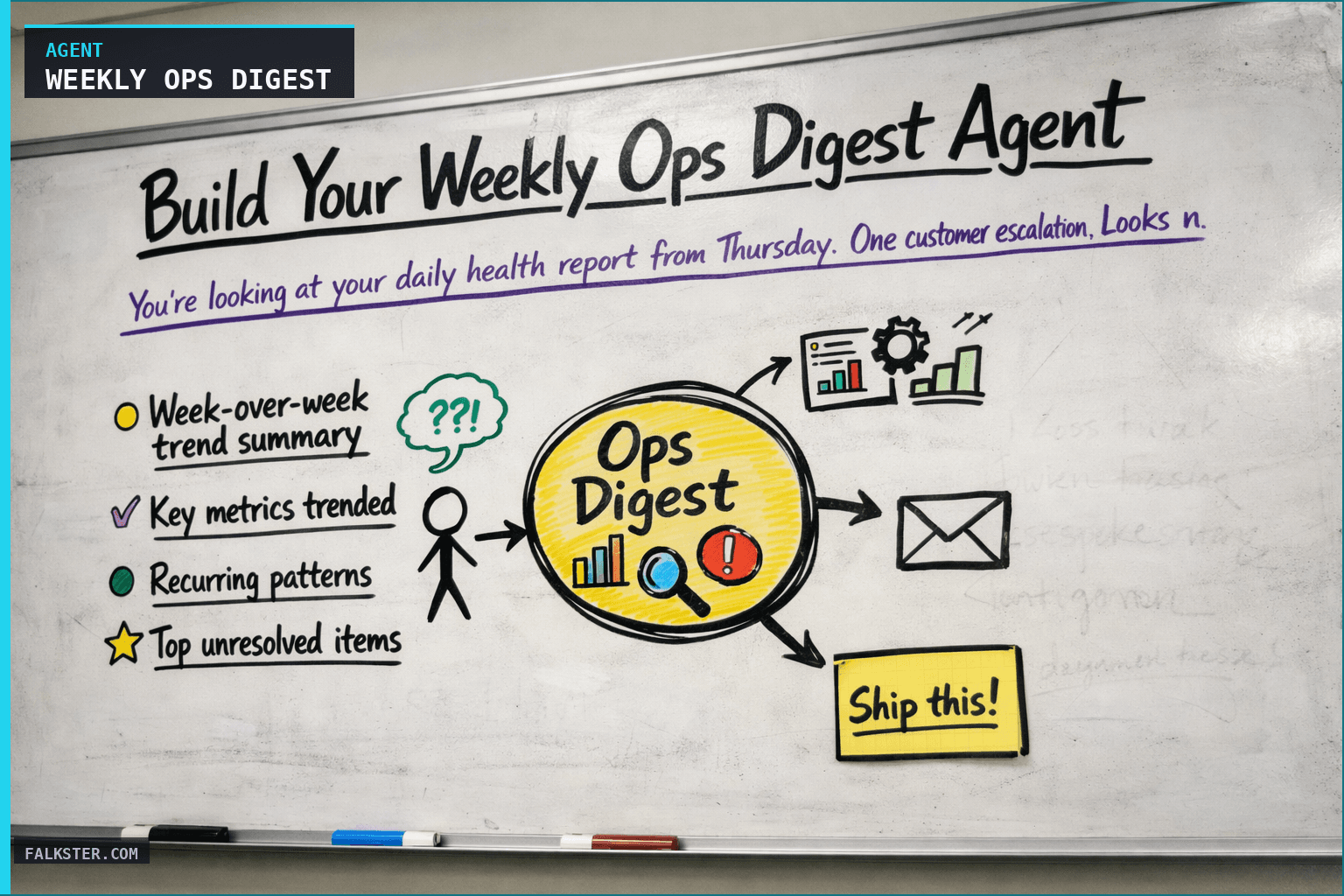
Week-over-week trend summary. Is operations improving, stable, or degrading? One-paragraph assessment.
Key metrics trended. Support tickets, resolution time, escalations, velocity, critical bugs, deployment frequency. Each metric is compared to last week with a trend indicator (up, flat, down).
Recurring patterns. This is the meat of the report. If the same issue appears in 3+ daily reports, it's a pattern. If the same customer problem appears in multiple support tickets, it's a pattern. The agent identifies these and tells you: what's the pattern, how often is it appearing, what's the likely root cause, and what should be done about it.
Top unresolved items. What was open last week and is still open? Why is it still open? Is it a blocker? Is it waiting on someone?
Team performance wins. Celebrate what went well. If your QA team cleared a backlog of 50 test cases, call it out.
Escalation summary. Every escalation from the week, organized by reason. Are we seeing escalations for the same reason? That's a pattern.
Operational recommendations. Based on the trends and patterns, what should the team focus on next week? What's the priority?
Data sources and setup
Prerequisites: Complete the Claude setup guide first. This agent needs the following MCP connections active:
- Slack - reads #daily-ops-reports for daily agent outputs
- Zendesk - reads support ticket trends and resolution metrics
- GitHub - reads velocity, PR metrics, and bug trends
- Jira - reads sprint velocity and burndown data
Schedule: Runs Monday at 8:00 AM weekly via cron. Output posts to Slack.
Quick test: Open Claude and ask: "Summarize this week's patterns from daily agent reports: recurring blockers, trending support issues, velocity changes."
For the full agent fleet and scheduling details, see Your AI Agent Fleet.
The Prompt (Customize This)
Here's the basic prompt structure:
You are an operations analyst. Your job is to identify trends and systemic issues from daily product reports.

DATA INPUTS:
- Daily focus reports (M-F)
- Daily health check reports (M-F)
- Support ticket summaries
- Engineering velocity data
- Customer escalation logs

INSTRUCTIONS:
1. Calculate week-over-week trends for: support tickets, resolution time, escalations, velocity, critical bugs, build health
2. Identify recurring patterns: what issue appeared in multiple daily reports? What problem appeared from multiple customers?
3. For each pattern, explain: what it is, how often it's appearing, what's causing it, what should be fixed
4. List unresolved items from last week that are still open (why are they still open?)
5. Celebrate 2-3 team wins from the week
6. Summarize all escalations: reasons, resolution times, any patterns?
7. Recommend 3 priorities for next week based on trends

TONE: Analytical, data-driven, focused on systemic issues not one-offs.
OUTPUT: Markdown formatted for Slack.
What Changes When You Have a Weekly Digest
Shift from reading daily reports to reading weekly trends and the team's focus moves with it.
Systemic issues get fixed instead of patched. When resolution time is degrading, you stop blaming Thursday's team and go find what changed on Wednesday that slowed everyone down. You fix the system, not the symptom.
You also stop being reactive. Instead of responding to fires as they land, you spot the fuel source early and deal with it before it catches.
Communication gets better almost as a side effect. When people know their work shows up in a weekly trend, they log issues more carefully. Ticket quality goes up. Estimates get closer to real.
And resource decisions stop being guesses. Is velocity degrading? Capacity problem. Is resolution time climbing? Process or skill problem. The digest tells you where the next hire goes instead of you arguing about it in a planning meeting.
Customer health improves for the same reason. Catch a pattern of escalations early and you can get ahead of it. "We've seen a few customers hit trouble with X. Here's the workaround while we fix it."
The Broader Toolkit
The Weekly Ops Digest is one piece of a weekly reporting system. To get maximum value:
- Run the Weekly Executive Report Agent (Monday 7am) to brief leadership
- Run the Weekly Ops Digest Agent (Monday 8am) to spot operational trends
- Run the Product Health Dashboard Agent (Tuesday 9am) to analyze feature adoption and cohort retention
- Run the Release Checker Agent (Thursday 10am) to verify your release is actually ready
Together, these give you weekly visibility into execution, operations, product health, and release quality.
Start with the ops digest. It's the simplest way to spot patterns your daily reports miss.
Download the artifact
Ready to use. Copy into your project or share with your team.
Also on Medium
Full archive →AI Agents and the Future of Work: A Pixar-Inspired Journey
What product managers can learn about AI agents from how Pixar runs a film team.
Many AI Agents Are Actually Workflows or Automations in Disguise
How to tell agents from workflows from cron jobs, and why it matters for what you ship.
Frequently asked
What is the Weekly Ops Digest Agent and how is it different from daily agents?+
Daily agents tell you what's happening today: which feature is blocked, which customer is at risk, which bug is open. The Weekly Ops Digest looks at all the daily reports from the past week and asks what is repeating. A single customer escalation is a fire. Three escalations for the same reason across five days is a pattern. The digest finds the pattern.
How does the agent identify systemic issues?+
It calculates week-over-week trends for every metric (support tickets, resolution time, escalations, velocity, critical bugs, deployment frequency) and flags any issue that appears in three or more daily reports. It also identifies when multiple customers report the same problem, when a metric degrades consistently across the week, and when an item from last week is still unresolved.
What does the weekly digest output include?+
A week-over-week trend summary, key metrics with trend indicators, a recurring patterns section (the main output), top unresolved items from the previous week, team performance wins, an escalation summary organized by reason, and three operational priorities for next week based on the trends.
When does running a weekly digest change team behavior?+
Systemic issues get fixed instead of patched because you can see what changed on Wednesday that degraded Thursday's resolution time. Resource allocation becomes data-driven: is velocity degrading (team capacity problem) or is resolution time increasing (process or skill problem)? Customer health improves because pattern-level visibility lets you reach out to customers proactively before a pattern becomes a crisis.
What data sources does the Weekly Ops Digest need?+
Slack (#daily-ops-reports channel where daily agents post), Zendesk for support ticket trends and resolution metrics, GitHub for velocity and PR metrics, and Jira for sprint velocity and burndown data. These connect via MCP. The agent reads the prior week's daily outputs plus the raw source data to calculate trends independently.

Comments (0)
Sign in with LinkedIn to leave a comment.
Sign in with LinkedIn