Stream a simulated run, inspect the notifications it would send on Slack and email, and see exactly where it sits in the 7-stage PM OS flow. No password required.
The short version
The Red Flag Detection agent is the first agent every PM should deploy. It runs daily at 9 AM, scans five sources (Zendesk, PagerDuty, Jira, Slack, Salesforce), and posts one prioritized triage report to a Slack channel using a three-tier model: Critical (must handle today), Warning (monitor, plan response), Info (no action). The report includes recommended next steps with owners and timelines so you go from "what needs my attention?" to action in 10 minutes instead of 60. Over a quarter, it reclaims more than 40 hours of focused time. This is the first agent to wire up. Set it up this week.
Every morning, you do the same thing. You check Slack. You scan the support queue. You glance at the incident dashboard. You scroll through the backlog looking for blockers. You log into the CRM to see if any top-tier customers are at risk.
By the time you're done, it's 9:45 AM. You've been in reactive mode for almost an hour. And you probably still missed something.
This is the problem the Red Flag Detection agent solves. It's the first autonomous agent every PM should deploy - not because it's flashy or complicated, but because it saves you the most valuable resource you have: focus.
The Case for Automated Triage
Here's what I used to do every morning:
- 5 min: Slack #production-incidents channel
- 10 min: Support queue in Zendesk (filtering by priority and date)
- 8 min: Jira backlog, specifically "Critical" issues
- 10 min: PagerDuty dashboard for active incidents
- 8 min: CRM health scores for at-risk accounts
- 4 min: Review missed messages and emails
Total: 45 to 60 minutes. Most of it was gathering context, not making decisions.
The Red Flag agent automates the first 45 minutes. You get a single, prioritized report that answers the question: "What actually needs my attention today?" It highlights critical issues, flagged trends, and recommended actions with owners and timelines.
In practice, that means:
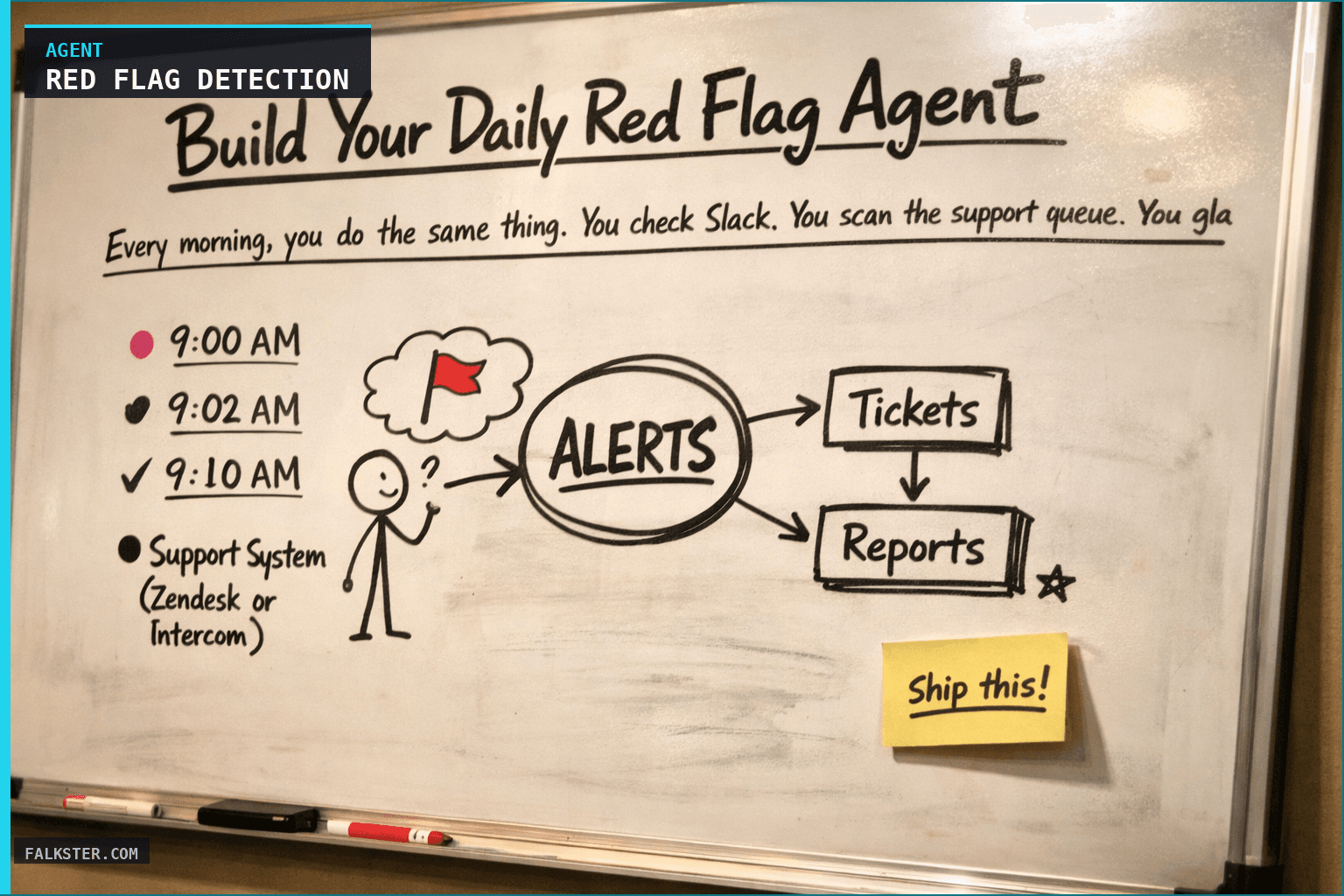
- 9:00 AM: Report lands in Slack
- 9:02 AM: You've read it and know your top 3 priorities
- 9:10 AM: You're in action (not still context-switching)
That's a 50-minute reclaim on your day. Over a quarter, that's more than 40 hours of focused time you don't have right now.
How It Works: The Data Pipeline
The agent connects to five data sources and runs a classification logic every morning. Here's the architecture:
Data Sources
Support System (Zendesk or Intercom) The agent queries all support tickets created in the last 24 hours and flags anything marked Critical or tagged with #churn-risk. It pulls priority, customer tier, time-to-first-response, and days open. If a top-tier customer has opened multiple tickets in one day, that's a signal.
Production Incidents (PagerDuty, Incident.io, or Slack channel) Active incidents and resolved incidents from the last 24 hours. The agent captures severity level, affected systems, customer impact count, and time-to-resolution. A P1 incident resolving in under an hour is good news; a P1 taking 6 hours is a red flag.
Backlog / Issue Tracker (Jira, YouTrack, Linear) All Critical-priority issues, plus any High-priority issue with a due date in the past. The agent checks for unassigned Critical issues (instant red flag), links between support tickets and backlog items (indicates feature blockers), and cumulative delay on critical features promised to customers.
Slack Channels (#production-incidents, #team-product, customer-specific channels) The agent scans for keywords and mentions in the last 24 hours - things like "down," "critical," "fire," "blocked," "customer complaining." It's looking for signals that humans escalated but might not have created a formal ticket yet.
CRM / Customer Health (Salesforce, HubSpot, Pipedrive) Health scores, renewal dates, churn risk flags, and recently updated account notes. If a customer's health score dropped 30 points in a week or their renewal is at risk, the agent surfaces it with context from the AE's notes.
Five sources, one picture.
The Severity Classification
The agent doesn't flag everything - it uses a three-tier severity model:
CRITICAL (Must handle today): P1 incident affecting customers. Critical support ticket from a top-tier customer. Unassigned Critical backlog issue. Churn signal in CRM. Integration failure blocking a customer workflow. Promise to a customer has a missed deadline.
WARNING (Monitor, plan response): High-priority support ticket created in last 24h. High-priority backlog issue due in next 2 days. Production incident that resolved in last 24h (signals fragility). Customer escalation in Slack. Unusual spike in Critical tickets (e.g., 30% increase vs. 7-day average).
INFO (Track, no action): Standard tickets being handled normally, backlog on schedule, no incidents.
If you're running this daily, you'll see that CRITICAL is rare - maybe 2 to 3 items on a typical day. WARNING is where the signal is. INFO keeps you from worrying about what's actually fine.
The Report Structure
Every morning at 9 AM (or whatever time you set), the agent posts to a Slack channel and saves a copy to your shared drive:
🚨 CRITICAL
- [Ticket/Incident]: [Why it matters] | Owner: [Name] | Timeline: resolve by EOD

⚠️ WARNING
- [Ticket/Incident]: [Why it matters] | Owner: [Name] | Recommended action: [Action]

📊 METRICS SNAPSHOT
- Open critical tickets: [count]
- Active incidents: [count]
- High-risk customers: [count]

✅ RECOMMENDED ACTIONS
1. [Action] | Owner: [Name] | Timeline: [by when]
2. [Action] | Owner: [Name] | Timeline: [by when]

📅 MEETINGS TO SCHEDULE
[Only if triage is needed today]
It's designed to be glanceable. You can read it in under 2 minutes. And every item includes a recommended next step with an owner and timeline, so you're not sitting there thinking "okay, but what do I actually do about this?"
Data sources and setup
Prerequisites: Complete the Claude setup guide first. This agent needs the following MCP connections active:
- Zendesk - reads support tickets flagged Critical or high-priority
- PagerDuty - monitors active incidents and recent resolutions
- Jira - scans Critical-priority issues and unassigned backlog items
- Slack - searches #production-incidents, #team-product for escalation signals
- Salesforce - reads customer health scores and churn risk flags
Schedule: Runs daily at 9:00 AM via cron. Output posts to Slack #red-flags.
Quick test: Open Claude and ask: "Show me all critical support tickets, active incidents, and at-risk accounts from the last 24 hours."
For the full agent fleet and scheduling details, see Your AI Agent Fleet.
What Changes
Let me be specific about what your morning changes:
Before: 9:00 AM start → 10:00 AM you know what your top priorities are (maybe). You've been in reactive mode, reading old messages, context-switching between tools.
After: 9:00 AM the report lands. 9:02 AM you've read it. 9:10 AM you're in a focused triage meeting with clear action items, owners, and timelines.
That's not magic. That's the difference between context-switching and focus.
You also catch things you used to miss. A customer health score dropped 30 points but nobody escalated it to a ticket? The agent flags it. A support ticket mentions an integration failure but it's buried under 40 other medium-priority items? The agent pulls it out. An incident resolved in 6 hours but the team didn't mark it as "fragile"? The agent notes it as a WARNING - something's still wrong even though it's technically resolved.
Over a quarter, this typically means:
- 2 to 3 fewer customer escalations (caught before they blow up)
- 10 to 15 fewer hours spent on manual context-switching
- Better prioritization of your backlog (Critical issues get attention before they become P1 incidents)
Download the complete agent setup for copy-paste-ready configuration, classification rules, and query templates.
Download the artifact
Ready to use. Copy into your project or share with your team.
Also on Medium
Full archive →AI Agents and the Future of Work: A Pixar-Inspired Journey
What product managers can learn about AI agents from how Pixar runs a film team.
Many AI Agents Are Actually Workflows or Automations in Disguise
How to tell agents from workflows from cron jobs, and why it matters for what you ship.
Frequently asked
What does the Red Flag Detection agent do every morning?+
It runs at 9:00 AM, pulls from five data sources (Zendesk, PagerDuty, Jira, Slack, Salesforce), classifies every signal into one of three tiers (Critical, Warning, Info), and posts a prioritized report to a Slack channel. Each item includes a recommended next step with an owner and a timeline. The goal is to go from 'what needs my attention' to action in under 10 minutes.
Why is this the first agent a PM should deploy?+
Because it reclaims the most valuable resource immediately: focused morning time. Most PMs spend 45-60 minutes each morning context-switching across five tools before they can make a single decision. The Red Flag agent compresses that into a 2-minute read. Over a quarter, that's more than 40 hours of focused time returned.
What is the three-tier severity model the agent uses?+
Critical means must handle today: P1 incidents, top-tier customer tickets, unassigned critical issues, churn signals. Warning means monitor and plan a response: high-priority tickets, incidents that resolved recently but signal fragility, unusual spikes. Info means no action needed. On a typical day, Critical has 2-3 items and Warning is where the real signal lives.
Which data sources does the Red Flag agent connect to?+
Zendesk for support tickets flagged Critical or high-priority, PagerDuty for active incidents and recent resolutions, Jira for critical-priority issues and unassigned backlog items, Slack for scanning production and team channels for escalation signals, and Salesforce for customer health scores and churn risk flags.
What kind of things does the agent catch that I would otherwise miss?+
A customer health score that dropped 30 points but nobody escalated to a ticket. A support ticket about an integration failure buried under 40 medium-priority items. An incident that resolved in 6 hours without being flagged as fragile. These are the gaps that turn into customer escalations 2-3 weeks later. The agent makes them visible before they compound.

Comments (0)
Sign in with LinkedIn to leave a comment.
Sign in with LinkedIn