Stream a simulated run, inspect the notifications it would send on Slack and email, and see exactly where it sits in the 7-stage PM OS flow. No password required.
The short version
The Daily Focus agent is an AI chief of staff. It runs at 7 AM, reads your Google Calendar, Slack, Jira, and email, and posts the three things that actually matter today to a #daily-focus channel. Each priority is scored on three axes: urgency (0-40), customer impact (0-35), executive visibility (0-25). The top three become your day. The report also surfaces invisible blockers, executive commitments coming due, and Slack threads waiting on your decision. Setup is 30 minutes. The point is to stop checking five tools every morning and start the day knowing what to focus on.
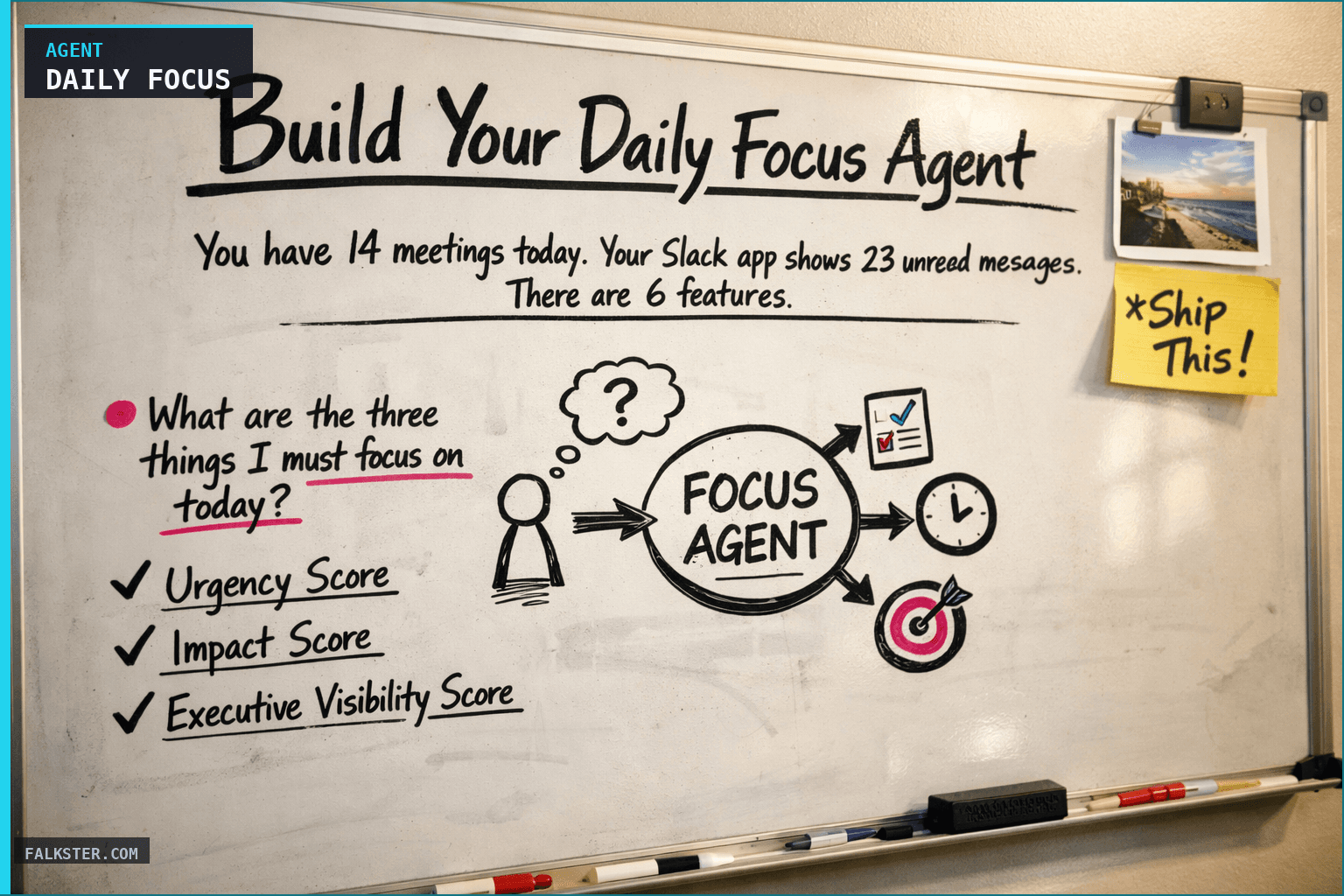
You have 14 meetings today. Your Slack app shows 23 unread messages. There are 6 features paused on the roadmap. Your CEO syncs with you at 4pm and you still don't know what you're going to tell him about Q2. It's 8:47am.
This is the problem I built the Daily Focus Agent to solve.
The Real Problem (It's Not the Volume)
Every product manager talks about "having a lot going on." But the issue isn't the volume of work. It's the fragmentation.
Your priorities are shattered across five different tools:
- Calendar (which meetings actually matter?)
- Slack (which threads need your response, and which can wait?)
- Jira (what's paused and blocking customers?)
- Email (which customer commitments are due today?)
- Your own brain (which CEO decision are you forgetting about?)
By 9am, you've spent an hour checking each tool separately. Calendar → Slack → Jira → email → back to Slack because someone @mentioned you. You context-switch five times. You still don't know what matters most.
The Daily Focus Agent changes that. You check one report instead of five tools. And instead of prioritizing yourself into exhaustion, you get a ranked list of the three things that actually matter today.
What This Agent Does
Every morning at 7am, before your first meeting, the agent runs and delivers one report that answers a single question: what are the three things I must focus on today?
It's not a calendar dump or a list of every open issue. It's a synthesis. An AI chief of staff that reads across your whole work context and tells you what matters.
Here's what the report includes:
Top 3 Priorities (Synthesized, Ranked)
Not your first three meetings. Your actual priorities for the day, identified with a scoring algorithm that weighs:
- Urgency (due today? due in 2 hours?)
- Customer impact (how many customers are waiting? is revenue at risk?)
- Executive visibility (is this a CEO commitment? A board review?)
Each priority comes with why it matters, the specific action to take, and the context and links.
Today's Full Schedule
Your calendar with prep notes for each meeting. What do you need to know before the 9am? Which meetings deserve real focus? The agent surfaces what you need to show up prepared, not another calendar dump.
Executive Commitments
What did you promise the leadership team? What's overdue? What's due in the next three days? This catches the thing you committed to casually in a meeting three weeks ago and then forgot about.
Roadmap Blockers
Which features are paused or blocked? Why? How many customers are waiting? This catches the invisible blocker, the feature that was due today but nobody flagged as stuck.
Conversations Needing Response
You have 37 Slack messages. But maybe only 4 actually need your response. The agent identifies which Slack threads are decisions waiting on you, which VP asked a question you missed, which customer is escalating. It prioritizes by urgency and visibility.
Suggested Meetings to Schedule
Based on detected blockers and escalations, the agent recommends who you should meet with today and why. Is your engineering team blocked waiting for your decision? Flag it. Is a customer at risk? Suggest a sync.
Quick Stats
Features in dev. Paused features. Commitments due this week. Meeting load. Open critical bugs. This is your "state of the day" in bullet form.
Key ETAs This Week
What's shipping? Who owns it? Which customers are waiting for it? See what's in flight across the entire week.
How It Works: The Synthesis Logic
The agent doesn't just list things. It ranks them with a scoring system.
Every potential priority gets a score:
Urgency Score (0-40 points): Is this due in 2 hours? Due today? Overdue? Impact Score (0-35 points): Does this block a customer? Block internal shipping? Affect customer perception? Executive Visibility Score (0-25 points): Is this a CEO action item? A leadership commitment? External escalation?
The top three scoring items become your daily focus.
Here's a real example:
You have a feature due today that's paused (three customers waiting). That scores:
- Urgency: 30 (due today)
- Impact: 35 (blocks customer revenue)
- Executive visibility: 0
- Total: 65 points
But you also have an unresponded Slack message from your VP asking which technical approach to take. That scores:
- Urgency: 40 (time-sensitive decision)
- Impact: 25 (blocks the team from proceeding)
- Executive visibility: 20 (VP-level)
- Total: 85 points → #1 priority
And your CEO action item (overdue) scores:
- Urgency: 40 (overdue)
- Impact: 15 (internal milestone)
- Executive visibility: 25 (CEO)
- Total: 80 points → #2 priority
The report delivers these in order, with the specific action, context, and why each matters. No guessing. No "I'll just check the calendar and see what's urgent."
Why This Actually Works
I built this because I was losing at the prioritization game. I had 14 meetings a day. I had 40+ Slack messages before 8am. I had roadmap reviews coming. I had customers waiting for decisions. And every morning, I'd spend the first hour just finding out what mattered.
The Daily Focus Agent catches the things you'd normally miss.
The invisible blocker. Feature X was due today but it's paused. No one flagged it in standup because they were waiting for your approval. But it's paused, it's due, and three customers are waiting. The agent surfaces it immediately.
The VP's question. Someone @mentioned you in Slack five hours ago asking for a technical decision. You missed it, and now the team is blocked. The agent finds it and tells you it's been waiting five hours.
The back-to-back trap. Meetings stacked with no prep time between them. The agent flags it and pulls the prep materials so you walk in ready, not scrambling.
Data sources and setup
Prerequisites: Complete the Claude setup guide first. This agent needs the following MCP connections active:
- Google Calendar - reads today's events, prep notes, meeting context
- Slack - scans channels for unresponded threads, mentions, escalations
- Jira - reads sprint data, blocked features, paused work
- Email - monitors for customer SLAs and CEO commitments
Schedule: Runs daily at 7:00 AM via cron. Output posts to Slack #daily-focus.
Quick test: Open Claude and ask: "What are my top 3 priorities today based on my calendar, open Jira blockers, and unread Slack threads?"
For the full agent fleet and scheduling details, see Your AI Agent Fleet.
What Good Looks Like
After running this agent for a month, here's what changes:
Week 1: You start noticing things you would have missed. The feature that was supposed to ship Friday but is actually paused. The VP's question from yesterday you forgot to answer. The customer escalation buried in a thread.
Week 2: You stop context-switching as much. Instead of checking five tools, you check one report. You spend less time in triage and more time actually doing the work.
Week 3: Your meeting prep improves. You walk into meetings knowing the context, the blockers, the decision points. You're not fumbling for information.
Week 4: Your CEO syncs are better. You know what's paused and why. You know what customers are waiting for. You know what blockers you can't solve alone. You bring data and specificity, not generics.
The Full Agent Prompt
Ready to build this? The complete agent instruction file is available at /artifacts/agent-daily-focus.md. It includes:
- All data sources and what to extract from each
- The full priority synthesis logic
- Meeting prep rules
- Blocker detection criteria
- Slack thread triage rules
- Output format
- A complete test prompt to validate it's working
Copy it into your agent platform, connect your data sources, and run it. It takes 30 minutes to set up. It saves you an hour every morning.
The point
Context switching kills deep work. This agent won't eliminate your meetings or thin out your Slack. But it gives you clarity before the chaos starts, and it tells you what matters in the morning before you lose sight of it.
Your calendar will still show 14 meetings. Your Slack will still have 40 messages. Your roadmap will still have blockers. But by 7:05am you'll know exactly what to focus on.
Ready to build? Start with the full agent prompt at /artifacts/agent-daily-focus.md. It's copy-paste-ready and includes everything you need: data sources, synthesis logic, output format, and a test prompt.
Download the artifact
Ready to use. Copy into your project or share with your team.
Also on Medium
Full archive →AI Agents and the Future of Work: A Pixar-Inspired Journey
What product managers can learn about AI agents from how Pixar runs a film team.
Many AI Agents Are Actually Workflows or Automations in Disguise
How to tell agents from workflows from cron jobs, and why it matters for what you ship.
Frequently asked
What does the Daily Focus Agent actually do?+
It runs at 7 AM every weekday before your first meeting. It reads your Google Calendar, scans Slack for unresponded threads and mentions, checks Jira for blocked features, and scans email for customer SLAs and executive commitments. It outputs a single report with your top three priorities for the day, each scored on urgency, customer impact, and executive visibility.
How does the agent decide what the top 3 priorities are?+
Each potential priority gets a numeric score across three dimensions: urgency (0-40 points, based on whether it is due in 2 hours, today, or overdue), customer impact (0-35 points, based on whether it blocks a customer or affects revenue), and executive visibility (0-25 points, based on whether it is a CEO commitment or leadership escalation). The three highest-scoring items become your daily focus.
What data sources does the Daily Focus Agent need?+
Google Calendar for today's events and prep context, Slack for unresponded threads and mentions, Jira for sprint data and blocked features, and email for customer SLAs and executive commitments. Each source connects via MCP. Setup takes about 30 minutes.
What does the Daily Focus report include besides the top 3 priorities?+
The full day schedule with prep notes for each meeting, a list of executive commitments coming due, roadmap blockers with customer impact, Slack threads waiting on your decision, suggested meetings to schedule based on detected blockers, quick stats (features in dev, paused features, open bugs), and key ETAs shipping that week.
How quickly can I set this up and start using it?+
About 30 minutes to wire up the MCP connections and paste in the agent prompt from the artifact file. The first report runs the next morning. By week two you stop context-switching across five tools in the morning. By week four your CEO syncs are more specific because you arrive knowing what's paused and what customers are waiting for.

Comments (0)
Sign in with LinkedIn to leave a comment.
Sign in with LinkedIn