Stream a simulated run, inspect the notifications it would send on Slack and email, and see exactly where it sits in the 7-stage PM OS flow. No password required.
The short version
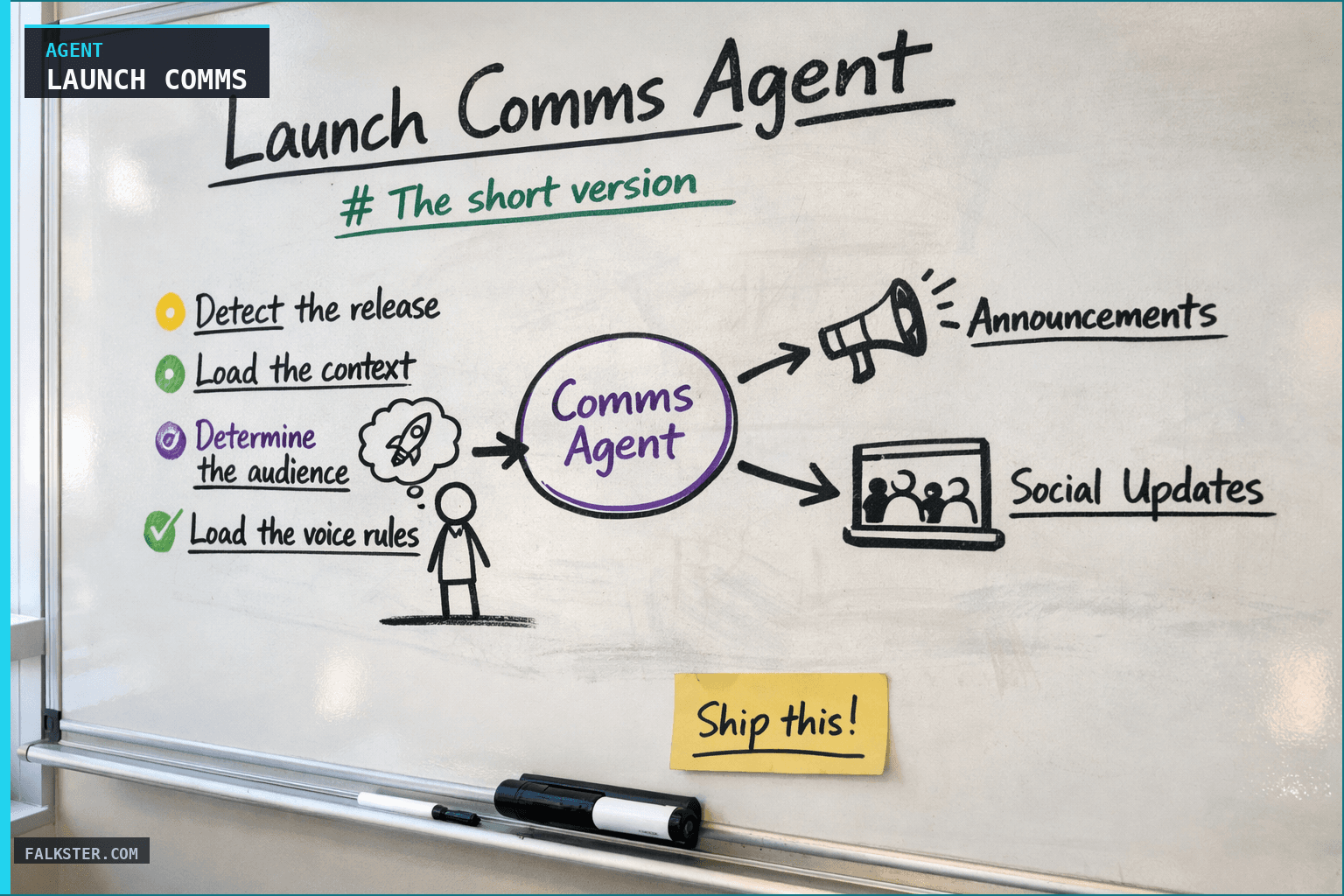
The Launch Comms Agent reads a just-shipped feature's full context (PRD, prototype, Linear ticket, release notes, customer story) and generates every piece of go-to-market copy needed in one pass: website hero, LinkedIn post, customer email, in-product banner, public changelog, X thread. Six channels, one voice, under 4 minutes. Product Marketing edits and ships. No more launch days where three channels go out with contradictory copy.
The launch day that used to take two weeks
Feature ships Wednesday. Product Marketing needs to write:
- Website hero and feature page
- LinkedIn post from the founder
- Customer email for the enterprise segment
- In-app announcement banner
- Public changelog entry
- X thread
Each one takes a few hours to draft. The drafts go to different reviewers. The reviewers have different taste. By the time everything is approved and scheduled, the feature has been in the wild for two weeks and the launch moment is gone. Or PMM cuts corners: ships the LinkedIn post, skips the email, writes the changelog at the last minute. The result is that enterprise customers never hear about the feature that was built for them, the engineering team sees no amplification, and sales has nothing to point at next time they get the same request.
The agent fixes the blank page. Four minutes of generation replaces a week of writing. The only work left is editing and judgment, which is the work PMM is actually good at.
What the agent does
Seven moves, in order.
1. Detect the release. Webhook fires when a production deploy succeeds AND the release has a non-empty release notes file AND a Linear ticket has moved to "Launched" status. The agent also runs a Thursday morning sweep to catch features that shipped quietly.
2. Load the context. The Linear ticket's description, the Notion doc the PM wrote when the prototype shipped, the PRD if one exists, the release notes entry, the original customer story (who asked, what they said), and the final prototype / production UI. The richer the context, the better the drafts.
3. Determine the audience. Each channel has a different audience. The LinkedIn post is for PMs and ops leaders. The customer email is segmented by tier and use case. The in-app banner is only for accounts eligible for the feature. The changelog is for everyone. Getting the audience right upfront means the drafts don't all sound like the same press release.
4. Load the voice rules.
The agent reads a voice.yaml file in the repo. This captures the brand's tone rules: what to avoid, what to favor, which phrases are banned, example good outputs. Product Marketing maintains this file. The agent never drifts from it; if it tries to generate forbidden phrasing, the output flags itself for review.
5. Generate all channels in parallel. Claude Code runs six concurrent generations, one per channel. Each gets the full context plus its channel-specific prompt. The outputs are returned as a structured launch kit.
6. Tag everything 'pending review'. No draft is scheduled or sent automatically. Every output lands in the PMM review queue, tagged with the source release. Product Marketing edits inline, approves channel-by-channel, and schedules via their existing tools (Buffer, HubSpot, Intercom).
7. Track post-approval. Once a channel is approved and scheduled, the agent records it. The next time a similar feature ships, it loads the approved drafts as additional training context so the next generation matches what PMM actually publishes, not what the agent initially drafted. Compounding quality over time.
Why this works where past "AI copy" efforts didn't
Three design choices, each fixing a thing that killed earlier attempts.
The first is context. "Write a LinkedIn post about our new feature" produces generic slop. "Write a LinkedIn post about the Bulk Reassign feature that shipped today, written in founder voice, aimed at PMs and ops leaders, grounded in the story of the Acme CSM's request, using these specific numbers from the release notes, avoiding these three phrases, and matching this linked approved example" produces usable drafts. The difference is the data layer and the voice config, not the model.
The second is the review step. Previous tools tried to autopost. That never worked, the first 20 posts were embarrassing and killed team trust. This agent always tags drafts as pending and never sends. PMM stays in the loop, trust compounds, quality rises.
The third is the edit loop. Every edit PMM makes to a draft gets captured as training signal, and the next run learns from it. After a quarter of running, the drafts are much closer to publishable than they were in week one.
Pick one thing this week
- Write a
voice.yamlfor your product. What phrases are banned? What tone does your founder actually use? Two approved LinkedIn posts as positive examples. - Pick one feature that's shipping in the next two weeks. Hand-load its context into a Claude Code project.
- Ask the agent to draft three channels: LinkedIn, customer email, changelog. Just three.
- Review the drafts with PMM. Note what they edited. Capture the edits as new voice rules.
- Next feature launch, expand to six channels. The edits on the first run have made run two materially better.
Within a quarter, your launch days look different. The first draft on every channel arrives four minutes after production deploy. Product Marketing's whole job shifts from writing first drafts to sharpening them. The launches are consistent, on-voice, and on time, probably for the first time.
Build yours.
Before building this agent, complete the Claude setup guide to wire up your MCP connections. For how this fits into the full fleet, see Your AI Agent Fleet. The companion agent for measuring whether those launches actually landed is in Stakeholder Updates on Autopilot.
See it running in the Agent Sandbox. Click into the Launch Comms agent on the Ship stage, run the simulation, then click any of the six output pills (landing, LinkedIn, email, in-app, changelog, X thread). Each opens a live preview of the generated copy in its native channel treatment.
Also on Medium
Full archive →AI Agents and the Future of Work: A Pixar-Inspired Journey
What product managers can learn about AI agents from how Pixar runs a film team.
Many AI Agents Are Actually Workflows or Automations in Disguise
How to tell agents from workflows from cron jobs, and why it matters for what you ship.
Frequently asked
What does the Launch Comms Agent do?+
When a feature ships to production, the agent reads the PRD, the prototype, the Linear ticket, and the release notes, then generates every piece of GTM copy needed in one pass: website hero, feature page, LinkedIn post, changelog entry, in-product announcement, customer email, and a short X thread. Each draft is brand-voice-tuned, tagged 'pending review', and linked back to the source release. Product Marketing edits, approves, and ships.
How does it keep the voice consistent across channels?+
A voice-and-tone config file in the repo captures the brand's voice rules (example: 'operator, not marketer', 'no AI-sounding phrases', 'end with an action'). The agent loads that file as part of the prompt context for every channel. Product Marketing can edit the voice rules directly; the change takes effect on the next run.
Does this replace Product Marketing?+
No. Every draft is tagged 'pending review'. Product Marketing edits, approves, and ships. The agent eliminates the blank-page problem, not the editing and judgment work. The time saved lets PMM spend more time on positioning decisions and less on writing the first draft of every channel.
What channels does it cover?+
Website hero and feature page, LinkedIn post (founder voice), customer email (segmented), in-product announcement banner, public changelog entry, X thread. Also optionally: release notes for the docs site, a sales enablement one-pager, and a CS team FAQ. Teams usually start with 3 channels and expand.
What data sources does it need?+
Linear for the ticket context, Notion for the PRD and customer story, GitHub for the release notes, Figma for the hero screenshot, Claude Code for generation, HubSpot or Marketo for email distribution, Buffer for social scheduling, Intercom for in-app messaging. MCP connects all of them.
How long does it take?+
About 4 minutes end-to-end to generate all six channels. Product Marketing review adds another 20 to 60 minutes depending on how much editing is needed. The whole loop, signal-to-shipped-announcement, usually fits in a single working day.

Comments (0)
Sign in with LinkedIn to leave a comment.
Sign in with LinkedIn