Stream a simulated run, inspect the notifications it would send on Slack and email, and see exactly where it sits in the 7-stage PM OS flow. No password required.
The short version
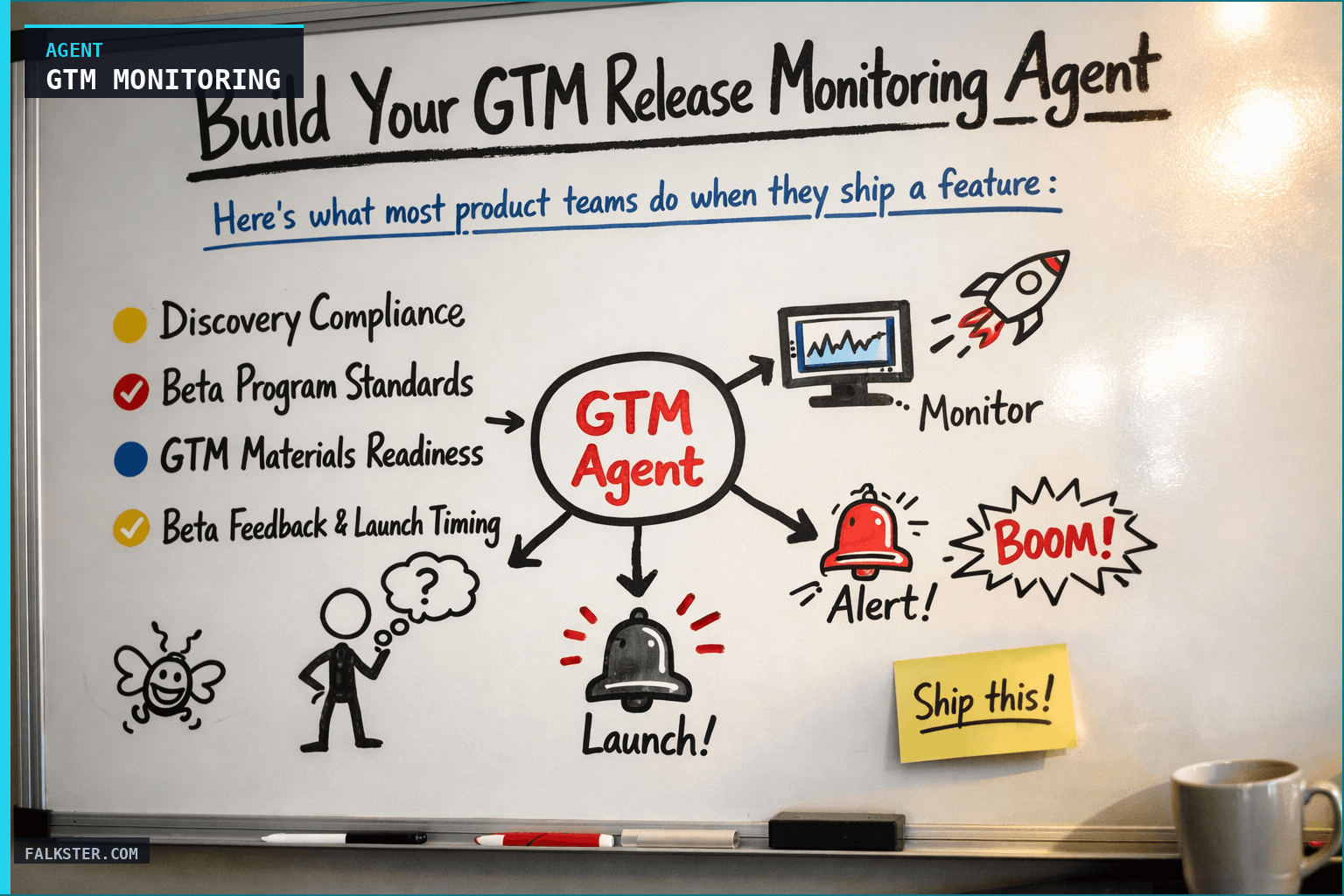
The GTM Release Monitoring agent runs daily at 7 AM and tells you which features are actually ready to ship across five readiness gates: discovery compliance, beta program standards, GTM materials, beta feedback timing, and compliance signoff. The report uses a launch countdown view (green/yellow/red) per upcoming launch. The point is to stop tracking "is the code done" and start tracking "can we sell it, support it, succeed with it." Connect Jira, Slack, and Google Drive. Run it on the three features closest to launch and see which one is actually ready.
Here's what most product teams do when they ship a feature:
- Engineering finishes the code
- Product marks it as "done"
- Sales starts selling it
- Support gets customer calls and has no documentation
- Customer success realizes nobody trained them on how to sell it
This is the operating model that ships features, not products.
A feature is only "done" when it's ready to sell, support, and succeed. That means customer validation happened before you built it. Beta testing validated core assumptions. Sales has a demo script. Support has help articles. GTM materials are ready.
I've worked with teams that ship features every week and still manage to ship unprepared. No customer validation. Beta criteria undefined. Sales collateral missing. Then you wonder why adoption is slow.
What if an agent monitored all of this for you, daily, and told you exactly which features are actually ready to go to market?
Why Release Readiness Is Bigger Than Code
Most teams track releases by asking: "Is the code done?"
But shipping means nothing if you can't sell it, support it, or help customers succeed with it. I've seen companies ship features that were technically brilliant and commercially useless because:
- Nobody validated the assumption with customers first (built the wrong thing)
- Beta revealed critical use-case issues that broke the feature design (shipped broken)
- Sales had no demo script or ROI story (customers didn't understand value)
- Support team wasn't trained (support tickets exploded)
- Help documentation was incomplete (customers got stuck)
- Compliance didn't review data handling implications (legal risk)
The code was done. The feature wasn't ready.
Here's what I see at companies that get releases right:
They don't ask "is the code done?" They ask:
- Did we validate this with actual customers before building it?
- Has this been in beta long enough with real feedback?
- Are sales enablement materials ready?
- Does support understand the feature?
- Are we shipping with compliance sign-off?
Then they track all of this daily, not just once before launch.
How It Works: The Five Readiness Gates
The GTM Release Monitoring Agent monitors five dimensions of release readiness every morning:
1. Discovery Compliance
Did you validate assumptions with customers before shipping? The agent checks:
- How many customer interviews happened before design locked?
- Did you change scope based on customer feedback?
- Are you making decisions based on customer data or designer intuition?
Example: A feature was supposed to ship with "defaults + validation rules". But discovery showed customers wanted "defaults + validation + custom logic". The scope expanded, but for the right reason (customer-backed). The agent surfaces this.
Counter-example: A feature shipped with zero customer interviews because the PM was sure about the market need. The agent flags this as "discovery not compliant" - even if the feature is technically ready.
2. Beta Program Standards
Is the feature in beta with enough real users? The agent checks:
- How many beta users? (Should be 20-50+ for most features)
- How long has it been in beta? (Should be at least 2 weeks)
- Are we collecting and acting on feedback?
- Have we hit a point where no new issues emerge for 7+ days?
Example: A feature entered beta 1 week ago with 5 beta users. The agent flags this as "not ready for launch yet - expand beta cohort and wait at least 1 more week."
Counter-example: A feature's been in beta 4 weeks with 40 beta users, feedback stabilized a week ago, and all critical issues are resolved. The agent says "ready to launch."
3. GTM Materials Readiness
Are your go-to-market materials actually done?
- Sales deck with ROI calculator and battle cards?
- Help documentation so customers can self-serve?
- Release notes that explain customer value (not just "fixed bugs")?
- Demo script sales can use immediately?
- Email campaign copy for customers?
- Pricing/packaging docs if pricing is changing?
Example: The feature is technically ready to launch Apr 15. But the sales deck isn't due until Apr 20. The agent flags this as "GTM materials behind schedule" and recommends either accelerating collateral or slipping the launch.
Counter-example: Feature ships Apr 15, all materials done Apr 10. Sales can immediately demo. Support is trained. Customers get announcement email. Launch succeeds.
4. Beta Feedback & Launch Timing
The agent checks: "Are you shipping too fast?" Even if code is done and materials are ready, if you've only been in beta 3 days, you're probably shipping too early.
It also checks: "Are you shipping too slow?" If you've been in beta 6 weeks with zero new issues, you're over-validating.
Example: Feature in beta 2 weeks, 30 users, no new critical issues in past 7 days → Ready to launch.
Counter-example: Feature in beta 1 week, 8 users, critical issues still being found → Not ready.
5. Compliance Signoff
Does the feature need legal/security/compliance review before launch?
If your feature handles user data, authenticates users, or has privacy implications, you need sign-off. The agent checks:
- What reviews are required?
- Have they been scheduled?
- Are they on track to complete before launch?
Example: SAML authentication feature needs security review. The review was scheduled for Apr 5, launch is Apr 15. You're safe. The agent says "compliance on track."
Counter-example: Feature launches Apr 20, but legal review isn't scheduled yet. The agent flags this as "compliance risk - schedule review immediately."
What the Daily Report Looks Like
Every weekday at 7:00 AM, you get a launch countdown report with five sections:
Section 1: Launch Countdown Status
🚀 LAUNCHES THIS MONTH:

🟢 FULLY READY (Can launch anytime):
- "Custom Fields" - Launch April 15
  Discovery ✅ | Beta ✅ | GTM Materials ✅ | Compliance ✅

🟡 MOSTLY READY (Minor work remaining):
- "API Webhooks" - Launch Est. May 1
  Discovery ✅ | Beta ✅ | GTM Materials ⏳ (sales deck in progress) | Compliance 🔴 (legal review pending)

🔴 NOT READY (Needs work):
- "Bulk Export" - Launch Est. April 30
  Discovery ❌ (0 interviews) | Beta ❌ (not started) | GTM Materials ❌ (nothing started) | Compliance 🔴 (no review)
This is your launch status at a glance. You see which features can ship today, which need a week more, which need major work.
Section 2: Discovery Compliance
CUSTOMER VALIDATION STATUS:

✅ VALIDATED WITH CUSTOMERS:
- "Custom Fields": 8 interviews, scope refined based on feedback
  → Ready to build (scope locked, decisions backed by customer data)

⏳ VALIDATION IN PROGRESS:
- "API Webhooks": 5 interviews done, 2 more scheduled
  → Can start design, but don't lock scope yet

❌ NO VALIDATION:
- "Bulk Export": 0 interviews, scope decided by PM intuition
  → Recommend: Pause design, do customer interviews first
You see which features are built on solid customer research and which are speculative.
Section 3: Beta Readiness Status
🟢 HEALTHY BETA:
- "Custom Fields": 4 weeks in beta, 40 users, major issues fixed,
  feedback stabilized 1 week ago → READY TO LAUNCH

🟡 ACTIVE BETA:
- "API Webhooks": Entering beta Monday, 0 users recruited yet
  (ACTION: recruit beta cohort today)

🔴 PROBLEMATIC BETA:
- "SAML Auth": 1 week in beta, only 5 users (too small), 3 critical
  issues being fixed → Recommend 2+ more weeks
You see which betas are healthy, which need more time, which are understaffed.
Section 4: GTM Materials Readiness
GTM MATERIALS CHECKLIST:

LAUNCH READY:
✅ "Custom Fields" (launch April 15) - All materials complete

IN PROGRESS (on track):
⏳ "API Webhooks" (launch ~May 1) - Sales deck due April 20,
   help articles due April 25

BEHIND SCHEDULE:
🔴 "Bulk Export" (launch ~April 30) - No materials started,
   3 weeks until launch → RECOMMEND: Scope launch to late May
   OR add resources to GTM team
You see which launches have marketing support and which are going out alone.
Section 5: Compliance & Regulatory Status
SIGNOFF STATUS:

✅ COMPLETE:
- "Custom Fields" - Security review approved (April 3)

⏳ IN PROGRESS (on track):
- "API Webhooks" - Legal review due April 5

🔴 NOT STARTED (Red flag):
- "Bulk Export" - Privacy review needed, not scheduled
  (3 weeks to launch)
You see which features have compliance blessing and which are legal wildcards.
Data sources and setup
Prerequisites: Complete the Claude setup guide first. This agent needs the following MCP connections active:
- Jira - reads release calendar, feature status, ETAs
- Slack - monitors #launches and #gtm channels for readiness blockers
- Google Drive - accesses GTM materials folder and beta feedback docs
Schedule: Runs daily at 7:00 AM via cron. Output posts to Slack #gtm-readiness.
Quick test: Open Claude and ask: "What releases are scheduled for the next 2 weeks and what's the GTM readiness status for each?"
For the full agent fleet and scheduling details, see Your AI Agent Fleet.
What Changes When You Have This Agent
Before: You discover maturity gaps right before launch (or after).
- Wednesday: "We want to launch Friday"
- 48 hours of scrambling
- Thursday night: "We're not ready"
- Launch slips to next week
After: You discover gaps early and have time to fix them.
- Monday: Agent reports "GTM materials are 2 weeks behind schedule"
- You make a decision: accelerate collateral or slip launch
- You communicate timeline to customers early
- Launch happens as planned (or you've already negotiated a delay)
The difference is predictability. You're not discovering readiness gaps in a crisis. You're discovering them with time to respond.
Most of the time, features will be on track. But 2-3 times a quarter, this agent catches a gap that would have caused a launch disaster. That's worth the 15 seconds it takes to read the report each morning.
Getting Started This Week
The full agent setup - with all the data sources, the monitoring rules, the beta standards, and the copy-paste ready prompt - is in the artifact file linked below.
Download it. Create a Claude Project. Paste the prompt. Connect your data sources. Set it for weekday mornings at 7:00 AM.
By next week, you'll have your first report. You'll see which features are truly ready for launch, which are close but need a few more weeks, and which need major work before they're customer-ready.
Then you'll ship features that actually succeed.
Download the full agent instruction file for copy-paste-ready setup, data extraction rules, and the beta standards framework.
Download the artifact
Ready to use. Copy into your project or share with your team.
Also on Medium
Full archive →AI Agents and the Future of Work: A Pixar-Inspired Journey
What product managers can learn about AI agents from how Pixar runs a film team.
Many AI Agents Are Actually Workflows or Automations in Disguise
How to tell agents from workflows from cron jobs, and why it matters for what you ship.
Frequently asked
What does the GTM Release Monitoring agent check daily?+
It monitors five readiness gates for every upcoming launch: discovery compliance (were customers interviewed before scope locked?), beta program standards (enough users, enough time, stable feedback?), GTM materials readiness (sales deck, help docs, demo script, email copy), beta feedback and launch timing (not too fast, not too slow), and compliance signoff (legal, security, privacy reviews scheduled and on track).
Why is 'is the code done' the wrong question before a launch?+
Because a feature is only done when it's ready to sell, support, and help customers succeed. Code done without discovery validation means you built the wrong thing. Code done without a sales deck means customers can't understand the value. Code done without help articles means support tickets explode. The GTM agent tracks all five dimensions, not just build status.
What does the daily GTM readiness report look like?+
A launch countdown view with three tiers: fully ready (all five gates green, can launch anytime), mostly ready (minor work remaining, specific gaps called out), and not ready (material gaps with recommended actions). Each section includes owners and timelines so you're not just seeing a status; you're seeing what to do today.
When should I deploy the GTM Release Monitoring agent?+
As soon as you have more than two features in parallel development pipelines. The value appears when you can no longer track discovery compliance and beta status for every feature in your head. A team shipping weekly who is not tracking all five gates is almost certainly shipping features that are commercially unprepared at least once a quarter.
What data sources does the GTM Release Monitoring agent need?+
Jira for release calendar and feature status, Slack for monitoring GTM and launch channels for readiness blockers, and Google Drive for accessing GTM materials folders and beta feedback documents. Setup takes about 15 minutes once those MCP connections are active.

Comments (0)
Sign in with LinkedIn to leave a comment.
Sign in with LinkedIn