Stream a simulated run, inspect the notifications it would send on Slack and email, and see exactly where it sits in the 7-stage PM OS flow. No password required.
The short version
The Team Triage agent runs twice daily (9 AM and 4 PM) and reads your entire #team-product Slack channel since the last run. It categorizes every message into bugs, feature requests, escalations, and questions, assigns owners by matching against your PM roster, and surfaces threads waiting on response with a "waiting since" timestamp. It also flags ownership gaps (issues nobody claimed), trending topics, and PMs with too many open items. The point is to stop losing issues in a 87-messages-a-day firehose. Setup is 20 minutes. Saves the team 30 minutes a day in triage overhead.
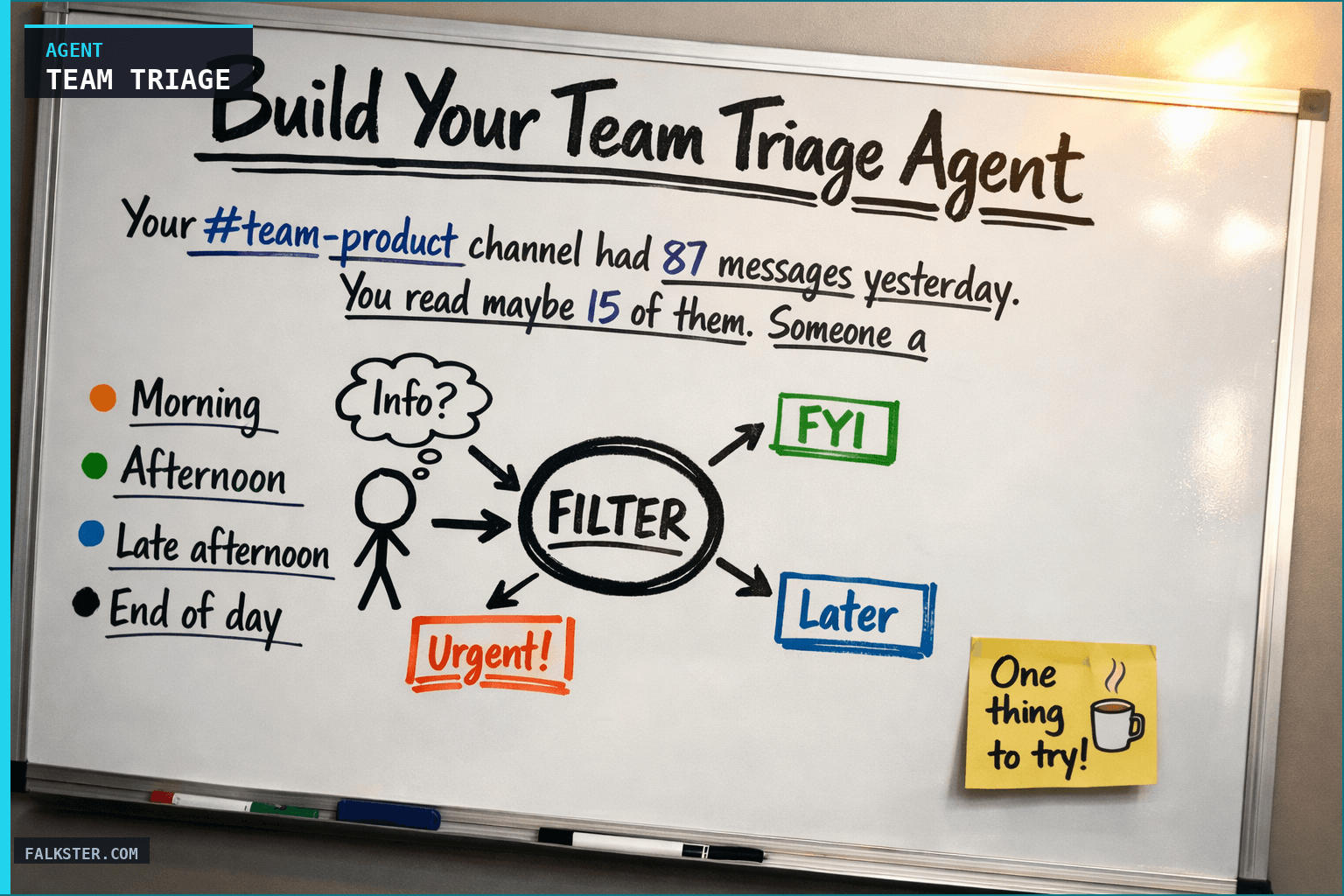
Your #team-product channel had 87 messages yesterday. You read maybe 15 of them. Someone asked about a bug in production six hours ago and nobody responded. A feature request from sales came in and it's unclear who should own it. A customer escalation is sitting there with no decision. And you won't know any of this until someone reminds you at standup tomorrow.
This is the problem the Team Triage Agent solves.
It's not really a Slack problem
The issue isn't Slack. It's that product work moves through Slack. Bugs, feature requests, escalations, decisions, blockers, all mixed into one channel. What you need out of that is signal, categorization, and clear ownership.
Here's a day without triage.
Morning: two bugs came in overnight, nobody flagged them, and you see them at 9:15am during standup. One blocks a customer. You should have known at 6am.
Afternoon: sales asked about a new integration. It's been three hours, no PM claimed it, nobody said "we're tracking this," and the sales rep is just waiting. It fell into a gap.
By late afternoon a customer escalation about performance lands in the channel. Three responses, nobody agreed on what to do, four hours open, no decision.
End of day, you have no idea how many open issues your team didn't triage, how many PMs are overloaded, or which escalations need you.
The agent reads the whole channel, categorizes everything, assigns owners, and flags what's been sitting too long.
What This Agent Does
Twice a day (9am and 4pm), the agent delivers a single triage report that answers: What's new in #team-product? Who owns it? What's waiting?
It's not a dump of messages. It's a structured triage report that categorizes incoming work, assigns owners, and surfaces issues that have gone unanswered.
New Issues Since Last Check (Categorized)
The agent scans all messages since the last run and categorizes them by type:
🐛 Bugs
- What: Description from thread
- Severity: Critical / High / Medium / Low (inferred from language and customer impact)
- Who reported it: Internal / Customer / Sales / Support
- Assigned to: Best match from PM roster (or flagged as unassigned)
✨ Feature Requests
- What: Feature description
- Source: Sales / Customer / Leadership / Other
- Customer impact: N customers requesting / ARR at risk (if known)
- Assigned to: Relevant PM or flagged as unassigned
🚨 Escalations
- What: The escalation (customer angry, revenue at risk, etc.)
- Severity: Critical / High / Medium
- Customer: Customer name + ARR
- Assigned to: Relevant PM or flagged for leadership
❓ Questions
- What: The question
- Asked by: Which team member
- Needs response from: Which PM (or which team)
- Status: Answered / Waiting / Needs discussion
Issues Awaiting PM Response
The agent identifies threads where a decision or response is needed and surfaces:
- Thread: Link to message
- Waiting since: How long (e.g., "5 hours ago")
- Assigned to: Who should respond
- Status: No response / Partial response / Waiting for decision
- Urgency: Based on who asked and what they're waiting for
Issues Resolved Since Last Check
Quick visibility into what got done:
- What was resolved
- Who resolved it
- How long it took (time from first message to resolution)
Ownership Gaps
The agent flags issues that nobody claimed:
- Issue: Description
- Why unassigned: No PM responded, unclear who owns it, or all team PMs are already overloaded
- Recommended owner: Based on PM expertise/roadmap
- Action: Who should claim it right now
Trending Topics
Patterns in what's being raised:
- Top bug categories (auth, performance, data issues, etc.)
- Top feature request categories
- Which customers are escalating frequently
- Themes that suggest systemic problems
How It Works: The Triage Logic
The agent doesn't assign at random. It matches on a few rules.
Bugs go to the PM with expertise in that area (auth PM gets auth bugs) or to the owning squad lead. If the bug blocks a customer and nobody claims it on the first mention, it escalates to leadership.
Feature requests go to the PM who owns that product area. Cross-functional ones get flagged for discussion. If it's a sales request, the agent notes the customer context.
Escalations route to the customer's dedicated PM if one exists. If not, to the account executive's PM partner. A product escalation goes to leadership.
Questions go to whoever has the context to answer. The agent scans previous messages to see who's been talking about that topic.
The agent also detects patterns:
- If three requests came in for the same feature in one week, it's a signal.
- If a PM has unanswered issues from yesterday still open today, it's a red flag for capacity.
- If a customer is escalating for the third time this month on the same issue, it's a systemic problem.
Why I built this
My team was losing issues in Slack. We had a 400-person Slack, our product channel ran 50+ messages a day, and every standup we'd discover we missed something important.
There are three things it catches that you'd normally miss.
The silent bug. A customer reported a performance issue at 4:47pm. It got one "thanks for reporting" and then nothing. Nobody investigated, nobody assigned it, and by the next standup you'd forgotten it existed.
The unclear owner. Sales dropped a good feature request in the channel, but no one owns that product area, so no PM claimed it. It floated in limbo for three days until you noticed.
The escalation that stalled. A customer is upset, three people responded, they said three different things, nobody decided. The customer is still waiting. Two hours later you still don't know the status, because you didn't read the full thread.
The agent surfaces all three in one place. No more "did we miss this?" at standup.
Data sources and setup
Prerequisites: Complete the Claude setup guide first. This agent needs the following MCP connections active:
- Slack - reads #team-product channel messages and threads
- Jira - reads bug reports and feature requests already tracked
- Google Calendar - reads team availability for workload context
- Salesforce - reads customer context and ARR for prioritization
Schedule: Runs 9:00 AM and 4:00 PM daily via cron. Output posts to Slack.
Quick test: Open Claude and ask: "What is each team member working on today and are there any unassigned escalations?"
For the full agent fleet and scheduling details, see Your AI Agent Fleet.
What Good Looks Like
After running this for two weeks, here's what changes.
Week 1, your team starts seeing issues categorized and assigned. The report becomes a thing they check. Some PMs respond to their assigned issues right away, some are slower, and you notice who.
Week 2, response time improves. They're getting a clear assignment every morning, so they know what to tackle first. Issues stop floating. They get triaged, assigned, addressed.
Week 3, escalations move faster. The routing is fixed (customer escalations always go to the account PM), so they land on the right person immediately. Response time drops from "we'll discuss at standup" to two hours.
Week 4, capacity problems show up. The report makes it obvious which PMs are consistently carrying too many open issues. Now you can rebalance, bring in help, or deprioritize. You're not guessing.
The Full Agent Prompt
Ready to build this? The complete agent instruction file is available at /artifacts/agent-team-triage.md. It includes:
- All triage categorization rules
- Assignment logic for different issue types
- How to detect ownership gaps
- Trending topic detection
- Output format
- Complete test prompt to validate
Copy it into your agent platform, connect your Slack channel and PM roster, and run it. Setup takes 20 minutes. It saves your team 30 minutes per day in triage overhead.
One last thing
Triage usually falls to whoever's standing at the whiteboard at standup. But there are 87 messages a day and nobody reads all of them, so you're triaging with a fifth of the information.
The agent reads the whole channel, categorizes it, assigns clearly, and flags what needs escalation. It doesn't make the work disappear. It just keeps you from losing issues in the noise.
Your #team-product channel will still have 87 messages tomorrow. The difference is you'll know what they mean, who owns them, and what's been waiting too long.
Ready to build? Start with the full agent prompt at /artifacts/agent-team-triage.md. Copy-paste-ready, includes all triage rules, assignment logic, trending detection, and a test prompt.
Download the artifact
Ready to use. Copy into your project or share with your team.
Also on Medium
Full archive →AI Agents and the Future of Work: A Pixar-Inspired Journey
What product managers can learn about AI agents from how Pixar runs a film team.
Many AI Agents Are Actually Workflows or Automations in Disguise
How to tell agents from workflows from cron jobs, and why it matters for what you ship.
Frequently asked
What does the Team Triage Agent actually do twice a day?+
It reads your entire #team-product Slack channel since the last run, categorizes every message into bugs, feature requests, escalations, and questions, assigns owners using a matching algorithm against your PM roster, and surfaces threads waiting on a response with a 'waiting since' timestamp. Output is a structured triage report, not a message dump.
How does the agent decide who owns a new issue?+
It uses a matching algorithm. Bugs go to the PM with expertise in that area. Feature requests go to the PM who owns that product area. Escalations route to the customer's dedicated PM or to leadership if none exists. Questions go to whoever has been talking about that topic in recent messages.
How long does setup take?+
About 20 minutes once you have the Claude setup complete. You need Slack connected, plus Jira, Google Calendar, and Salesforce for full functionality. The agent saves roughly 30 minutes per day in triage overhead across the team.
What happens after the first two weeks of running the agent?+
Week one: the team sees categorized, assigned issues and starts responding to them. Week two: PM response time improves because assignments are explicit. Week three: escalations move faster with clear routing logic. Week four: capacity problems become visible because the report shows which PMs consistently have too many open items.
What are the three types of issues teams most often miss without this agent?+
The silent bug (reported at 4:47pm, one 'thanks' response, nobody investigated). The unclear owner (feature request with no PM to claim it, floats for days). The escalation that stalled (three people responded with three different things, no decision, customer still waiting).

Comments (0)
Sign in with LinkedIn to leave a comment.
Sign in with LinkedIn