Stream a simulated run, inspect the notifications it would send on Slack and email, and see exactly where it sits in the 7-stage PM OS flow. No password required.
The short version
The Competitive Intelligence agent pulls from seven sources (competitor changelogs, G2 and Capterra reviews, Salesforce deal notes, Gong sales call transcripts, support tickets, Slack channels, industry publications) and ships one synthesized report every other Monday. The report has seven sections, including top five competitive insights, win/loss patterns, and positioning recommendations, all readable in ten minutes. The point isn't to research better than you could manually. It's to systematize the work so nothing falls through the cracks, week after week. I went from 3 hours a week on competitive research to zero. Start with two sources, Gong and Salesforce, and add the rest in week two.
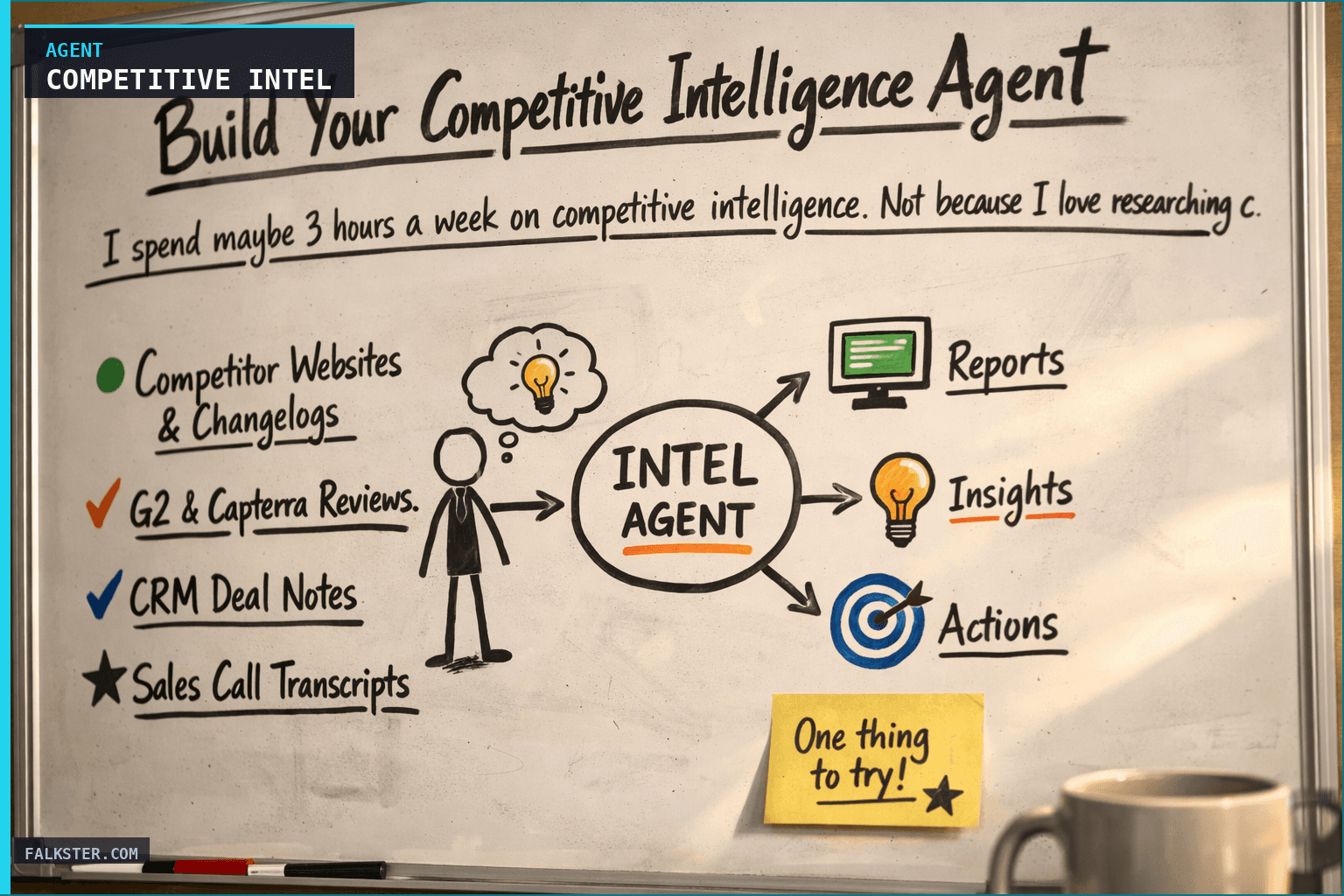
I spend maybe 3 hours a week on competitive intelligence. Not because I love researching competitors, I don't. But because ignoring what competitors are doing is how you lose deals, miss market shifts, and build features nobody asked for.
The problem is that competitive research is scattered. A sales rep mentions a lost deal in Slack. A customer asks about a competitor feature in a support ticket. A prospect's call transcript mentions they're comparing you to three vendors. A competitor blog post goes live. Your CRM has deal notes with loss reasons buried in unstructured text.
If you're checking competitor websites manually and scrolling through Slack to find competitive mentions, you're already behind. By the time you synthesize all that information, the market has moved.
What if an agent did the synthesis for you?
So here's the one I run. A Weekly Competitive Intelligence Agent that monitors 7 data sources, runs every Monday morning, and delivers a structured report on what's happening in your market before it becomes a problem.
Why This Matters (And Why Most PMs Get It Wrong)
Most product managers approach competitive intelligence reactively. You lose a deal, and then you scramble to understand why. A competitor launches a feature, and your customer success team finds out from a customer question. By then, you're playing catch-up.
The other approach is to spend hours every week manually checking competitor websites, reading G2 reviews, digging through CRM notes, and listening to sales call highlights. That works, but it scales terribly. It's time you're not spending on strategy.
Here's what actually happens at competitive companies: they have a system that works automatically, every single week, that tells them:
- What competitors launched this week
- Which customers mentioned competitors (and why)
- Win/loss patterns (what we're winning on, what we're losing on)
- Market trends (who raised funding, new entrants, regulatory shifts)
- Specific positioning recommendations for go-to-market
Then they act on it. Not six months later when it's an OKR. Immediately, in the next sales conversation, the next customer call, the next board update.
That's what this agent does.
How It Works: The Data Sources
The value here is systematizing the work so nothing falls through the cracks. It happens every week without you lifting a finger.
This agent pulls from seven sources:
1. Competitor Websites & Changelogs
DeepL's changelog shows they shipped audio translation. Crowdin announced Figma integration. Lokalise released a new pricing tier. You find out Monday morning, not when a customer mentions it.
2. G2 & Capterra Reviews
New review themes emerge. Last week, five customers mentioned "real-time collaboration" as a gap in Competitor-A. That's a signal worth acting on.
3. CRM Deal Notes
Your sales team marks deals as lost. Most of the time, the loss reason is buried in text: "customer chose competitor due to better pricing" or "they had feature X and we don't." The agent extracts this, aggregates it, and identifies patterns.
In the past month, have you lost 3 deals to the same competitor on the same reason? That's a competitive threat you need to address.
4. Sales Call Transcripts
Your reps talk to prospects about competitors every day. Gong/Chorus transcripts contain gold: how often are competitors mentioned? What do prospects ask about? Which competitive advantages are you defending well against? Which ones are you losing on?
The agent searches transcripts, surfaces competitor mentions, and tells you what value props are and aren't resonating.
5. Support Tickets & Customer Messages
A customer support ticket mentions a competitor. That customer is evaluating switching. A feature request mentions "competitor X has this," which is a competitive gap. The agent surfaces these with context: who's asking, what's their risk level, what do they need?
6. Slack Channels
Sales reps message #sales-wins when they close a deal. Often those messages include "beat competitor X on UX" or "customer chose us over Competitor-B." CS escalations mention competitive pressure. Product team members spot competitor moves. Instead of scrolling through thousands of Slack messages, the agent extracts the competitive mentions.
7. Industry Publications & Market Research
Competitor A just raised a Series C. Competitor B was acquired. New regulation is coming that affects the whole industry. A Gartner report positioned competitors in a new way. The agent monitors TechCrunch, Crunchbase, industry publications, and analyst reports for macro trends.
The Weekly Report Structure
Every Monday morning, the agent synthesizes all that data into a report with seven sections:
1. Top 5 Competitive Insights
Each insight is formatted like this: what happened, why it matters to us, what we should do about it.
Example: "DeepL launched audio translation with 40% faster processing. Our audio feature is on the Q3 roadmap, so they now have a 6-month head start. Two customers asked about this in sales calls this week. Recommendation: Accelerate timeline or emphasize accuracy advantage in messaging until launch."
2. Competitor Activity Summary
For each major competitor active this week: recent moves, how they're positioning, what we should counter with. This is your weekly competitive snapshot.
3. Customer Competitive Mentions
Who mentioned competitors and why? Organized by source (sales calls, support tickets, Slack). This section surfaces customer intent: are they gathering information, seriously evaluating a switch, or just curious?
4. Win/Loss Analysis
Which deals did we win? Which did we lose? What was the primary reason? The agent aggregates these to spot patterns: "We're winning on UX but losing on price when feature parity exists."
5. Market Trends
M&A activity, new market entrants, regulatory changes, technology shifts affecting the whole market. This is signal separate from direct competitor noise.
6. Positioning & Messaging Recommendations
Based on everything above, what should your sales and marketing teams emphasize? What should they de-emphasize? What messaging updates do you need?
7. Watch List for Next Week
Specific items to monitor closely: rumors about competitor launches, at-risk customers, upcoming roadmap milestones.
That's your entire week of competitive intelligence, synthesized into something you can read in 10 minutes.
Data sources and setup
Prerequisites: Complete the Claude setup guide first. This agent needs the following MCP connections active:
- Salesforce - win/loss data, deal notes, customer competitive mentions
- Gong - sales call transcripts with competitor mentions
- Slack - team discussions and competitive mentions
Schedule: Runs bi-weekly on Wednesday at 9:00 AM via cron. Output posts to Slack.
Quick test: Open Claude and ask: "What competitor moves, product launches, or pricing changes have been mentioned in sales calls or lost deal notes in the last 2 weeks?"
For the full agent fleet and scheduling details, see Your AI Agent Fleet.
The Real Value: Connecting Customer Signals to Strategy
Here's what separates a useful competitive intelligence system from a useless one: customer mentions.
It's easy to monitor what competitors announce publicly. It's harder to connect customer behavior to those announcements.
This is what happened in a translation/localization company I advised:
Week 1: Competitor-A announced real-time collaboration. Interesting, but not a huge threat since it's early.
Week 2: A support ticket mentions a customer wanting real-time collab like Competitor-A.
Week 3: Two sales calls both have prospects asking about real-time collaboration. Both mention Competitor-A as an alternative.
Week 4: A customer you thought was safe mentions they're evaluating Competitor-A. Real-time collaboration is the gap.
By week 4, you realize this isn't just a competitor announcement. It's a real customer need that's starting to drive purchase decisions.
A good competitive intelligence system flags this by week 3, not week 6. It tells you: "Real-time collaboration moved from noise to signal this week. Three customer data points mention it. We're losing deals on it. Escalate to product roadmap."
That's the difference between reacting and getting ahead of it.
What This Agent Does Better Than Manual Research
You could do all of this yourself. You could:
- Check competitor websites every morning
- Read all your sales call transcripts
- Scroll through Slack looking for competitive mentions
- Read every new G2 review
- Monitor industry publications
But you'd spend 10-15 hours a week doing it. And you'd miss things. A Slack message on Thursday wouldn't make it into your analysis. A support ticket on Friday would get flagged next week. You'd burn out.
The agent does it faster, more consistently, and catches everything. It runs every Monday, pulls from all sources, and delivers without you doing anything. You go from spending 3 hours a week on this to spending 0 hours (beyond reading the report).
And over time, you get better insights because you're not biased by which sources you happen to check on Monday versus which you skip because you're in back-to-back meetings.
Getting Started This Week
By Monday at 8:15 AM, you'll have your first report. You'll see competitive moves, customer signals, and win/loss patterns organized in a way that lets you act fast.
The first week, you'll probably realize your team talks about competitors in ways you hadn't synthesized before. By week 3, you'll be using insights from the report in product conversations and board updates.
That's when you know it's working.
Sources: Gong, Chorus, Salesforce, G2, Capterra, Crunchbase.
Download the artifact
Ready to use. Copy into your project or share with your team.
Also on Medium
Full archive →AI Agents and the Future of Work: A Pixar-Inspired Journey
What product managers can learn about AI agents from how Pixar runs a film team.
Many AI Agents Are Actually Workflows or Automations in Disguise
How to tell agents from workflows from cron jobs, and why it matters for what you ship.
Frequently asked
What data sources does the Competitive Intelligence Agent monitor?+
Seven sources: competitor websites and changelogs, G2 and Capterra reviews, Salesforce deal notes, Gong sales call transcripts, support tickets, Slack channels, and industry publications. It pulls all seven automatically every other Monday morning.
How long does it take to set up the Competitive Intelligence Agent?+
About 30 minutes once you have the Claude setup done. The fastest start is connecting just Gong and Salesforce in week one, then adding the remaining five sources in week two. The Claude setup guide covers the MCP connections.
What does the weekly competitive intelligence report contain?+
Seven sections: top five competitive insights with recommendations, competitor activity summary, customer competitive mentions by source, win/loss analysis, market trends, positioning and messaging recommendations, and a watch list for the next two weeks. Designed to read in ten minutes.
How is this different from manually checking competitor websites?+
Manual checking misses the customer signal. The real value is connecting competitor announcements to what your customers are saying. This agent flags when a competitor feature shows up in sales calls, support tickets, and Slack mentions in the same week, something you'd never catch manually across all three sources.
What was the actual time saving after deploying this agent?+
I went from spending about three hours a week on competitive research to zero. The agent does the synthesis. I spend ten minutes reading the Monday report and acting on the top insight.

Comments (0)
Sign in with LinkedIn to leave a comment.
Sign in with LinkedIn