Stream a simulated run, inspect the notifications it would send on Slack and email, and see exactly where it sits in the 7-stage PM OS flow. No password required.
The short version
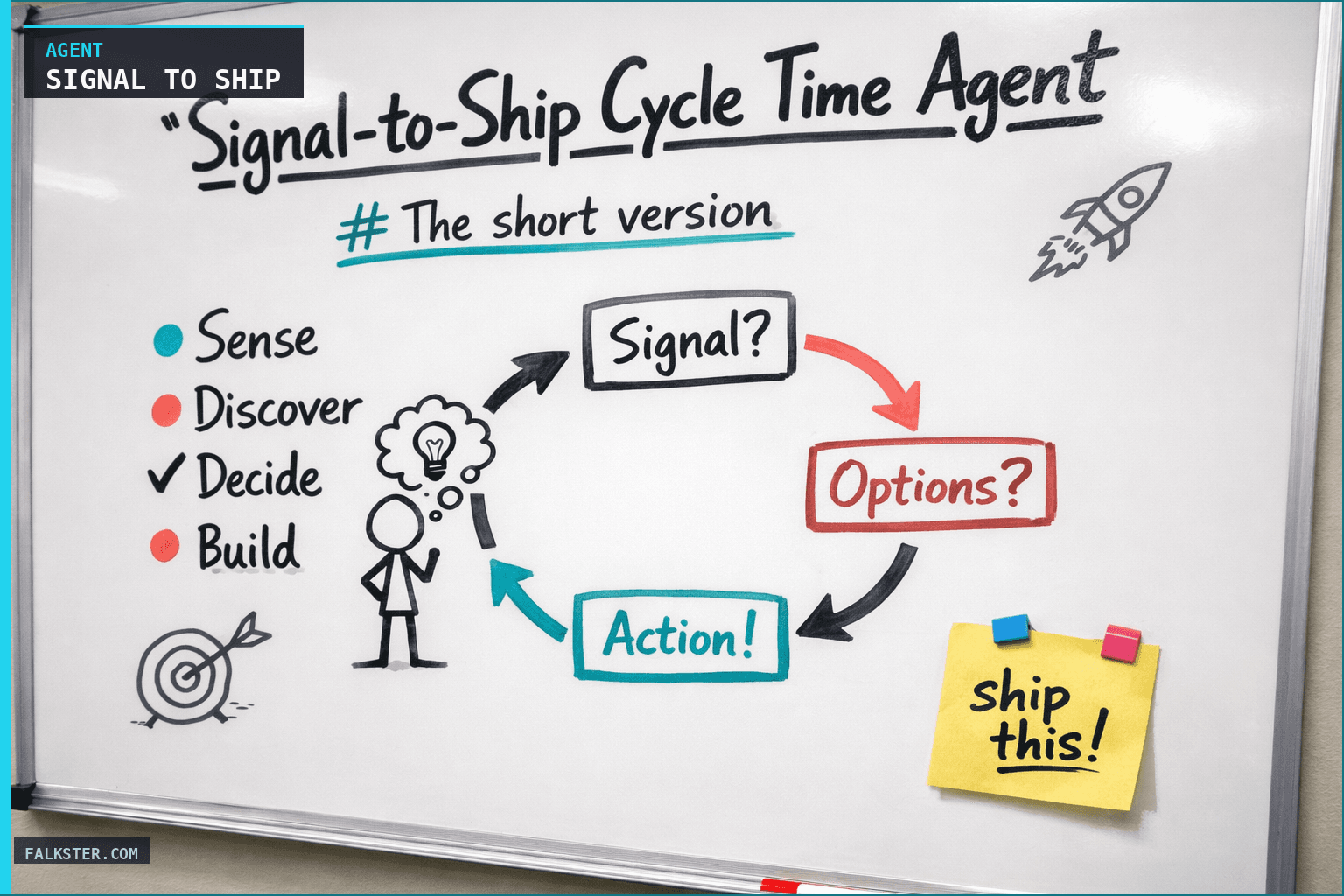
The Signal-to-Ship Cycle Time Agent tracks how fast every active product change moves through the seven stages of the PM Operating System: Sense, Discover, Decide, Build, Ship, Measure, Amplify. It runs daily for a snapshot and weekly for a trend digest, names the bottleneck stage, and flags stuck items. Teams that deploy it typically see median cycle time drop 50 to 70 percent in one quarter. It's a meta-agent: it observes the outputs of the rest of your AI agent fleet rather than pulling raw data itself.
The only PM number that matters more than a KPI
Ask a PM about their metrics and they'll list outcomes. Activation, retention, expansion, NPS. Good answers. Missing the meta-answer.
The number that predicts every one of those outcomes is cycle time. Specifically: how long it takes a piece of work to travel through the seven stages of the PM Operating System, from a signal landing in Sense to a measured outcome being broadcast in Amplify.
At most companies, that cycle is still measured in quarters. A sales call surfaces a gap in December (Sense). A PM hears it in January, synthesizes it in February (Discover). It lands in a prioritized OST in March (Decide). Engineering picks it up in April (Build). It ships in June (Ship). Impact is measured in August (Measure). The retro and playbook update happen in October (Amplify). Ten months.
In the teams I've watched close up over the last year, that same cycle is now running in weeks. Sense Monday. Discover by Wednesday. Decide Thursday. Build and Ship the following week. Measure by week three. Amplify before the end of the month.
The delta is what the PM transformation actually looks like in practice. Not "we use AI." That's a buzzword. This is the operational proof.
The agent in this post measures that cycle, end to end, across every active item in your portfolio. It surfaces where the time is going, which PM OS stage is the bottleneck, and how the cycle is moving week over week. It's the agent I rely on most at Smartcat, because it's the one that tells me whether the transformation is real or performative.
The seven PM OS stages
A real product change moves through seven stages. Each one corresponds to a category of work in the PM Operating System. Most teams are not instrumented for all seven.
- Sense. A customer pain, usage anomaly, churn cancellation, or market shift has been detected and tagged. The moment a signal becomes visible to the product org. Entry: a support ticket, Gong moment, Slack DM, or analytics alert becomes linked to a logical project.
- Discover. The signal has been researched and synthesized. Interviews, journey maps, segmentation pulls, theme clustering. Entry: a hypothesis has been written and attached to the project.
- Decide. The opportunity is prioritized, scored, and committed. It has a target outcome, an assumption set to validate, and a slot on the sprint. Entry: it's on a sprint plan or has an OST node with a confidence score.
- Build. Real production code exists. PRs reviewed, instrumented, connected to billing and permissions. Entry: a main-branch PR is merged AND the project is linked to production analytics events.
- Ship. The feature is in front of eligible customers. Feature flags flipped, migrations done, GTM ready, help article published, sales enabled. Entry: flag rollout reaches 100% of the eligible segment AND launch checklist is complete.
- Measure. Impact has been measured. You know whether the change moved the metric. If it didn't, you know why. Entry: an experiment or observational reading has been attached with a signed conclusion (win, loss, or null).
- Amplify. The learning has been shared. Exec summary, retro update, playbook entry, team broadcast. Entry: a retro note or internal post references the outcome and the lesson.
The agent stamps each active item with its current stage, the time it has spent in that stage, and the total cycle time so far. Then it computes where the portfolio's time is going in aggregate.
Why this is the meta-agent of the fleet
Most of the other agents in the fleet watch one stage. Red Flag Detection is Sense. Interview Synthesis is Discover. Opportunity Prioritization is Decide. PRD Generator is Build. Release Readiness is Ship. Product Health is Measure. Executive Report is Amplify.
This agent is different. It watches the movement of items across all seven stages. It's a cross-cutting observer, wired into the outputs of the other agents rather than into raw data.
That matters because the bottleneck is almost never where you think it is. Every team I've talked to has a different story about where they are slow. Engineering says sales is slow to commit. Sales says product is slow to prioritize. Product says engineering is slow to build. Everyone is partially right and entirely convinced their version is the full picture.
The agent cuts that argument off at the knees. It says: in the last 90 days, the median time in Sense was 1.8 days. Discover took 3.9 days. Decide took 2.2 days. Build took 11 days. Ship took 6 days. Measure took 14 days. Amplify took 21 days.
The bottleneck in this hypothetical team is clearly Amplify. Not engineering. Not sales. Not prioritization. The team is shipping and measuring things faster than it is turning those outcomes into shared organizational learning. Lessons are being hoarded rather than broadcast, which means the next cycle repeats mistakes the current cycle already solved.
That's an actionable insight. An opinion wrapped in three layers of anecdote is not.
What the agent actually does
Four jobs, in order.
1. Stamp every in-flight item with its current PM OS stage. Every active item in the portfolio gets a current stage and a timestamp for when it entered that stage. The agent reconstructs stage history from Jira/Linear status changes, GitHub PR activity, Gong transcripts, Salesforce opportunity fields, Slack threads, feature-flag rollout logs, and retro/playbook updates. This is the plumbing. Most of it is pulling timestamps out of systems that already know.
2. Compute cycle times. For each item: stage-specific time, total cycle time so far. For the portfolio: median and P90 cycle time per stage, median and P90 total cycle time. The agent also tracks the distribution, because a team with 7-day median cycle time and a P90 of 90 days has a very different problem than a team with a 30-day median and a P90 of 45 days.
3. Detect the bottleneck stage. Which of the seven PM OS stages is the portfolio spending disproportionate time in, relative to a reference distribution? The reference can be your own history (bottleneck = worst-performing stage vs last quarter), or a benchmark you set by hand (bottleneck = any stage where median time exceeds the target). Both views are useful.
4. Identify stuck items. Any item that has been in the same stage longer than its 90th-percentile for that stage is flagged as stuck. The agent posts a weekly list with a one-line diagnosis per item. "Project 'SSO for SMB' has been stuck in Discover for 18 days. Last activity: 12 days ago. No interview synthesis logged."
The output is a Slack digest at 9:00 AM daily for the dashboard view, and a longer Monday-morning trend report that compares this week to the last four weeks.
The data sources, mapped to stages
You need seven things wired in. All standard for a PM org running the fleet, and each one feeds a specific stage.
| PM OS stage | Primary data source | Stage-exit signal |
|---|---|---|
| Sense | Zendesk, Gong, Salesforce, Slack #customer-feedback | A signal has been linked to a logical project id |
| Discover | Gong transcripts in Weaviate, Google Drive research notes, journey map files | A hypothesis has been written against the project |
| Decide | Jira/Linear (OST, prioritization board), sprint planner | Project is on a committed sprint with a target outcome |
| Build | GitHub (PRs, merges, first-commit timestamps) | Main-branch PR merged AND analytics events wired |
| Ship | Feature flag system (LaunchDarkly/Statsig), launch tracker (Airtable/Notion) | Flag rollout = 100% eligible AND launch checklist done |
| Measure | Amplitude/Mixpanel/Pendo, experiment platform | Signed reading attached to project (win/loss/null) |
| Amplify | Retro docs, internal broadcast channels, exec report threads | A retro note or broadcast references the outcome |
And one piece of config that requires human maintenance: an identity map. The agent has to know that "the SSO project" in Jira is the same thing as the "SSO feature flag" in LaunchDarkly is the same thing as the "SSO for SMB" opportunity in Salesforce. You maintain a small YAML file (project_map.yaml) that maps the ids across systems. Every item in the map has a single logical id the agent uses internally.
The identity map is the only piece that requires human maintenance. Ten to twenty minutes a week. It pays for itself on the first stuck-item alert.
The Monday digest
This is what lands every Monday. Real example from my team last month, paraphrased.
:chart_with_upwards_trend: SIGNAL-TO-SHIP DIGEST, Week of April 13

Portfolio health:
• 34 active items.  Median total cycle: 26 days. P90: 71 days.
• Compared to 4-week avg: median -4 days (improving), P90 -3 days (improving).

Time-in-stage (median days per stage | target | status):
  Sense      1.8d  (target: 2d)   ✓
  Discover   3.9d  (target: 5d)   ✓
  Decide     2.2d  (target: 3d)   ✓
  Build     11.0d  (target: 8d)   ✗  primary bottleneck
  Ship       6.1d  (target: 5d)   ~
  Measure   14.2d  (target: 10d)  ✗  secondary bottleneck
  Amplify   21.0d  (target: 14d)  ✗  tertiary bottleneck

Bottleneck: Build.
  Likely cause: 3 items waiting on core platform team capacity,
  2 items waiting on design review (design lead on leave).

Stuck items (in stage longer than P90):
• "Bulk reassign", Discover, 16d. No interview synthesis attached.
• "API export v2", Ship, 21d. Flag at 30% for 3 weeks, no rollout plan.
• "Audit log expansion", Build, 31d. Blocked on security review.

Improving fastest:
• Discover dropped from 6.1d → 3.9d over 4 weeks.
  (Correlated with the interview-shortlist ritual introduced in March.)
The digest is the weekly heartbeat. The daily version is a compact snapshot of just the stuck-item list plus any stage that crossed a threshold in the last 24 hours.
The bottleneck prompt
The piece of this agent that's worth writing carefully is the bottleneck detector. Most of the rest is plumbing. The bottleneck detector is where judgment matters.
Rough shape of the prompt I use:
You are a product operations analyst. You look at portfolio flow data
and name the bottleneck PM OS stage.

Here is the median time-in-stage for each of the last 4 weeks, across
the seven PM OS stages (Sense, Discover, Decide, Build, Ship, Measure,
Amplify):
{stage_time_history}

Here is the current week's time-in-stage vs this team's historical median:
{stage_deltas}

Here are the items currently in each stage, with time-in-stage:
{items_by_stage}

Name the bottleneck. Rules:
- The bottleneck is the stage where the portfolio is spending
  disproportionate time relative to this team's own history AND target.
- If two stages are both slow, name both, but call out which is primary.
- For each bottleneck, propose a likely cause based on the stuck-item
  list and any context you can infer.
- Be specific. "Engineering is slow" is not a cause. "Four stuck items
  in Build are waiting on the same reviewer" is.
- Flag when the data is insufficient. If there are fewer than 5 items
  in a stage, say so and refuse to diagnose.
The last rule matters. Without it, the agent will confidently diagnose a stage with 2 items in it as "the bottleneck" because the median is technically the highest. Two items isn't a median; it's a pair.
What this agent is NOT
Not a productivity dashboard. This isn't about ranking PMs by throughput or guilting people for slow work. The cycle time is a team number. The bottleneck is a system property. The agent never attributes slow cycle time to an individual.
Not a substitute for talking to the team. The agent says "Build is the bottleneck." It does not know that the platform team lost two engineers last week. You still need to understand why the system is slow. The agent tells you where to look. You do the looking.
Not a planning tool. It measures the past and present. It doesn't forecast. Forecasts based on cycle time data are brittle because the interesting variance comes from exogenous shocks the agent can't see (reorgs, pivots, outages). Use Engineering Capacity for forecasting.
Not a sole source of truth on prioritization. Cycle time is a process metric, not an impact metric. The agent tells you how fast you're moving. It doesn't tell you whether you're moving on the right things. Pair it with Opportunity Prioritization and the Impact Loop.
What happens when you actually run this
Three compounding effects show up over a quarter.
Week 2-4: The first honest number. Most teams have no idea what their true end-to-end cycle time is. The first run is often sobering. A team that "feels fast" discovers their P90 is 120 days. A team that "feels slow" discovers their median is 18 days and they're actually in great shape but carrying two very visible long-running items that skew perception. Either way, the number changes how the team talks about speed.
Week 4-8: The bottleneck stage resolves. Once the bottleneck is named and visible every Monday, teams route around it. If Build is the slow stage, the PM and eng lead pair up to unblock the top two items. If Amplify is the slow stage, the retro cadence changes and the exec report agent gets dialed up. The act of naming the bottleneck is half the fix. The bottleneck stage's cycle time typically drops 30-50 percent in the first four weeks after the agent goes live.
Week 8-16: The compounding kicks in. Cycle time starts dropping systematically, not because any individual piece is faster but because the whole pipeline is less stuck. Sense signals don't sit waiting for Discover. Discover output gets committed in Decide the same week. Build output gets shipped. Ship gets measured. Measure gets amplified. The team starts doing more in flight because each cycle is shorter. This is the competitive advantage the PM transformation promises. The agent is how you make sure it's real.
The teams I've watched go from 90-day to 20-day median cycle time didn't do it with a single big intervention. They did it by running this agent, seeing the bottleneck stage every Monday, fixing the top bottleneck each week, and compounding.
Pick one thing this week
Don't try to instrument all seven stages in week one. Build the smallest useful version.
- Pick five items currently in your portfolio. Not all of them. Five.
- Hand-stamp each one with its current PM OS stage (Sense through Amplify) and the date it entered that stage, based on whatever ground truth you have (Jira, your memory, your CS team's records).
- Stamp each one again next Monday. Compute time-in-stage and total cycle time. Post the table in Slack.
- Week 3, automate steps 2 and 3 for just the Jira side (Decide, Build, Ship). Use Claude Code to write the script. This is 50 lines of Python.
- Week 4, add the stuck-item detector: any item in the same stage for more than 14 days.
- Week 5 onwards, add one more data source per week. Gong for Sense/Discover. GitHub for Build. LaunchDarkly for Ship. Amplitude for Measure. Retro docs for Amplify.
A month from now, you have a running version on five items across four stages. Expanding to fifty items across all seven stages is the same code, just pointed at more inputs.
This is the agent that tells you whether the PM transformation is working. If you don't run something like it, you will spend the next year debating whether you're "faster now" with anecdotes and vibes. If you do run it, you'll have the number in front of you every Monday. Compounding, measurable, undeniable.
Build yours.
Download the artifact
Ready to use. Copy into your project or share with your team.
Also on Medium
Full archive →AI Agents and the Future of Work: A Pixar-Inspired Journey
What product managers can learn about AI agents from how Pixar runs a film team.
Many AI Agents Are Actually Workflows or Automations in Disguise
How to tell agents from workflows from cron jobs, and why it matters for what you ship.
Frequently asked
What is a signal-to-ship cycle time agent?+
A cross-cutting AI agent that watches how every active product change moves through the seven stages of the PM Operating System (Sense, Discover, Decide, Build, Ship, Measure, Amplify). It stamps each item with its current stage, computes time-in-stage across the portfolio, and names the bottleneck stage each Monday.
What are the seven stages of the PM Operating System?+
Sense (detect the customer signal), Discover (research and synthesize into a hypothesis), Decide (prioritize and commit to a sprint), Build (write and instrument production code), Ship (release to eligible customers with GTM ready), Measure (attach a signed impact reading), Amplify (broadcast the learning to the organization).
How is PM cycle time different from engineering velocity?+
Engineering velocity measures throughput inside the Build stage only. PM cycle time measures the end-to-end flow from Sense to Amplify across all seven stages. Most teams are actually slow at Amplify or Measure, not Build. Engineering velocity tracking misses that entirely.
What data sources does the agent need?+
Zendesk and Gong for Sense; Weaviate and research docs for Discover; Jira or Linear for Decide and Build; GitHub for Build; LaunchDarkly or Statsig for Ship; Amplitude, Mixpanel, or an experiment platform for Measure; internal broadcast channels and retro docs for Amplify. Plus a project_map.yaml identity map that links project IDs across all those systems.
How quickly does PM cycle time drop after deploying the agent?+
Week 2-4 the team sees its true end-to-end cycle time for the first time (often a surprise). Week 4-8 the named bottleneck stage typically drops 30-50 percent. Week 8-16 the compounding effect kicks in and median cycle time can fall 50-70 percent against baseline.
Does this agent replace engineering capacity planning?+
No. Signal-to-Ship measures the past and present. The Engineering Capacity agent forecasts the future. They are complementary. Use both together for a full picture.

Comments (0)
Sign in with LinkedIn to leave a comment.
Sign in with LinkedIn