Stream a simulated run, inspect the notifications it would send on Slack and email, and see exactly where it sits in the 7-stage PM OS flow. No password required.
The short version
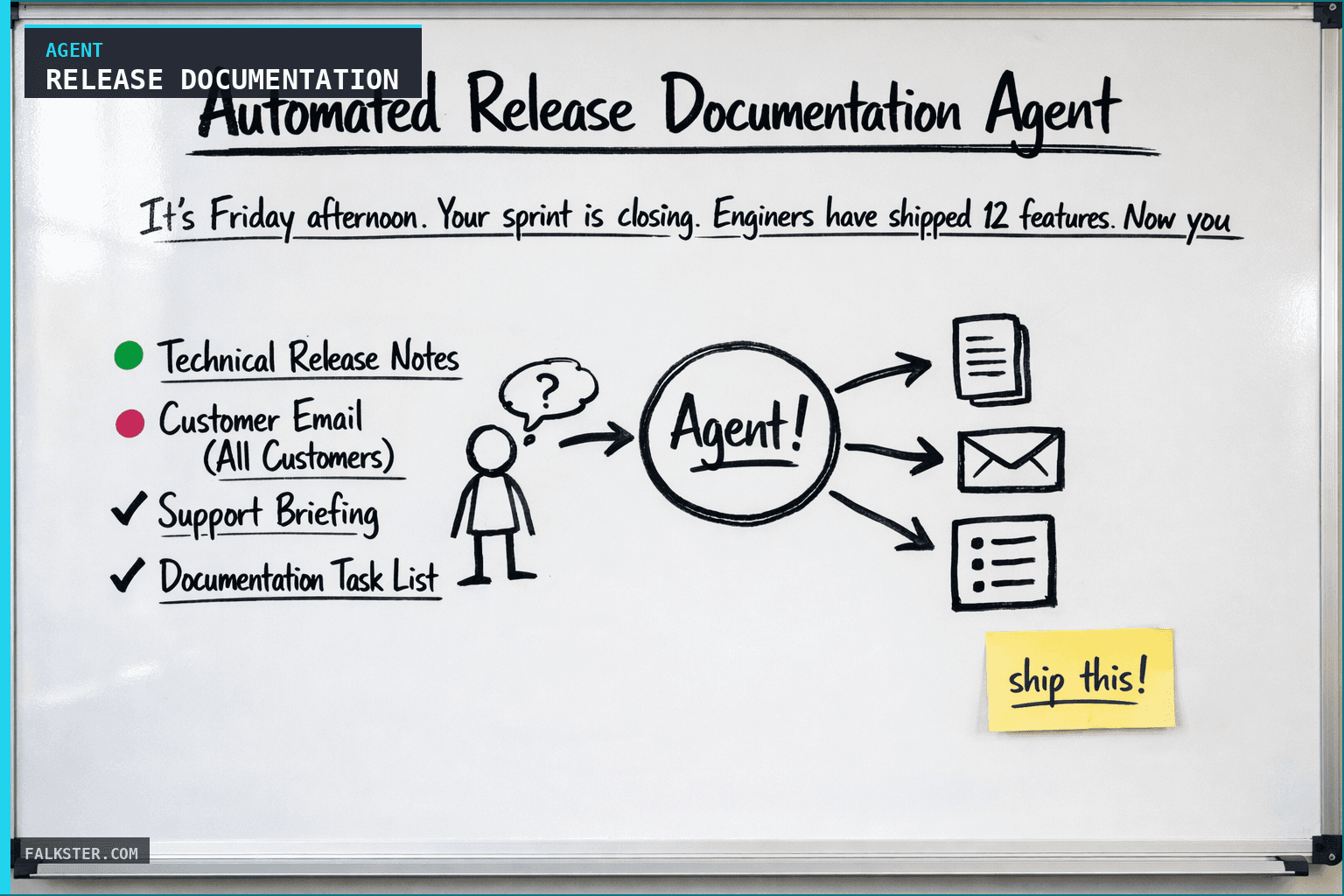
The Release Documentation agent runs every Wednesday at 5 PM (and on demand for hot-fix releases). It reads the sprint's shipped features from Jira or Linear, the matching PRDs, and your docs repository, then generates four outputs at once: technical release notes, a customer-facing announcement email, a support team briefing with FAQs, and a documentation task list. The point is to stop spending Friday afternoon writing four versions of the same announcement that drift out of sync. Set it up so this Wednesday's release notes write themselves. Edit the customer email tone if needed and publish.
It's Friday afternoon. Your sprint is closing. Engineers have shipped 12 features. For the living changelog that complements this, see The Living Changelog. Now you need to:
- Write release notes (technical, clear, links to docs)
- Write customer-facing comms (marketing-friendly, explains the value)
- Update docs (new features documented, old docs adjusted)
- Notify the right people (sales, support, marketing, customers)
This takes hours. And it's easy to miss something or create inconsistency between the release notes and customer comms.
The Release Documentation agent automates all of it. As sprints complete or on a per-release basis, it reads the shipped features and auto-generates: release notes, customer email, support briefing, and doc structure. Ready to publish or edit.
How It Works
The agent ingests: shipped features (from Jira), PRDs, design specs, and documentation repository. It generates four types of output:
Release notes: Technical release notes with feature descriptions, API changes, deprecations, and links to docs. Structured so customers can quickly find relevant info.
Customer email: Marketing-friendly announcement email. "Here's what we shipped this week. Here's why you care. Here's what's next." Tone and length adjusted by audience (all customers vs. segment-specific).
Support briefing: Quick reference for support team. New features, how to use them, common questions, workarounds for known issues.
Doc structure: Outlines for documentation changes. New docs needed? Existing docs that need updating? Deprecations to note? The agent creates a task list.
Data Sources and Setup
Prerequisites: You'll need:
- Jira or Linear: Sprint completion, shipped features with descriptions
- PRDs and specs: For context on why each feature matters
- Documentation repository: Existing doc structure, tone, style guides
- Customer segments: To personalize comms by segment
- Previous releases: For tone and format consistency
- Design assets: Screenshots or GIFs of new features (for customer comms)
Schedule: Weekly Wednesday at 5 PM (sprint release). Also ad-hoc for hot-fix releases. For shipping with observability alongside documentation, see Ship with Observability.
The Claude Prompt
You are generating release documentation from shipped features.

Here's what we shipped this sprint:
[SHIPPED FEATURES:
- Feature name
- Description (from PRD or Jira)
- Affected customer segments
- Technical changes or API updates
- Related links (docs, code, design)]

Here's context on our product:
[CONTEXT:
- Product name and description
- Customer types (enterprise, SMB, developers)
- Key values/positioning
- Documentation tone and structure
- Release notes conventions (previous examples)]

Here's our audience:
[AUDIENCE: customer segments, which care about which features, technical level]

Please generate:

1. **Technical Release Notes**
   - Brief intro ("This week we shipped...")
   - For each feature:
     - Feature name and brief description
     - Who benefits? (which segment)
     - Any API changes or technical notes? (deprecations, breaking changes)
     - Link to relevant docs
     - Link to design/screenshots if available
   - Deprecations section (if any)
   - Known issues (if any)
   - Upgrade instructions (if needed)

2. **Customer Email (All Customers)**
   - Subject line: catchy, benefit-focused
   - Opening: "We shipped X this week. Here's why it matters."
   - 2-3 sentences per feature (marketing tone, customer benefit)
   - Call-to-action (try it, read docs, contact us)
   - Optional: "Here's what's coming next" teaser
   - Closing: friendly, "questions? reach out"

3. **Support Briefing**
   - New features in plain language
   - Common questions customers will ask about each feature
   - How to answer those questions (1-2 sentence answers)
   - Any workarounds or caveats?
   - Links to docs support should reference
   - Known issues or edge cases?

4. **Documentation Task List**
   - New documentation files needed?
   - Which existing docs need updating?
   - Any deprecations to note in docs?
   - Any examples or screenshots to add?
   - Priority (this week or next week?)

Format clearly and ready-to-use: support should be able to copy-paste answers, marketing should be able to send the email with minor edits.
What you get
Instead of writing release docs by hand, you get all four formats in minutes: notes, customer email, support briefing. Because they're grounded in the same feature descriptions, they stay consistent, and you don't drop a feature because you forgot to update its docs. The customer email reads like marketing, the technical notes read like technical notes, as they should. And the doc team gets a task list instead of a shrug.
What that adds up to: release days take hours, not a full afternoon. The messaging lines up across every channel. Docs stay current because they're written while the sprint is still fresh. And support stops getting tripped up by conflicting stories about what shipped.
For the full agent fleet and scheduling details, see Your AI Agent Fleet.
Also on Medium
Full archive →AI Agents and the Future of Work: A Pixar-Inspired Journey
What product managers can learn about AI agents from how Pixar runs a film team.
Many AI Agents Are Actually Workflows or Automations in Disguise
How to tell agents from workflows from cron jobs, and why it matters for what you ship.
Frequently asked
What does the Release Documentation agent generate automatically?+
Four outputs from the same source: technical release notes (feature descriptions, API changes, deprecations, doc links), a customer-facing announcement email (marketing tone, benefit-first), a support team briefing with FAQs and workarounds, and a documentation task list (new docs needed, existing docs to update). All four are grounded in the same feature descriptions so they stay consistent.
When does the agent run?+
Every Wednesday at 5 PM to capture the sprint's completed features. It also runs on demand for hot-fix releases. You can trigger it anytime a significant batch of work ships.
What data sources does it need?+
Jira or Linear for the sprint's shipped features, PRDs and design specs for context on why each feature matters, the documentation repository for existing structure and tone, customer segment definitions for personalizing comms, and previous releases for format consistency.
How much human editing is typically needed after the agent runs?+
The technical release notes and support briefing usually need little editing. The customer email often needs a light tone pass, especially for major releases. The documentation task list is output-only and does not need editing. Budget 30-60 minutes of human review versus the 3-4 hours of manual writing it replaces.
What is the biggest real benefit of automating release documentation?+
Consistency. When notes are written manually, the release notes and the customer email often contradict each other or emphasize different features. The agent grounds all four formats in the same feature descriptions, so support does not get confused by inconsistencies, and customers do not get contradictory messaging.

Comments (0)
Sign in with LinkedIn to leave a comment.
Sign in with LinkedIn