Stream a simulated run, inspect the notifications it would send on Slack and email, and see exactly where it sits in the 7-stage PM OS flow. No password required.
The short version
The PRD Generator agent runs every Monday at 11 AM, takes the top 2-3 prioritized opportunities, and auto-drafts a full PRD for each one. It grounds requirements in the actual research (interview quotes, journey friction, NPS drivers, support patterns), aligns with the design system, and surfaces technical constraints. The output has eight sections from goals and success metrics through risk and mitigation. The point isn't to skip the PM thinking. It's to skip the blank page and the meetings spent reconstructing context. PRDs take two hours to refine instead of ten hours to write. Connect your opportunity stack, research repo, and Figma, then generate one PRD this week.
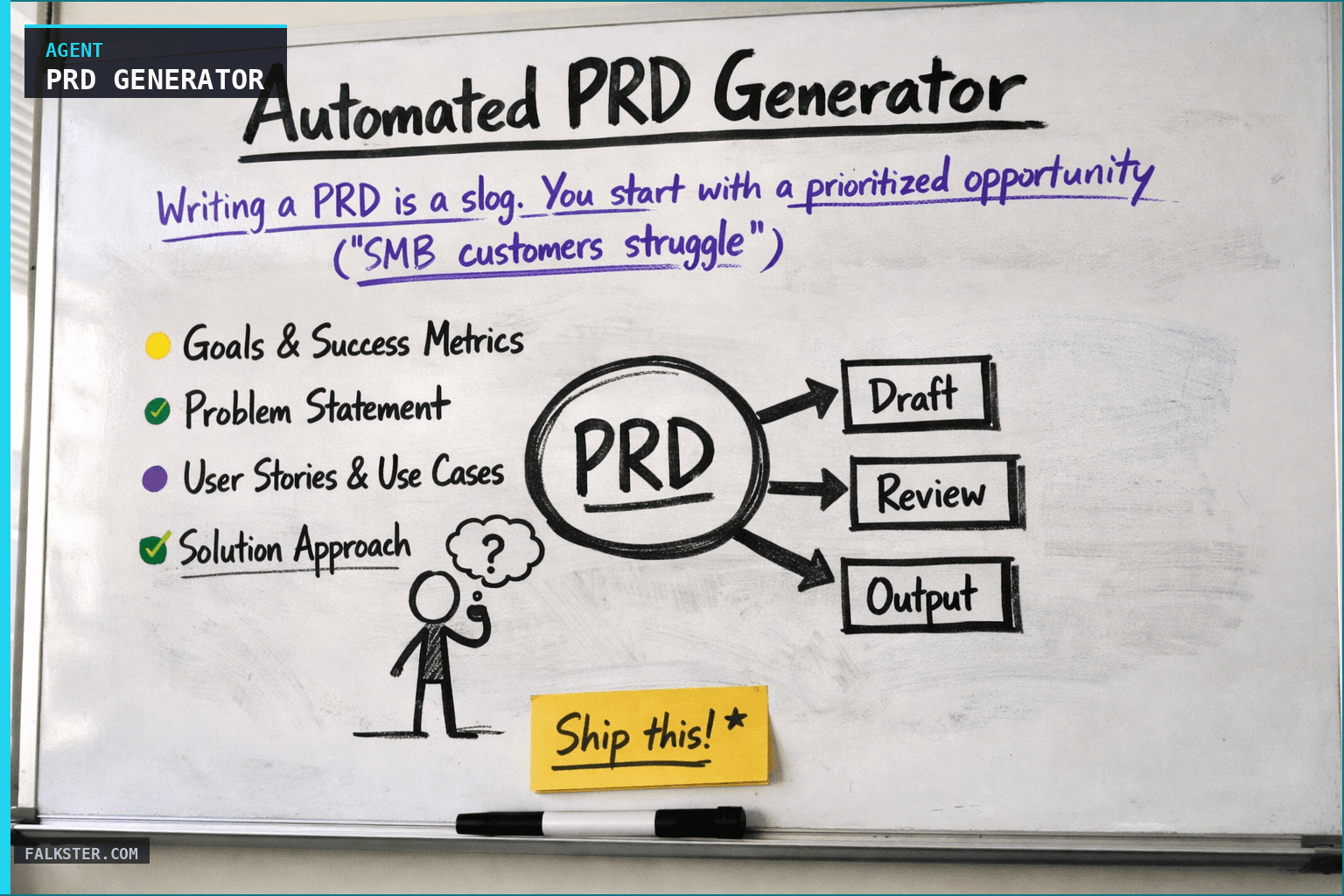
Writing a PRD is a slog. You start with a prioritized opportunity ("SMB customers struggle with slow onboarding"), but turning that into an actual spec takes meetings with design, engineering, and leadership. If you'd rather skip the PRD entirely, see The One-Pager That Replaced Our PRDs. You're translating research findings into requirements. You're documenting constraints. You're building in edge cases.
It takes weeks. And if you don't stay on top of it, it gets stale - the opportunity changes, the context shifts, and you're updating the old spec instead of writing a new one.
The PRD Generator agent automates the first draft. Every Monday, it takes prioritized opportunities and auto-generates detailed PRDs. Not final (you'll still refine), but thoughtful: grounded in research, aware of technical constraints, and structured for engineering.
How it works
The agent pulls from four inputs and synthesizes them into a spec. The prioritized opportunity gives it the problem statement, the affected segments, and the expected impact. The related research (interviews, journey maps, user feedback) grounds the PRD in actual customer pain rather than hunches. Existing wireframes and design system notes keep it aligned with design direction, or flag where it isn't. And the technical context, engineering notes, API docs, tech debt, lets it estimate whether the thing works with the current architecture and what it depends on.
The output is a complete PRD: goals, success metrics, technical approach, implementation notes.
Data Sources and Setup
Prerequisites: You'll need:
- Prioritized opportunities: From the Opportunity Prioritization agent
- Design system / Figma: For design consistency and component documentation
- Technical documentation: Architecture, API specs, existing feature code
- Research repository: Interviews, survey data, user feedback related to the opportunity
- CRM / Analytics: Customer context (who benefits, how much value)
Schedule: Weekly Monday at 11 AM. Generates PRDs for top 2-3 prioritized opportunities.
The Claude Prompt
You are writing a PRD based on an opportunity and supporting research.

Here's the prioritized opportunity:
[OPPORTUNITY: problem statement, affected segments, expected impact, effort estimate]

Here's the research supporting this opportunity:
[RESEARCH: interview quotes, journey friction, support patterns, NPS drivers, anything relevant]

Here's the relevant design context:
[DESIGN: existing design system, relevant components, wireframes if available, design direction]

Here's technical context:
[TECH: relevant APIs, architecture docs, similar features in codebase, tech debt impacts]

Here's the customer context:
[CUSTOMERS: how many affected? revenue impact? which segment benefits most? competitive context?]

Please write a detailed PRD that includes:

1. **Goals & Success Metrics**
   - 2-3 clear goals for this feature
   - 3-5 success metrics (trackable, measurable)
   - Target values (what counts as "success"?)

2. **Problem Statement**
   - What problem does this solve?
   - For which customers? Why do they care?
   - Why now? (market, competition, customer demand?)
   - What's the cost of not building this?

3. **User Stories & Use Cases**
   - 3-5 primary use cases
   - For each: "As a [role], I can [action], so that [outcome]"
   - Include happy path and edge cases

4. **Solution Approach**
   - High-level approach
   - Design approach (what does the UX look like?)
   - Technical approach (what changes do we make?)
   - Any design system dependencies?
   - Any API/architecture changes needed?

5. **Requirements**
   - Functional requirements (what must it do?)
   - Non-functional requirements (performance, scale, security)
   - Constraints (tech debt, existing limitations)
   - Any assumptions?

6. **Launch Plan**
   - Rollout approach (everyone at once? segment rollout?)
   - Documentation needed
   - Support/ops training needed
   - Customer communication plan

7. **Risk & Mitigation**
   - Technical risks
   - Adoption risks
   - Competitive risks
   - How do we mitigate each?

8. **Future Considerations**
   - What's phase 2?
   - What won't we do in v1?
   - How does this unblock future features?

Format as a complete PRD: professional, specific, and ready for engineering review. Ground every requirement in research or business context.
What you get
Instead of writing PRDs from scattered notes, you start with a draft that's already grounded. Every requirement traces back to customer pain or business impact. The agent has already weighed architecture and tech debt, not just the feature spec. Every PRD follows the same structure, which makes them faster for engineering and design to review. And you spend your time refining instead of staring at a blank page. For the opportunity inputs this agent consumes, see Continuous Discovery.
What that adds up to: PRDs take 2 hours to refine instead of 10+ hours to write. Engineering gets clearer specs with less back-and-forth. You ship faster because the spec is clear before anyone starts building.
For the full agent fleet and scheduling details, see Your AI Agent Fleet.
Also on Medium
Full archive →AI Agents and the Future of Work: A Pixar-Inspired Journey
What product managers can learn about AI agents from how Pixar runs a film team.
Many AI Agents Are Actually Workflows or Automations in Disguise
How to tell agents from workflows from cron jobs, and why it matters for what you ship.
Frequently asked
What does the Automated PRD Generator agent do?+
It runs every Monday at 11 AM, takes the top 2-3 prioritized opportunities, and auto-drafts a full PRD for each one. The draft is grounded in actual customer research (interview quotes, journey friction, NPS drivers, support patterns), aligned with the design system, and surfaces technical constraints. The result is a PRD that takes 2 hours to refine instead of 10 hours to write from scratch.
What inputs does the PRD Generator agent need?+
Five data sources: prioritized opportunities from your opportunity tracker, a Figma design system for design consistency, technical documentation like architecture and API specs, a research repository with interviews and user feedback, and CRM or analytics data for customer context like who benefits and how much.
What sections does the auto-generated PRD include?+
Eight sections: Goals and Success Metrics, Problem Statement, User Stories and Use Cases, Solution Approach, Requirements, Launch Plan, Risk and Mitigation, and Future Considerations. Every section traces back to customer pain or business context from the research the agent ingested.
Does this agent replace PM thinking on the PRD?+
No. It replaces the blank page and the meetings spent reconstructing context. The agent gives you a research-grounded draft. You spend the thinking time refining the framing, sharpening the metrics, and making judgment calls the agent cannot make. The goal is 2 hours of refinement instead of 10 hours of drafting.
How is this different from just prompting Claude to write a PRD?+
The agent is wired to your actual data: the specific opportunity statement, real customer quotes from interviews, design system components, and architecture constraints. It generates a PRD grounded in your product's actual context rather than a generic template filled with placeholder language.

Comments (0)
Sign in with LinkedIn to leave a comment.
Sign in with LinkedIn