Stream a simulated run, inspect the notifications it would send on Slack and email, and see exactly where it sits in the 7-stage PM OS flow. No password required.
The short version
The Customer Segmentation agent rebuilds your customer segments weekly by clustering on actual behavior, not last year's firmographics. It runs Monday at 9 AM, pulling from Amplitude or Mixpanel for usage, Salesforce for attributes, and the support stack for engagement patterns. The output is 4 to 6 true behavioral segments with size, profile, and shift data, plus flags for emerging segments and at-risk groups. The point is to catch segment evolution while it's still small (the new "AI builders on your API" segment that wasn't there last quarter). Replace your stale company-size buckets with this on next Monday's planning.
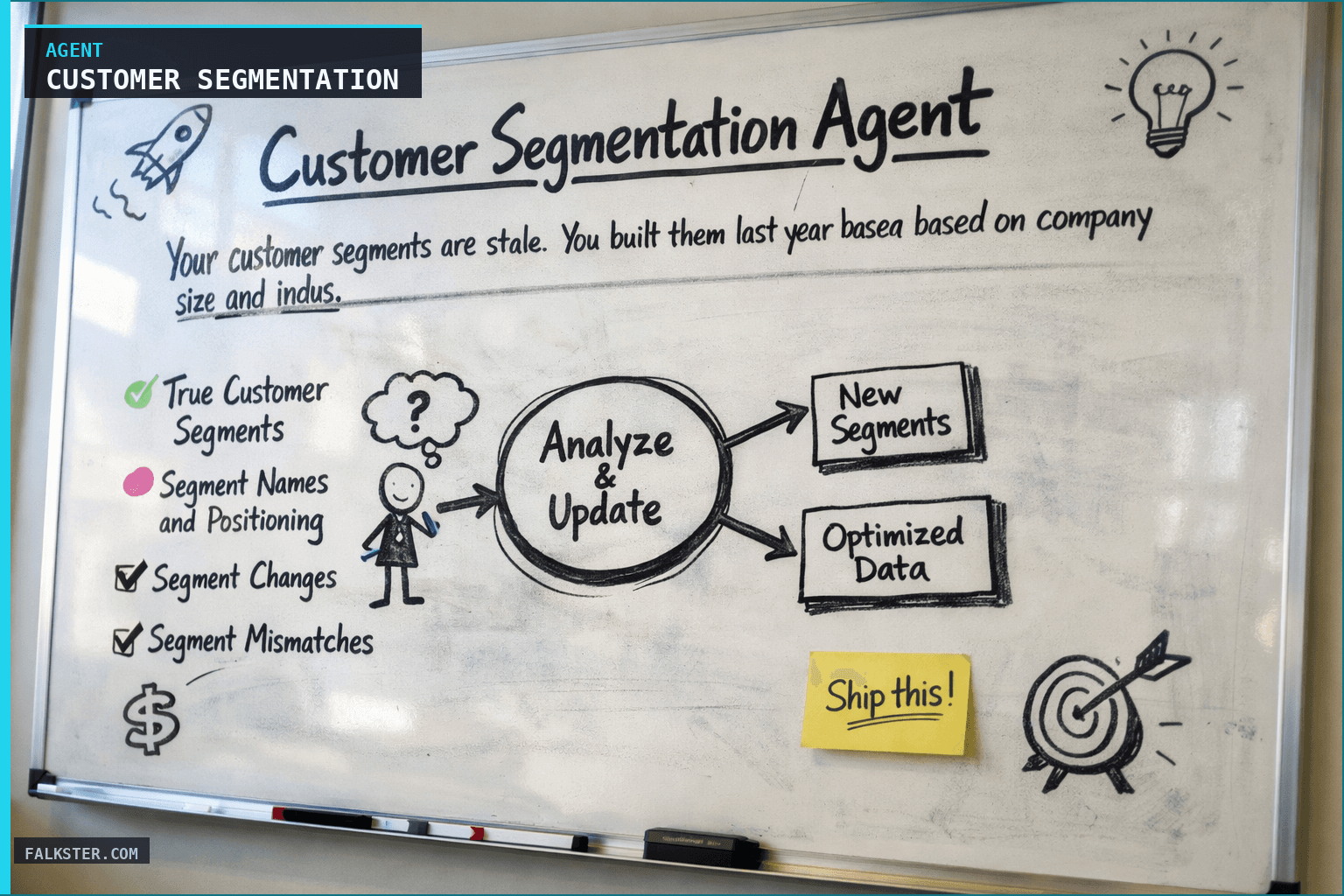
Your customer segments are stale. You built them last year based on company size and industry. But behavior has changed. Your free tier is now mostly non-technical users. Your enterprise segment split - some doing self-serve, others needing hand-holding. You have a new segment you never anticipated: AI companies building on your API.
Updating segments manually takes time. So you don't. You keep using the old categories that don't fit anymore.
The Segmentation agent rebuilds your segments weekly by analyzing how customers actually behave. It clusters by: implementation path, feature adoption, support patterns, and lifecycle stage. It tells you: "Here's who your real customers are, and how they're different from last month."
How It Works
The agent pulls data from three sources and applies clustering:
Behavioral data (analytics): How are users actually using your product? Which features do they adopt first? How much do they use it? Do they integrate with other tools? Are they still active after 90 days?
Firmographic data (CRM): Company size, industry, use case, pricing tier. But the agent doesn't just use this as-is - it looks for: are SMB companies behaving like enterprise? Are enterprise companies using self-serve features more than expected?
Engagement patterns (support + NPS): How much support do they need? What are they asking about? How satisfied are they? Segments with different support needs usually need different products.
The output: 4-6 true customer segments (not arbitrary categories, but real behavioral groups), profiles for each, and how customers are shifting between segments.
Data Sources and Setup
Prerequisites: Complete the Claude setup guide first. You'll need:
- Analytics: Amplitude or Mixpanel - feature usage, activation, retention metrics
- CRM: Customer attributes, company size, industry, use case
- Support system: Ticket volume, topics, resolution time by customer
- NPS/CSAT platform: Satisfaction scores and feedback by customer
- Historical segmentation: Previous segment definitions so you can track how segments evolved
Schedule: Weekly Monday at 9 AM. Continuous update of segment membership.
The Claude Prompt
You are analyzing our customer base to identify true segments.

Here's our behavioral data from the last quarter:
[ANALYTICS DATA: feature adoption, activation time, retention, usage frequency by customer]

Here's our customer attributes:
[FIRMOGRAPHIC DATA: company size, industry, use case, pricing tier, tenure]

Here's our engagement data:
[ENGAGEMENT: support tickets per customer, topic, NPS/CSAT score, implementation type]

Here's our current segment definitions:
[CURRENT SEGMENTS: what we're using today]

Please analyze and identify:

1. **True Customer Segments**
   - Using behavioral data as the primary driver, identify 4-6 distinct groups
   - For each segment, show:
     - Size (how many customers?)
     - Behavioral characteristics (what do they do first? how much do they use it?)
     - Implementation type (API? UI? Self-serve or hands-on?)
     - Firmographic profile (what size companies? which industries?)
     - Support needs (how often do they ask for help? what about?)
     - Satisfaction (average NPS/CSAT for this segment)

2. **Segment Names and Positioning**
   - Give each segment a meaningful name (e.g., "API-first engineers" not "Segment A")
   - One-sentence description of each segment's behavior and motivation

3. **Segment Changes**
   - Which segments grew? Which shrank?
   - Are any customers shifting from one segment to another?
   - Are there new emerging segments that didn't exist last month?

4. **Segment Mismatches** (IMPORTANT)
   - Are there high-value customers behaving like a lower-value segment?
   - Are there segments we're not serving well (high support load, low satisfaction)?
   - Do any customers seem like outliers or multiple segments at once?

5. **Recommendations**
   - Which segment should we invest in most?
   - Which segment is at risk of churn?
   - Are there segment-specific features we should build?
   - Should our messaging change by segment?

Format clearly with segment profiles. Be specific about behaviors, not just attributes.
What You Get
Instead of using last year's segment definitions:
- Dynamic segments: Updated weekly to reflect how customers actually behave
- Real groupings: Based on behavior + attributes, not arbitrary categories
- Emergence tracking: You see new segments forming (e.g., "AI builders") while they're still small
- Churn prediction: Segments with declining satisfaction or engagement get flagged
Real outcomes:
- Roadmap planning is segment-specific (different segments need different features)
- Marketing messaging targets real cohorts with real needs
- You catch risky segment shifts early ("Our most valuable customers are adopting self-serve less - why?")
For the full agent fleet and scheduling details, see Your AI Agent Fleet.
Sources: Amplitude, Mixpanel, Salesforce.
Also on Medium
Full archive →AI Agents and the Future of Work: A Pixar-Inspired Journey
What product managers can learn about AI agents from how Pixar runs a film team.
How to Avoid Survivorship Bias in Product Management
Lessons from the British bomber study, applied to PM customer interviews and analytics.
Frequently asked
What does the Customer Segmentation Agent do that static personas don't?+
Static personas are built once from surveys and company size buckets and go stale within a quarter. The Segmentation Agent rebuilds your customer segments every week by clustering on actual behavior: which features customers adopt first, how frequently they use the product, how much support they need, and how satisfied they are. It catches segment evolution while it is still small.
What data sources does the Customer Segmentation Agent use?+
Three sources. Behavioral data from Amplitude or Mixpanel: feature adoption, activation time, retention, usage frequency. Firmographic data from your CRM: company size, industry, use case, pricing tier, tenure. Engagement patterns from support and NPS: ticket volume, topic, resolution time, satisfaction scores. The agent cross-references all three to find groups that behave the same way regardless of company size.
How many segments does the agent produce and what is in each profile?+
Four to six segments per run. Each profile includes segment size, behavioral characteristics (what features they adopt first, how much they use the product), implementation type (API versus UI, self-serve versus hands-on), firmographic profile (company size and industry), support needs, and average NPS or CSAT score.
What segment mismatches should I look for?+
High-value customers behaving like a lower-value segment (they are at churn risk and you may not know it). Segments with high support load and low satisfaction (they need a different product experience). Customers who appear to span multiple segments (likely a product-fit issue or a data quality issue). These mismatches are where the roadmap insights usually live.
How is running this weekly better than quarterly segmentation reviews?+
It catches segment evolution before it becomes a crisis. A new segment, like AI companies building on your API, starts as a few accounts behaving unusually. Weekly segmentation flags it as an emerging group while it is still three percent of your base. By the time a quarterly review would have caught it, the segment is fifteen percent of your revenue and you have no product strategy for them.

Comments (0)
Sign in with LinkedIn to leave a comment.
Sign in with LinkedIn