Stream a simulated run, inspect the notifications it would send on Slack and email, and see exactly where it sits in the 7-stage PM OS flow. No password required.
The short version
The Journey Mapping agent builds dynamic customer journey maps every two weeks by synthesizing three data sources: session replays (Fullstory or Hotjar), support tickets (Zendesk), and research notes. The output is a map showing actual paths, decision points, drop-off rates, and friction moments, segmented by cohort. The point is to replace static Figma journey maps that go stale with one that updates from real behavior, so "users drop 35% at the data mapping stage" comes with evidence instead of intuition. Bi-weekly Thursday at 9 AM. Start by pulling 50 sessions from one cohort and asking the agent where the friction concentrates.
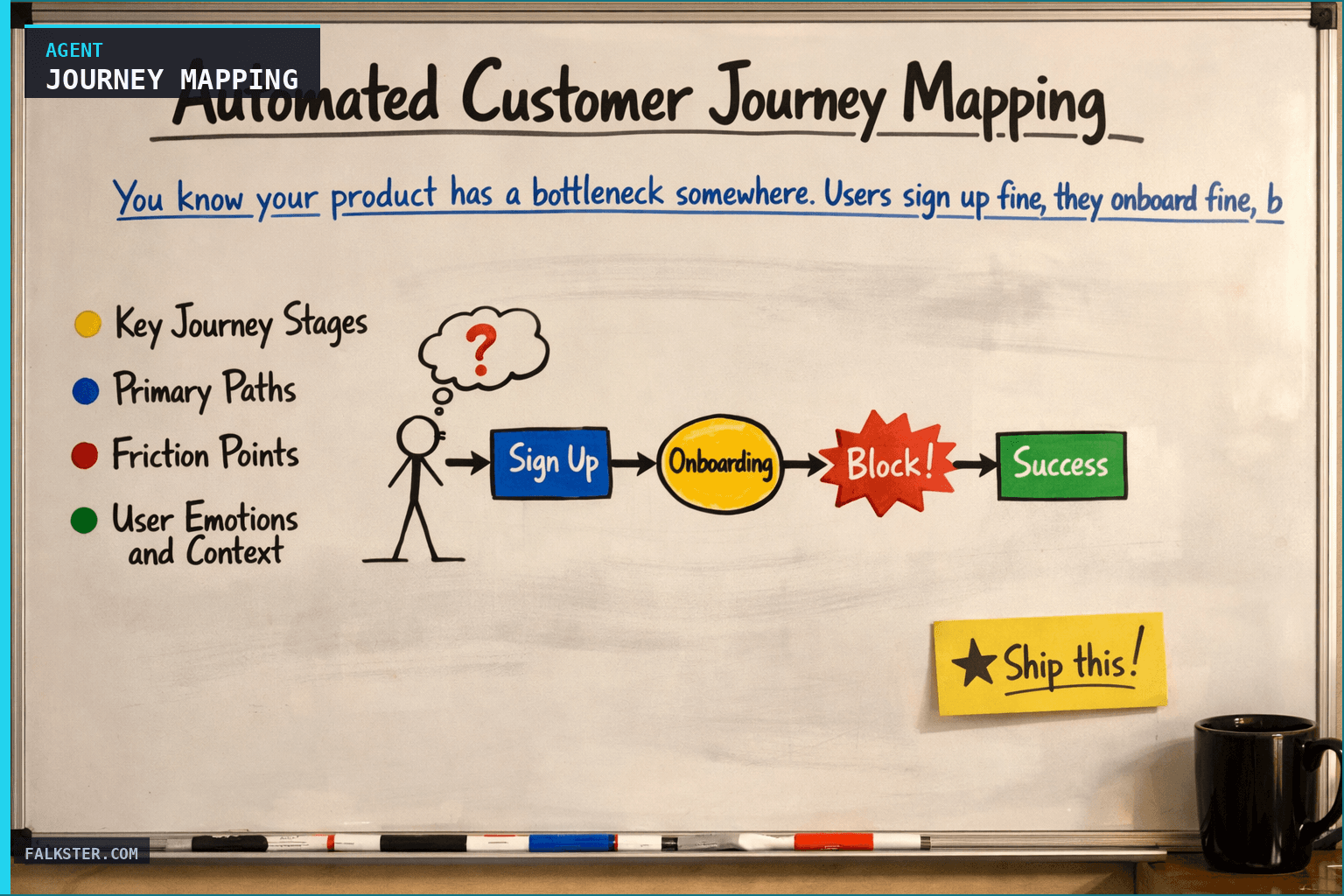
You know your product has a bottleneck somewhere. Users sign up fine, they onboard fine, but then... something. Some get to activation, some churn. Some come back, some ghost.
Traditional journey maps are static. You build them once, they sit in Figma, they get stale. And if you actually tried to map the real customer experience - every path, every decision point, every moment of friction - it would take weeks.
The Journey Mapping agent builds dynamic maps every two weeks by pulling from three sources: where users actually go (session replays), what they struggle with (support data), and what they tell you (research). No manual work required.
How It Works
The agent synthesizes three data sources into a single journey:
Session replay analysis: Connects to Fullstory or Hotjar, pulls 50-100 typical user sessions across key cohorts (SMB, enterprise, returning users, etc.). The agent watches for: drop-off points, backtracking (re-reading the same page), long pauses, rapid clicking (frustration signal).
Support pattern mapping: Pulls support tickets and maps them to journey stage (pre-signup, onboarding, feature adoption, renewal). If 40% of week-2 support tickets are "how do I connect my data source," that's a friction point to map.
Research overlay: Pulls interview notes and user research to add context. "Users say onboarding is confusing" + "session replays show users abandon the setup flow after step 3" = specific friction point you can address.
The output is a map showing: key stages, typical paths, decision points, drop-off rates, and friction moments.
Data Sources and Setup
Prerequisites: Complete the Claude setup guide first. You'll need:
- Fullstory or Hotjar: Session replay data for the last 2 weeks
- Zendesk or support system: Support tickets mapped to journey stage
- Research repository: Interview notes, user feedback, previous research docs
- Analytics: Conversion funnels to validate journey stages and drop-off rates
- Optional: VoiceOF Customer data, user testing videos
Schedule: Bi-weekly Thursday at 9 AM. Analyzes 2 weeks of data.
The Claude Prompt
You are building customer journey maps from session replay, support, and research data.

Here's the session replay analysis:
[REPLAY DATA: common paths, drop-off points, user behaviors, cohort breakdowns]

Here's the support data mapped to journey stages:
[SUPPORT DATA: ticket volume by stage, top issues by stage, resolution time]

Here's our customer research:
[RESEARCH: interview themes, pain points, quotes from users at each stage]

Here's our conversion funnel:
[FUNNEL DATA: stage names, conversion rates, drop-off points]

Please build a journey map that includes:

1. **Key Journey Stages**
   - List each major stage a user goes through
   - For each stage, show: typical duration, success rate, drop-off rate
   - Note: map the actual journey users take, not the ideal path

2. **Primary Paths**
   - What's the most common path through your product?
   - Are there 2-3 other common paths? (e.g., "API integrators" vs. "UI users")
   - Show adoption rate for each path

3. **Friction Points** (HIGH PRIORITY)
   - Where do users drop off most? (use replay + analytics data)
   - Where do users get stuck longest? (use session replay time data)
   - Which stage generates the most support tickets?
   - For each friction point: what's the root cause?

4. **User Emotions and Context**
   - What emotional state is the user in at each stage? (use research + replay behavior)
   - What are their goals? What are they trying to achieve?
   - What's their motivation level? (Do they have urgency? Are they exploratory?)

5. **Segment Variations**
   - Does the journey look different for enterprise vs. SMB?
   - Do returners have a different path than new users?
   - Which path are your best customers taking?

6. **Opportunities**
   - Where could you intervene to improve conversion?
   - Which friction point would have the biggest impact if fixed?
   - Are there moments of delight we should amplify?

Format as a visual-ready journey map. Use quotes from research where they illustrate a point.
What This Delivers
Instead of guessing where users get stuck:
- Real friction visibility: "Users drop 35% at the data mapping stage. They re-read docs 4 times, try 3 times, then ghost."
- Evidence-based: Backed by session data + support + research, not just one data source
- Actionable specificity: Not "onboarding is hard" but "step 3 (test connection) fails silently and users don't know what went wrong"
- Segment-specific paths: Your enterprise journey looks different from SMB - the map shows both
Real outcomes:
- Prioritize fixes based on where you lose the most users
- Understand why they're stuck, not just that they're stuck
- Onboarding redesign is evidence-based instead of guesswork
For the full agent fleet and scheduling details, see Your AI Agent Fleet.
Also on Medium
Full archive →AI Agents and the Future of Work: A Pixar-Inspired Journey
What product managers can learn about AI agents from how Pixar runs a film team.
How to Avoid Survivorship Bias in Product Management
Lessons from the British bomber study, applied to PM customer interviews and analytics.
Frequently asked
How is an automated customer journey map different from a static Figma journey map?+
A static Figma map is built once from research that was current at the time, then goes stale as the product changes. The Journey Mapping agent rebuilds the map every two weeks from actual user behavior (session replays), support patterns (tickets mapped to journey stage), and research notes. It reflects what users are doing today, not what a research project found six months ago.
What three data sources does the Journey Mapping agent synthesize?+
Session replays from Fullstory or Hotjar (where users actually go, where they back up, where they pause or rage-click), support ticket data mapped to journey stage (40 percent of week-2 tickets in the same stage means friction there), and customer research notes that add qualitative context to what the behavioral data shows.
What does the agent surface that manual journey mapping misses?+
Segment-specific paths. Most static maps show one 'typical user' journey. The agent shows how SMB users, enterprise users, and returning users each take different paths, with different drop-off points and different friction moments. It also surfaces the frustration signals that don't show up in interviews: backtracking, repeated attempts, and long pauses at a specific step.
How do I start with just one cohort before building the full pipeline?+
Pull 50 sessions from one cohort in Fullstory or Hotjar for the last two weeks. Feed the session summary plus support tickets from that same cohort into the prompt. Ask where friction concentrates. That single run tells you the highest-value friction point to address before you build the full bi-weekly automation.
How does this agent change how the team prioritizes onboarding fixes?+
Instead of 'onboarding is hard' (a vague complaint), you get 'step 3 (test connection) fails silently and 35 percent of users drop off, re-read docs 4 times on average, and try 3 times before ghosting.' That specificity makes the ROI of fixing the step obvious and gives engineering a clear pass/fail definition for the fix.

Comments (0)
Sign in with LinkedIn to leave a comment.
Sign in with LinkedIn