Stream a simulated run, inspect the notifications it would send on Slack and email, and see exactly where it sits in the 7-stage PM OS flow. No password required.
The short version
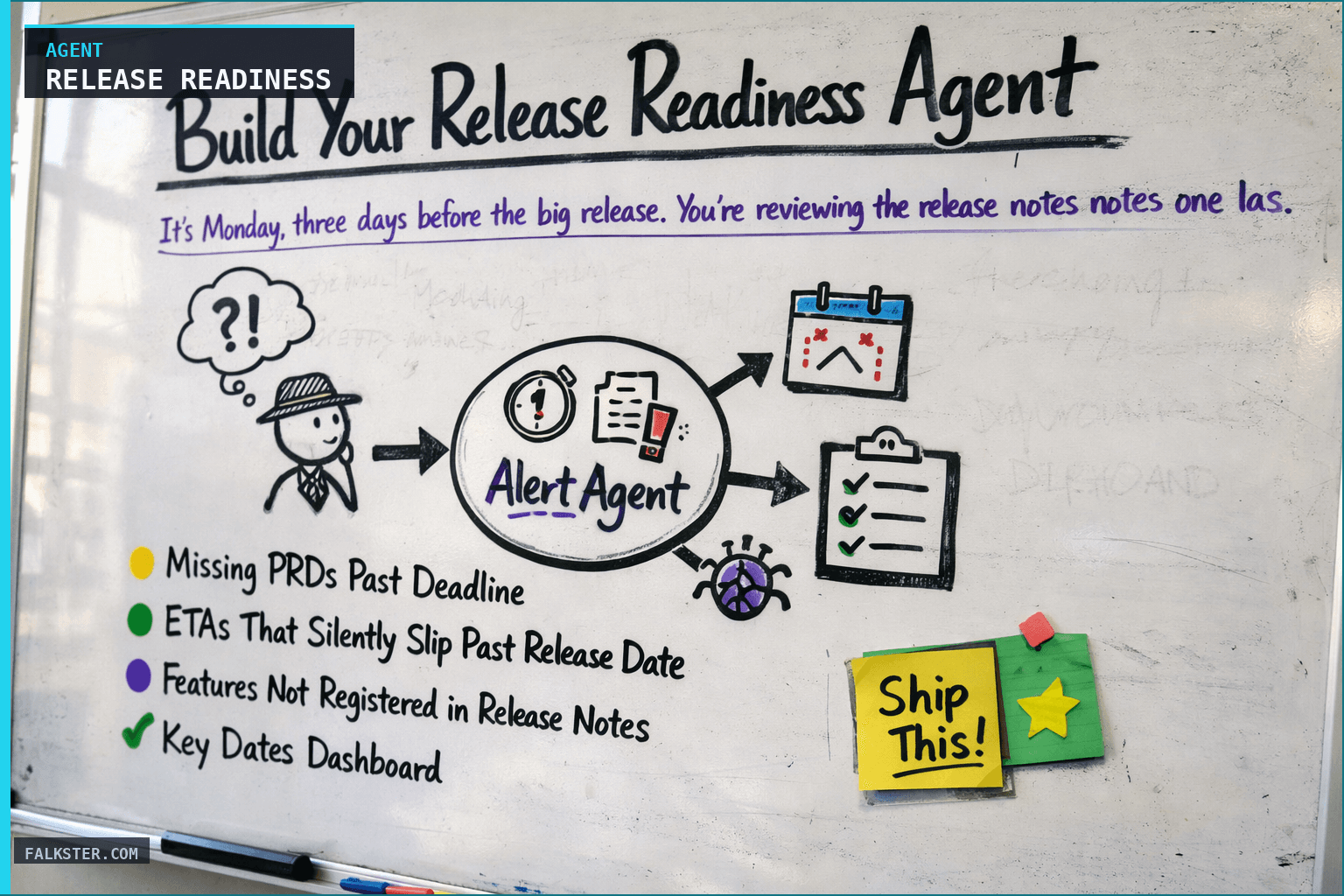
The Release Readiness agent runs every Wednesday at 8 AM and audits five critical inputs: PRD approval status, release notes registration, ETA accuracy, feature flag coverage, and GTM readiness. The output is an 11-section report including a critical-gaps dashboard, a full release inventory, PM action items with named owners, and a go/no-go recommendation. The agent catches the three things that derail every launch: missing PRDs past deadline, ETAs that silently slip past release date, and features that ship without a release notes entry. By week three of running this, launches are boring. Set up the source MCP connections (Jira, GitHub, Notion) and run it on next Wednesday's release slate.
It's Monday, three days before the big release. You're reviewing the release notes one last time when you notice something: a Tier 1 feature - one you committed to $300K ARR customers - has zero customer-facing documentation. No release notes entry. No help article. No sales talking points.
You call the PM. "It's on my list," they say. "I'll get to it tomorrow."
It doesn't get done. The feature ships anyway. Support gets flooded with "How do I use this?" tickets. Sales can't pitch it because they don't know what it does. One customer, a $50K/year account, nearly churns because they feel like the product evolved without them.
This is the nightmare that repeats itself in product organizations every single month. Not because anyone is incompetent, but because nobody has visibility into the hundred small things that fall through the cracks during release planning.
You need a Release Readiness Agent.
What Goes Wrong Every Release
Before diving into the solution, let me name the three gaps that derail nearly every launch:
1. Missing PRDs Past Deadline
A feature is committed, assigned to a PM, and everyone assumes the PRD will be written. It's not. Or it gets written but never leaves Draft status. Suddenly it's three days before release and there's no specification, no success metrics, no decision record. The team has to ship blind or rescope.
2. ETAs That Silently Slip Past Release Date
A feature is scheduled for March 31st release. But engineering discovers a blocker in week 3, and the PM updates the ETA to April 2nd. They send an email to the exec sponsor about the slip. But nobody updates the release notes. Nobody tells the GTM team. Three days before go-live, someone notices the feature is going to be late - and half the customer communication is already written around it.
3. Features Not Registered in Release Notes
The feature works. It's approved. It ships. But somewhere between the Jira ticket and the release notes document, it falls off the list. Customers find out about it by accident. Sales doesn't know to pitch it. It becomes invisible - wasted engineering effort and zero competitive advantage.
All three of these gaps are preventable. You just need a system that audits your release continuously instead of waiting until the panic starts on Thursday afternoon.
The Release Readiness Agent
This agent runs every Wednesday morning and produces a release readiness report. It cross-references five data sources and asks the one question that matters: is everything needed for a clean release actually in place?
The agent checks:
- Are all PRDs approved, or have deadline-past items been identified?
- Is every shipping feature actually registered in your release notes?
- Are all ETAs honest, or have some quietly slipped past the release date?
- Does every feature have a kill switch (feature flag) for safety?
- Is your GTM team ready with documentation, talking points, and customer communication?
It doesn't just report problems. It names the PM responsible, shows exactly what's missing, and tells you what action to take.
How It Works: The Report Structure
The agent produces an 11-section report. Here's what each section does and why it matters:
1. Key Dates Dashboard
A simple table showing your four critical deadlines: PRD approval deadline, internal knowledge article deadline, GTM enablement date, and release go-live. Each shows days remaining and a status indicator (on track, at risk, overdue).
Why this matters: Everyone knows the release date. Almost nobody remembers the PRD deadline. This puts all the intermediate milestones in one place.
2. Critical Gaps / High Risk Items
If anything is broken, this is where you see it. A table of every feature with problems: missing PRD, not registered in release notes, ETA after release date, or no feature flag.
This is your emergency dashboard. If this section is empty, you can breathe.
3. Full Release Inventory
Every single feature shipping this month, all at once. PRJ ID, feature name, PM, ETA, ARR impact, named customers, PRD status, release notes status, risk level.
This is your source of truth. It's the complete picture. When someone asks "What are we shipping?" you show them this.
4. Items Not Registered in Release Notes
Features that will ship with zero customer-facing communication. The PM responsible is named. The action item is clear: register it, or schedule a knowledge article, or add it to the sales deck.
Why this matters: This is where you catch the invisible features. The ones that ship but customers never hear about.
5. Draft Release Notes
The current state of your release notes, organized by tier (Tier 1 for your most important customers, Tier 2 for growth segment, Tier 3 for everyone else). Shows completion status and flags gaps (missing description, no KB article, no screenshots).
Why this matters: You see the release notes as they'll appear to customers. You catch missing sections before they're published.
6. PM Action Items
Structured by urgency: IMMEDIATE (overdue), REGISTRATION REQUIRED (this week), and VERIFICATION REQUIRED (confirm these are correct).
This is the accountability section. PMs see their name and their deadline. No ambiguity.
7. Risk Summary
A simple count: X items CRITICAL, Y items HIGH, Z items ON TRACK.
Your headline risk metric in one glance.
8. Feature Flag Status
Every shipping feature cross-referenced against your codebase. Does it have a kill switch? Can that kill switch actually disable it, or is it always-on?
Why this matters: Shipping without a kill switch is shipping without a safety net. If something breaks in production, you want to disable it in seconds, not wait for a code deploy.
9. GTM Readiness Checklist
Four criteria, each with a go/no-go indicator:
- Are products launching on time?
- Has sufficient discovery been done (competitive analysis, customer testing)?
- Is roadmap visibility there (do customers know this is coming)?
- Is GTM knowledge ready (PRDs finalized, release notes, KB articles, sales decks)?
This is where you make the go/no-go decision. If all four are green, release. If any are red, you have a go/no-go conversation to have.
10. Required Fields Audit
A matrix showing which features have complete information. Every feature should have: ARR impact, customer testing notes, competitive analysis, screenshots, release type (Major/Minor/Patch), approved PRD, release notes entry, knowledge article, and feature flag.
Blank cells = gaps to fill.
11. Summary & Next Steps
Headline risk, go/no-go recommendation, immediate actions (by EOD today), and week-end checklist (by Friday).
This is where you answer the question: Can we release on schedule? And if not: What needs to happen to make that true?
The Feature Flag Audit
Let me spend a moment on feature flags because this is where most teams are weakest.
You've got a feature in production. There's a bug. You need to disable it right now. Do you have a kill switch that lets you do that without waiting for engineers to merge code, run tests, and deploy?
Most teams don't. The feature flag exists on paper. But in production, it's always-enabled. There's no off position. So when disaster happens, you're stuck.
The agent scans your codebase and finds every feature flag. Then it cross-references each one against your shipping features. The report shows:
- Which features have kill switches
- Which flags can actually be disabled (vs. always-on)
- Which shipping features have zero flag at all
Any feature without a kill switch gets flagged as HIGH risk. If it's a Tier 1 feature, it becomes CRITICAL.
The recommendation is simple: Either add a flag before shipping, or descope the feature until you can build one in.
This single check prevents more production disasters than almost anything else you can do.
The GTM Readiness Checklist
A feature is only shipped when four things are true:
C1: Products launching on time? Are the features actually going to be ready, or are ETAs drifting?
C2: Sufficient discovery done? Do we understand the competitive landscape? Have customers tested it? Do we have usage data?
C3: Roadmap visibility? Are customers aware this is shipping? Will this be a surprise, or did we build excitement?
C4: GTM knowledge ready? Do we have a PRD? Release notes? Knowledge articles? Sales enablement deck? Talking points?
Each criterion gets a status (yes / partial / no) and an owner. The agent shows which ones are incomplete.
If all four are complete, you have a go/no-go. If any are incomplete, you either need to finish them, or you need to descope that feature and move it to the next release.
This takes the guesswork out of the release decision.
Data sources and setup
Prerequisites: Complete the Claude setup guide first. This agent needs the following MCP connections active:
- Jira or Linear - feature status, ETAs, ARR impact
- GitHub or GitLab - feature flag configuration and status
- Notion or Google Docs - release notes and PRD documents
Schedule: Runs every Wednesday at 8:00 AM via cron. Output posts to Slack.
Quick test: Open Claude and ask: "Evaluate release readiness for the next scheduled deploy: test coverage, known bugs, performance benchmarks, rollback plan."
For the full agent fleet and scheduling details, see Your AI Agent Fleet.
What changes when you run it weekly
Three things. You catch problems early: instead of discovering Thursday that a feature has no PRD or no kill switch, you know Wednesday, with time to fix it or descope it. PMs get more accountable, because their name is in the report next to an explicit deadline and "nobody told me" stops working. And launches get boring. When you ship, release notes are done, knowledge articles are published, sales is trained, support is ready, customers know what's coming. The feature just works.
Get started
The complete agent instruction file is here: all 11 report sections with their format, the data extraction rules, the risk classification criteria (CRITICAL/HIGH/ON TRACK), the GTM checklist definitions, the feature flag audit rules, the required-fields matrix, a customization guide for any release cadence, and a test prompt.
Copy the prompt, point it at your systems (Jira URL, doc URLs, Slack channel, your release dates), and run it weekly.
Your first report will be messy. You'll find gaps everywhere. Good. That's the point, now you know what to fix. By week three it's on track. By week four you ship without holding your breath.
Download the artifact
Ready to use. Copy into your project or share with your team.
Also on Medium
Full archive →AI Agents and the Future of Work: A Pixar-Inspired Journey
What product managers can learn about AI agents from how Pixar runs a film team.
Many AI Agents Are Actually Workflows or Automations in Disguise
How to tell agents from workflows from cron jobs, and why it matters for what you ship.
Frequently asked
What does the Release Readiness Agent check every week?+
Five things: whether all PRDs are approved or flagged past deadline, whether every shipping feature is registered in release notes, whether ETAs are honest or have quietly slipped past the release date, whether every feature has a kill switch (feature flag) that can actually disable it, and whether the GTM team has documentation and talking points ready.
What are the three gaps that derail most product launches?+
Missing PRDs past deadline, where a feature ships with no specification or success metrics. ETAs that silently slip past the release date without updating the GTM team. Features that ship but are never registered in release notes, so customers find out by accident and sales cannot pitch them. All three are preventable with a weekly audit.
What is the go/no-go section of the report?+
The GTM Readiness Checklist checks four criteria: products launching on time (ETAs honest), sufficient discovery done (competitive analysis and customer testing complete), roadmap visibility (customers aware this is shipping), and GTM knowledge ready (PRDs finalized, release notes, knowledge articles, sales decks). Each criterion gets a go/no-go indicator. All four green means release. Any red means a decision conversation before go-live.
Why does the feature flag audit matter?+
A feature flag that exists on paper but is always-on in production is not a kill switch. If something breaks, you're waiting for engineers to merge code, run tests, and deploy a fix. The agent scans the codebase, finds every feature flag, and cross-references each one against shipping features to confirm which can actually be disabled. Any shipping feature without a real kill switch is flagged as high risk.
How quickly do launches improve after running this agent?+
By week three, most teams have caught and fixed the recurring gaps (missing PRDs, late release notes entries). By week four, launches are predictable. Release notes are done before go-live. Sales is trained. Support is ready. The feature just works on launch day instead of creating a week of fire-fighting.

Comments (0)
Sign in with LinkedIn to leave a comment.
Sign in with LinkedIn