Stream a simulated run, inspect the notifications it would send on Slack and email, and see exactly where it sits in the 7-stage PM OS flow. No password required.
The short version
The Product Health Dashboard agent runs every Tuesday at 9 AM and goes deeper than daily metrics. It pulls 3 weeks of data from Amplitude or Mixpanel and analyzes four dimensions: feature adoption curves (day 1, 3, 7, 14, 30 trajectories vs. baseline), cohort retention (this week vs. 4 and 8 weeks ago), engagement depth (surface vs. regular vs. power users), and performance trends from DataDog or Sentry. The point is to distinguish "not valuable" from "not discoverable." A feature with 20% adoption that's flat could be a discovery problem with power-user retention 40% higher than overall. The dashboard tells you which. This is where quarterly strategy gets shaped.
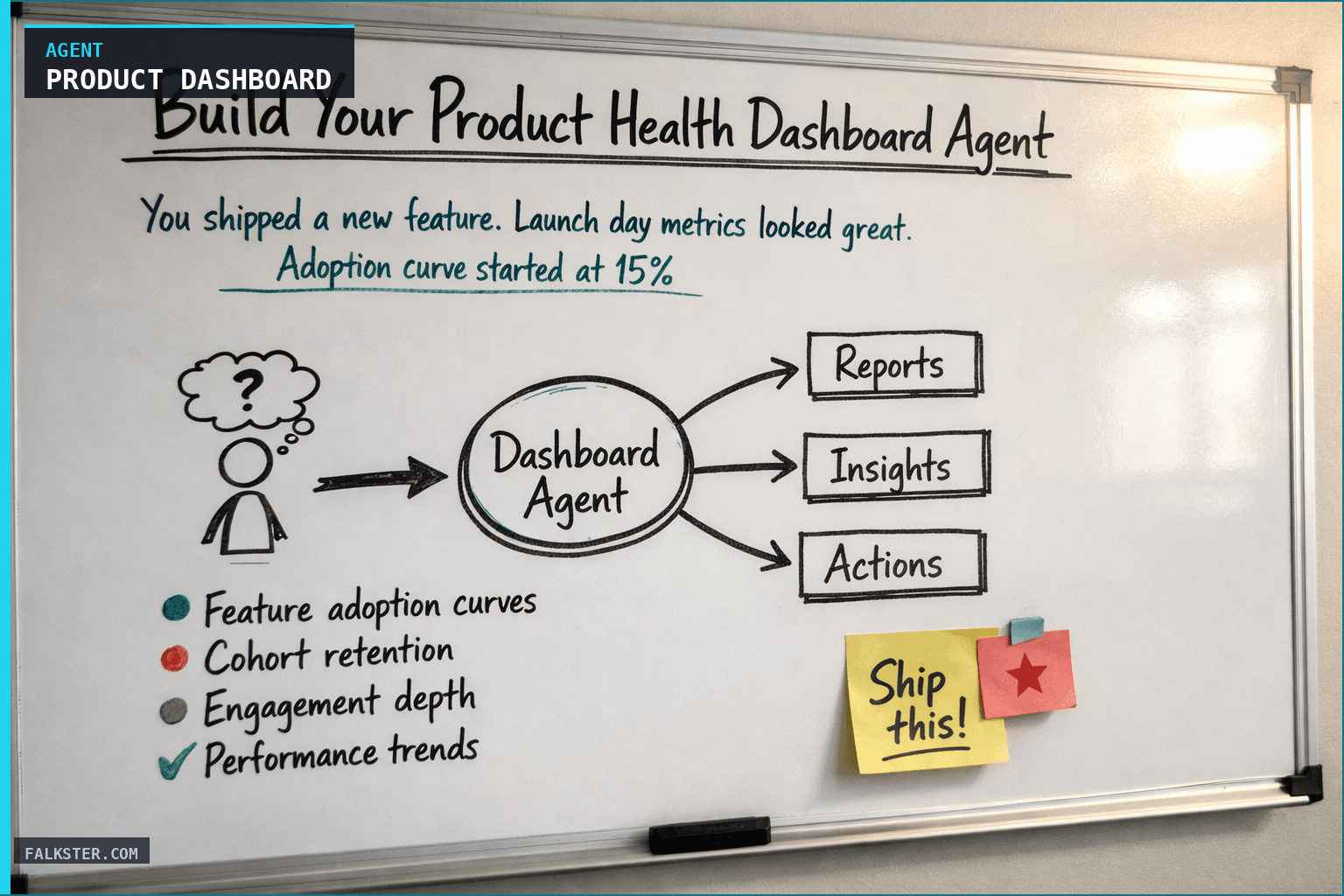
You shipped a new feature. Launch day metrics looked great. Adoption curve started at 15% on day one, climbed to 20% by day three. Everyone celebrated.
Then you check the same feature one week later. Adoption is still 20%. The curve peaked and went flat. So either your 20% of users are absolutely loving it (power users), or you have a discovery problem. You don't actually know which.
That's the difference between knowing metrics and understanding what those metrics mean.
The Product Health Dashboard Agent goes deeper than daily metrics. It's not just "adoption is 20%." It's "adoption is 20% and climbing, but engagement depth is only 2% of adopters are power users, which suggests a discovery problem, not a value problem."
This is the agent that shapes your quarterly strategy. It's where you decide what to keep, what to kill, and what to invest in.
Daily Metrics vs. Weekly Depth
Daily health reports are tactical. They tell you if something is broken right now. "DAU is up 3% today." "Retention held steady." "One feature has low adoption."
But they don't tell you why or what to do about it. Is the feature not valuable? Is it hard to discover? Do power users love it but surface users bounce? Are new cohorts stickier than old cohorts? Is performance degrading?
Those answers require depth. You need to look at adoption curves, not just adoption percentages. You need to analyze engagement by segment. You need to track how performance changes week to week.
A weekly deep-dive dashboard gives you that depth. Instead of "adoption is low," you get "adoption curve is slower than historical baseline, but power users have 40% higher retention than the overall cohort - this suggests the feature is valuable but hard to discover."
That insight changes your decision. Instead of killing the feature, you improve discoverability. Instead of investing in a new feature, you optimize the existing one.
How the Agent Works: Deep Product Analytics
The Product Health Dashboard Agent connects to your product analytics platform (Amplitude, Mixpanel) and pulls three weeks of data: events, user journeys, cohorts, and feature usage.
It analyzes four dimensions:
Feature adoption curves. For new features (released < 30 days), it shows the adoption trajectory: day 1, day 3, day 7, day 14, day 30. Is the curve accelerating? Flattening? Declining? How does it compare to previous features you launched?
Cohort retention. It compares this week's new user cohort to historical cohorts from 4 and 8 weeks ago. Are new users stickier or less sticky than they used to be? Is retention improving or degrading?
Engagement depth. For each feature, it shows three tiers: surface users (tried it once), regular users (2-5 uses), power users (6+ uses). Where are your users clustering? Are there meaningful power users or is everyone just dipping a toe in?
Performance trends. API latency, error rates, page load time - all trended week-over-week. Is the product getting faster or slower? Are there anomalies?
The output is a report that says: Here's what your users are actually doing. Here's what's getting adopted. Here's what's sticky. Here's where the performance is degrading. Here's what you should change.
The report breaks down like this:
Executive summary. Is product health strong, stable, or concerning? One-paragraph take.
Adoption metrics by feature. New features: adoption curve and trend. Mature features: usage trends and adoption depth. Which features are sticky? Which have high surface-level usage but low power-user engagement?
Cohort retention analysis. This week's cohort compared to historical. Are new users getting stickier or less sticky? Is there a segment difference (free users vs paid, geography, persona)?
Feature engagement depth. For each significant feature: what percentage are surface users vs regular vs power users? What are power users doing differently?
Performance trends. API latency, error rates, uptime trended week-over-week. Any anomalies or concerning trends?
A/B test results. All active and completed tests from the week. Hypothesis, result, learning, business impact.
Usage anomalies deep-dive. If something weird happened (usage dropped 40%, latency spiked), the agent investigates. Was it a deployment? A feature flag change? External event? Media coverage?
Strategic insights. What should change about your roadmap based on this data?
Data sources and setup
Prerequisites: Complete the Claude setup guide first. This agent needs the following MCP connections active:
- Amplitude or Mixpanel - event data, user cohorts, feature usage
- DataDog, New Relic, or Sentry - API latency, error rates, uptime
- Statsig or LaunchDarkly - active tests, results, feature flags
Schedule: Runs every Tuesday at 9:00 AM via cron. Output posts to Slack.
Quick test: Open Claude and ask: "Build this week's product dashboard: feature adoption, retention cohorts, support trends, and deployment frequency."
For the full agent fleet and scheduling details, see Your AI Agent Fleet.
The Prompt (Customize This)
Here's the basic prompt structure:
You are a product analytics expert. Your job is to produce a weekly deep-dive dashboard beyond daily metrics.

DATA INPUTS:
- Raw event data from [analytics platform]
- User cohort data (this week vs historical)
- Feature flag and A/B test results
- Performance monitoring data
- Daily anomaly flags

INSTRUCTIONS:
1. For each feature released in last 60 days, plot adoption curve: Day 1, Day 3, Day 7, Day 30. Compare to projections.
2. Analyze this week's user cohort: D1, D7, D30 retention. Compare to 4-week and 8-week ago cohorts.
3. For each user segment (plan tier, geography, persona): compare adoption, retention, engagement depth.
4. Feature engagement depth: show % surface users / regular users / power users. What do power users do differently?
5. Performance trends: API latency (P50, P95), error rate, uptime. Week-over-week comparison.
6. A/B test summary: all tests from last week with results and confidence levels.
7. Investigate any flagged anomalies: what caused them, is it still happening?
8. Identify 2-3 strategic insights: what should change about product roadmap based on this data?

TONE: Data-driven, analytical, actionable.
OUTPUT: Markdown formatted for Slack and team dashboard.
What this changes
When you have a weekly product health dashboard, your strategic conversations shift.
You make adoption decisions on data instead of gut. Not "the feature isn't valuable" but "the feature is valuable for the 5% who become power users and has a discovery problem, here's how we fix it." That single distinction, not valuable versus not discoverable, is the one that saves features. You stop killing things that work but are hard to find, and you stop pouring effort into features with zero power-user engagement.
The rest is early warning. You don't wait for the quarterly review to learn cohorts are retaining 10% worse, you see it in Tuesday's digest and go dig. When P95 latency creeps up week over week, you know Monday, not when a customer complains Friday. Your A/B tests stop being nice-to-have data and start guiding what you build next. And when new cohorts show 20% worse D30 retention than the old ones, that's a signal something changed in the product or the onboarding, so you find it and fix it.
This is also where quarterly planning happens. Instead of "I think we should build X," you're saying "feature Y has high power-user retention but low surface adoption, so we either improve discoverability or sunset it." The data picks the argument.
The Broader Toolkit
The Product Health Dashboard is part of a coordinated weekly reporting system:
- Weekly Executive Report Agent (Monday 7am): Leadership brief
- Weekly Ops Digest Agent (Monday 8am): Operational trends
- Product Health Dashboard Agent (Tuesday 9am): Feature adoption and retention deep-dive
- Release Checker Agent (Thursday 10am): Pre-release verification
Together, these four agents give you systematic weekly visibility into execution, operations, product health, and release quality.
Start with the dashboard. It'll change how you make product decisions.
Get the full agent prompt and setup instructions.
Sources: Amplitude, Mixpanel, Datadog, Sentry, Statsig, LaunchDarkly.
Download the artifact
Ready to use. Copy into your project or share with your team.
Also on Medium
Full archive →AI Agents and the Future of Work: A Pixar-Inspired Journey
What product managers can learn about AI agents from how Pixar runs a film team.
Many AI Agents Are Actually Workflows or Automations in Disguise
How to tell agents from workflows from cron jobs, and why it matters for what you ship.
Frequently asked
How is the Product Health Dashboard different from daily metrics?+
Daily metrics are tactical: DAU is up 3%, retention held. They don't explain why or what to do. The weekly dashboard goes deeper: adoption curves by day 1/3/7/14/30, cohort retention trends comparing this week to 4 and 8 weeks ago, engagement depth (surface vs. power users), and performance trends by surface. That depth is what drives quarterly strategy decisions.
What is engagement depth and why does it matter for product decisions?+
Engagement depth shows what fraction of users who tried a feature became power users (6+ uses) versus surface users (tried once). A feature with 20 percent adoption but only 2 percent power-user engagement suggests a discovery problem, not a value problem. That distinction changes whether you invest in discoverability or kill the feature entirely.
How do you distinguish a value problem from a discoverability problem?+
Look at power-user retention alongside overall adoption. If power-user retention is 40 percent higher than overall, the feature is valuable to people who find their way to it. The problem is that most users can't find it or don't understand it. If power-user retention is flat or below average, you have a value problem. The dashboard surfaces this every Tuesday.
What analytics platforms does this agent connect to?+
Amplitude or Mixpanel for event data, user cohorts, and feature usage. DataDog, New Relic, or Sentry for API latency, error rates, and uptime. Statsig or LaunchDarkly for active A/B tests and feature flags. All require MCP connections active before setup.
What strategic decisions does the weekly product health dashboard change?+
You stop killing features that are valuable but under-discovered. You stop investing in features with zero power-user engagement. You see cohort retention trends 3 months before they show up in churn. You catch performance degradation before customers complain. And your A/B test results drive roadmap decisions instead of just closing out tests.

Comments (0)
Sign in with LinkedIn to leave a comment.
Sign in with LinkedIn